Post Ordering - by title

Hi,
I appreciate there are ongoing issues with the ordering of dynamic content but I was wondering if there is anything that can be done for this site:
https://www.maiden-marine.co.uk/new-boats/beneteau-sailing-yachts/beneteau-first-se/
The boats should be ordered by title as then they are in size order.
Many thanks,
Eilidh
-

Hi Eilidh,
Thank you for reaching out.
We can adjust and reuse the code snippets from previous sites to address the ordering issue.
Please send your site's credentials to communitysupport@brizy.io and include 39769648392338 in the email subject line so we can easily find your request.
I'm currently on leave, but I'll make time to adjust the existing code snippet for this website. I'll keep you updated on my progress.
Thank you for your understanding!
0 -

Hello Eilidh,
Thank you for providing your login credentials.
We’d like to clarify that developing custom code solutions generally falls outside the scope of Brizy Support. However, we understand that the official fix for the post-ordering issue is taking longer than expected, and we recognize the importance of finding a workable solution in the interim. Ariel previously provided a programmatic workaround to help address this issue.
Ariel is currently on a three-week holiday. Although he has kindly offered to look into your request, we’re unable to confirm exactly when he’ll be available to work on the proposed solution. We kindly ask for your patience over the next few days while we give him time to review your request.
We understand how important it is to resolve this issue, and we appreciate your patience while we explore a possible workaround. We’ll keep you informed as soon as we have an update.
Thank you for your understanding.
0 -
Hi,
Thank you for the update. We certainly wouldn't expect Ariel to work on this while he is on holiday. It can wait.
This has been an ongoing issue and has impacted a number of our clients substantially, as it was a functionality that previously worked just fine. Unfortunately this has been the case with a number of Brizy updates and roll outs. With this in mind we've appreciated Ariel finding a temporary solution as it these recurring disruptions have a major business impact.
Many thanks,
Eilidh
0 -
Hi Eilidh,
Thank you for the update.You can find the snippet in the WPCode plugin. If the changes aren't visible on your end, please clear the LiteSpeed cache and check again. The code snippet provides a temporary workaround by sorting the boats alphabetically by title while preserving the existing category filters.
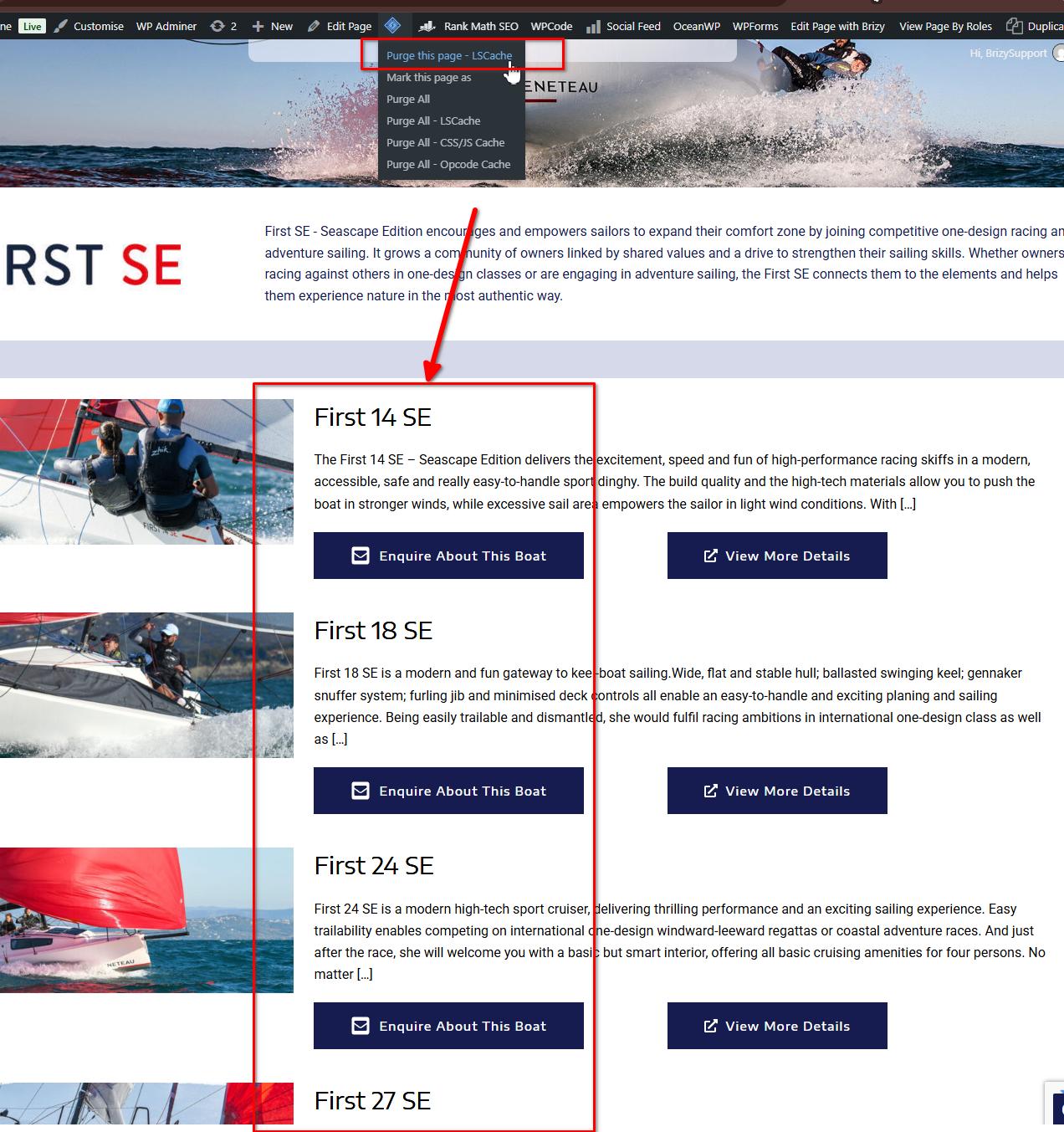
If you have any further questions, please let us know.
Kind regards,
Ariel H.0 -
Hi Ariel,
Thanks for this, although even when I clear the cache it doesn't seem to be working for me. For example - https://www.maiden-marine.co.uk/new-boats/beneteau-motorboats/antares/
Do you see what I mean?
Thanks,
Eilidh
0 -
Hello Eilidh,
When sorting the boat titles in reverse alphabetical order, what you are seeing on your webpage is the right sequence:
-
Antares 9
-
Antares 8 Fishing
-
Antares 8
-
Antares 7 OB
-
Antares 7 Fishing
-
Antares 12 Coupe
-
Antares 12
-
Antares 11 FLY
-
Antares 11
This happens because the system sorts titles character by character, from left to right, rather than recognizing the numbers as complete numerical values. As a result, the single-digit numbers (
9,8, and7) are sorted ahead of the two-digit numbers (12and11), since the first digit of the latter is1.To achieve the desired order, please try standardizing the boat numbers by adding a leading zero to all single-digit numbers. This should allow the titles to be sorted, placing the two-digit numbers (
12and11) before09,08, and07. Please consider updating the titles as follows:-
Antares 12 Coupe
-
Antares 12
-
Antares 11 FLY
-
Antares 11
-
Antares 09
-
Antares 08 Fishing
-
Antares 08
-
Antares 07 OB
-
Antares 07 Fishing
This approach should give you the desired reverse alphabetical order without requiring any changes to the website’s sorting functionality. Once you’ve updated the titles, please check the order on your webpage and let us know whether this resolves the issue.
0 -
Please sign in to leave a comment.
Comments
6 comments