Why does it say Upgrade?

Hi there. Not sure why my account says I need to upgrade to Pro? I thought I had more than enough Pro licenses with my plan. I'm working on the Heritage Standing Project in my account. Please help. Thanks
-
I realize I think all of my projects now say upgrade to pro. I cancelled the $1 deal which I had 10 of them but didn't cancel the entire plan that I was on.
0 -

Hello Gary,
You’re currently subscribed to the Freelancer Cloud plan, which includes 20 PRO licenses. This means you can have up to 20 websites using PRO features under this plan. PRO features include things such as custom domain and PRO elements in the Brizy "Elements" panel.
At the moment, you have 23 projects with PRO features enabled, which means you’re using 3 extra PRO licenses than your current plan allows. These additional 3 licenses were available to you when you had the "$1 Per Site Deal". Since you have now cancelled that plan, those additional licenses are no longer available. As a result, you currently have 20 PRO licenses available for 23 projects.
There are two ways you can resolve this:-
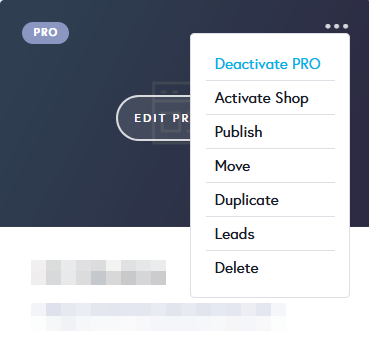
Deactivate PRO on 3 Projects :Since your current plan includes 20 PRO licenses, you can deactivate the PRO license on 3 of your projects. This will bring your usage down to 20 licenses, allowing you to continue using PRO features on the remaining 20 projects. Select the "Deactivate PRO" option in the project thumbnail to deactivate PRO license from a project.
-
Purchase Additional PRO Licenses: Alternatively, you can purchase additional licenses through the available plans on Brizy Cloud pricing page. For example, you could choose the Personal Cloud plan and purchase 2 additional PRO licenses at $17/month per license. This would increase the number of projects that can use PRO features.
When a project is downgraded to FREE, you will have these three 3 limitations.
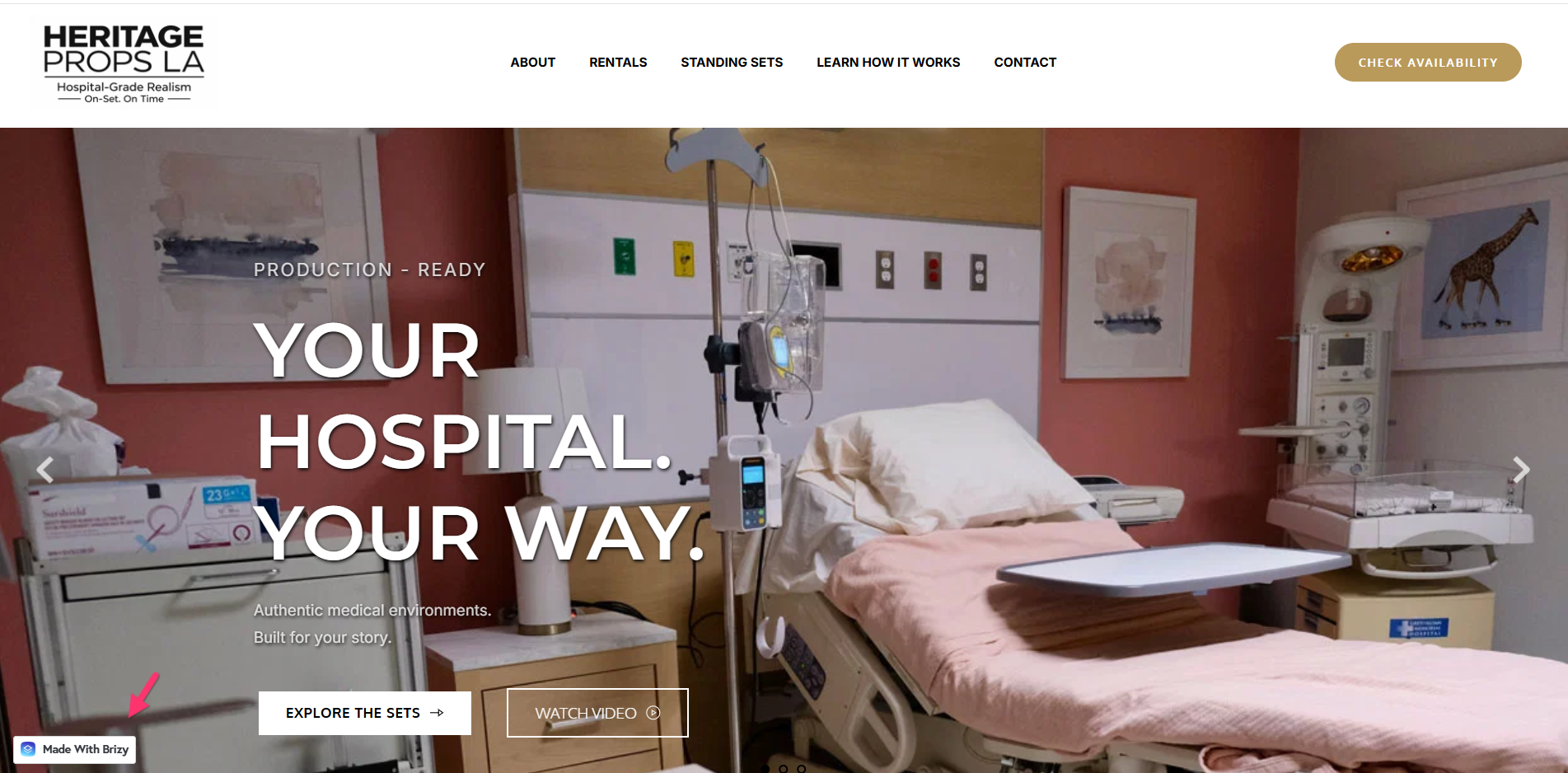
- Visitors to your webiste will see a "Made with Brizy" badge on the bottom left corner of your website frontend.
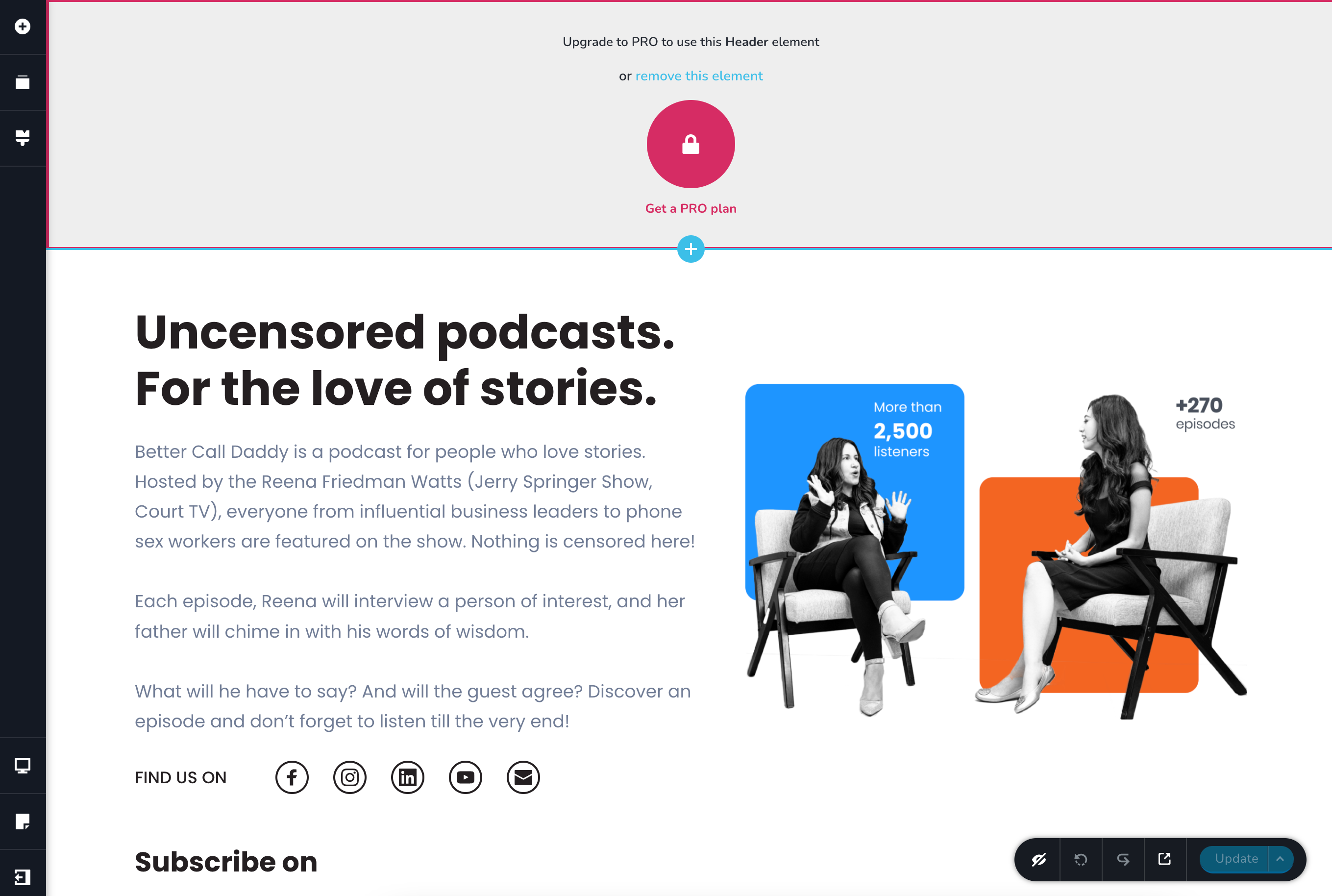
- In the Brizy Cloud editor, you will not be able to modify any PRO elements already added on your pages
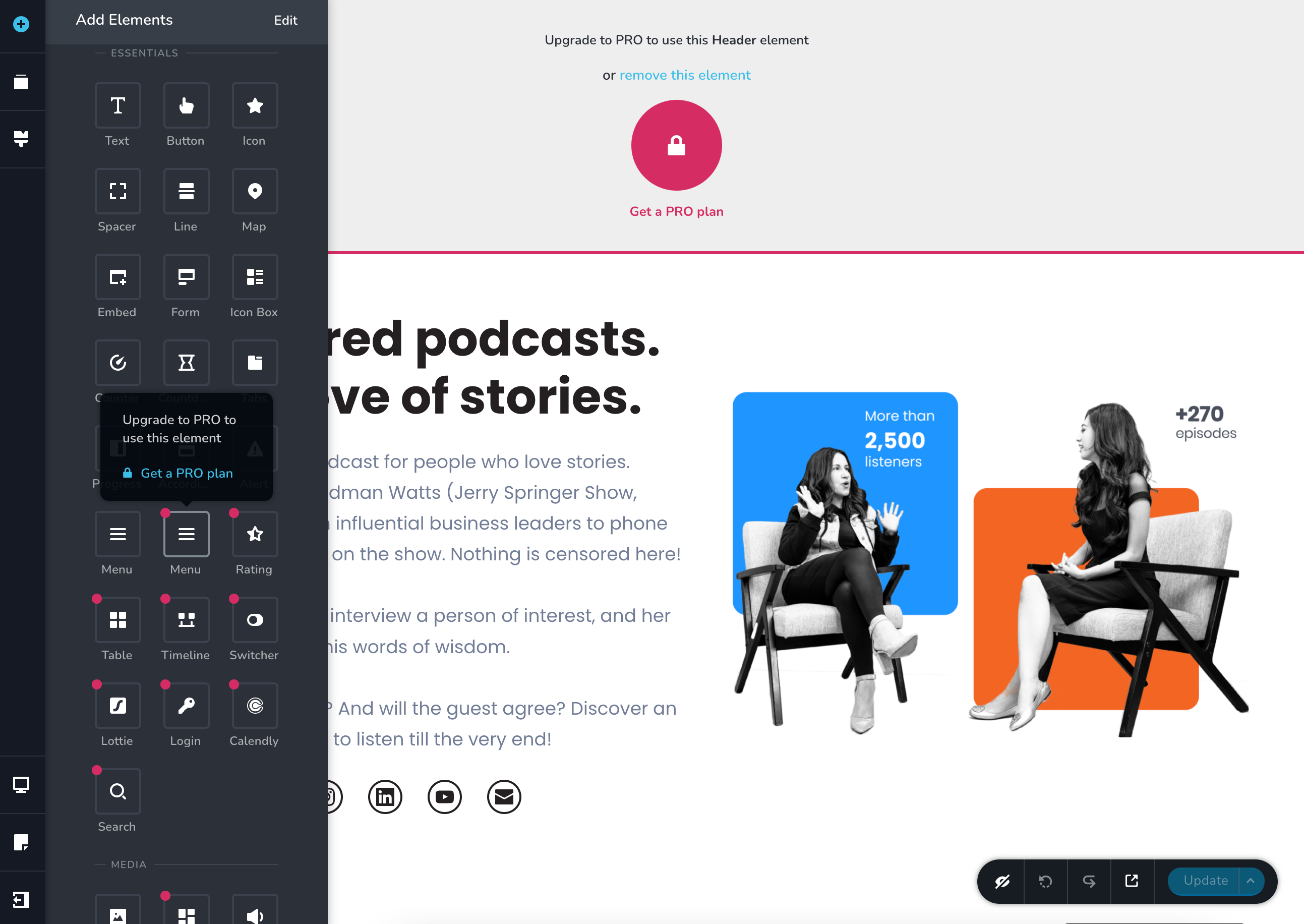
- You will not be able to add or use PRO elements in the Elements panel.
0 -
Deactivate PRO on 3 Projects :Since your current plan includes 20 PRO licenses, you can deactivate the PRO license on 3 of your projects. This will bring your usage down to 20 licenses, allowing you to continue using PRO features on the remaining 20 projects. Select the "Deactivate PRO" option in the project thumbnail to deactivate PRO license from a project.
-
Thank you for your reply. I replied to email, but I was asking if my additional $1(10 sites) that I was paying for could be reinstated as a long-time customer of yours as a courtesy? I didn't realize the number of accounts on each plan, but it was my fault. Let me know what you all decide.
But also, even if just paying for the 20 sites currently, even though they say Pro on them, they are still limited when I log into the actual sites and I still see the upgrade to Pro or delete this element boxes on them, just as in the screenshot above. Please help. Thanks0 -
Hello Gary,
The "$1 Per Site Deal" was a limited-time promotional offer and is no longer available. Unfortunately, we’re unable to reinstate the offer since it has been cancelled.
For now, kindly consider subscribing to one of the regular plans available on Brizy Cloud Pricing page. This would allow you to continue using the required PRO licenses without interruption. You can also keep an eye out for our Halloween and Black Friday promotions, as we may offer special pricing during these promotional periods. If the "$1 Per Site Deal" or a similar offer becomes available again, you could consider switching to the promotional plan.
0 -
Thank you for your response. But currently I don’t have pro on Any of my sites. They all say pro(20) but when I log in to edit the same “upgrade to pro” message shows on all of them. This has been for the last 5 days and I’m on verge of losing a client who has needed some updates. I understand about the extra licenses but can someone please fix the current pro licenses?? Thank you
0 -
I’ve still been paying the $29/month for the 20 pro licenses
0 -
Hello Gary,
Kindly deactivate the PRO license in 3 of your projects. This will bring your usage down to 20 licenses, allowing you to continue using PRO features on the remaining 20 projects. Select the "Deactivate PRO" option in the project thumbnail to deactivate PRO license from a project.
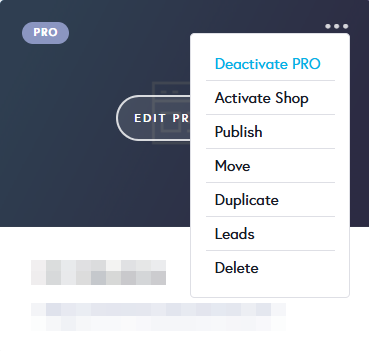 0
0 -
I did deactivate 3. I have only 20 current pro licenses. None of them are working as Pro when I try to update the sites is what I’m saying. Please log into my account to understand so you can fix what is happening please.
0 -
Hello Gary,
We apologize for the inconvenience. Please check again if you have PRO access in 20 projects.
0 -
Thank you for fixing this. The issue was going on for about 5 days. Appreciate the help.
0
Please sign in to leave a comment.
Comments
10 comments