Brizy Popup not showing

Hi, my popup is not showing. can you please check if the popup code has no issues?
https://admin.brizy.io/projects/21432225/editor/external_popup/6050578
What I did is I use google tag manager to fire the popup, it works as always, and it stopped working this month.
see my video recording about my setup: https://share.zight.com/01a0d595-7564-735b-89ea-a112dc2705e9
Please help me fix this as soon as possible.
Thank you!
-

Hello Anson,
Projects created before February 2021 use the legacy project format, while projects created after that use the newer CMS project format. Your popup project was created using the legacy format, which is no longer supported. Unfortunately, because of this, we’re unable to recover the project using the current system. We understand this is disappointing, especially since you’ve invested time in creating the popup.
At this point, the recommended solution is to create a new project and recreate the popup using the current CMS project format. We’re sorry for the additional work this may require and appreciate your understanding.
0 -
I just created a new project, and also created popup, but it's still not showing
https://admin.brizy.io/projects/24058927/editor/ external_popup/9972381
can you please check why? please help asap0 -
Hello Anson,
The popup project was not published, so I’ve published it now. You can preview the published popup here: Popup Project Preview. Please check the project where you’ve embedded the popup and let us know if it is working correctly now.
0 -
it's here: https://www.inktonerstore.com/ but not showing, i even manually added the code in footer
please check.
0 -
Hello Anson,
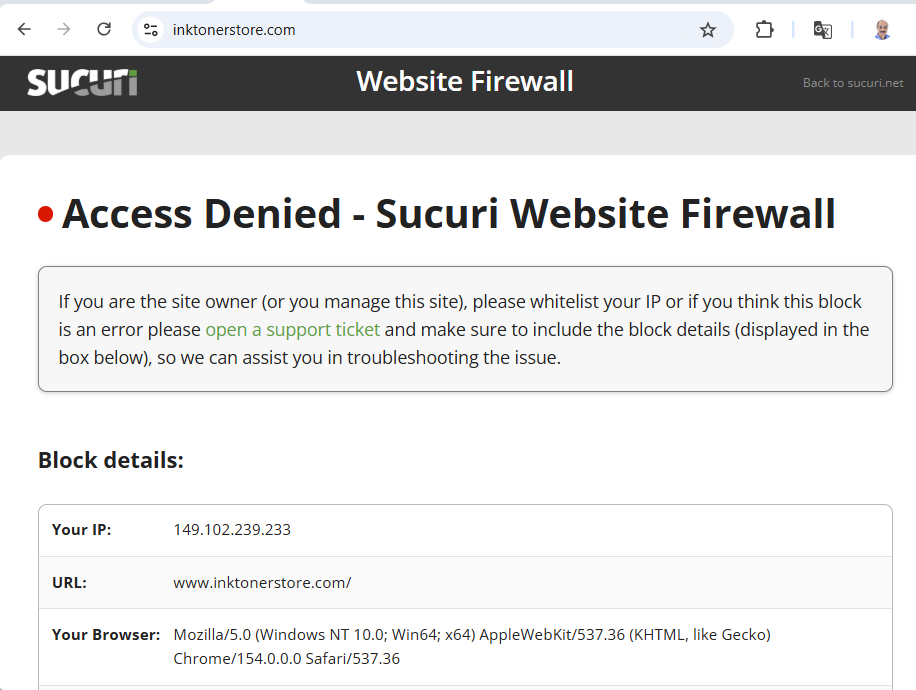
It looks like inktonerstore.com may be blocking access from Asian and European countries, as I’m currently unable to access the website from India. Could you please check the firewall settings and, if possible, temporarily relax the relevant rules? This would allow us to access the website and investigate the issue further.
 0
0 -
I just added your IP to whitelist, can you please try agaiN?
0 -
The one in the screenshot was assignment to me temporarily by a VPN. My IP is 136.185.20.143. Can you please whitelist this?
0 -
sure, it's whitelisted, please try now.
and also, India is NOT blocked in the firewall, strange.
0 -
Hello Anson,
I checked the HTML source of your homepage. In the footer area of the page, I do not see the embed code.
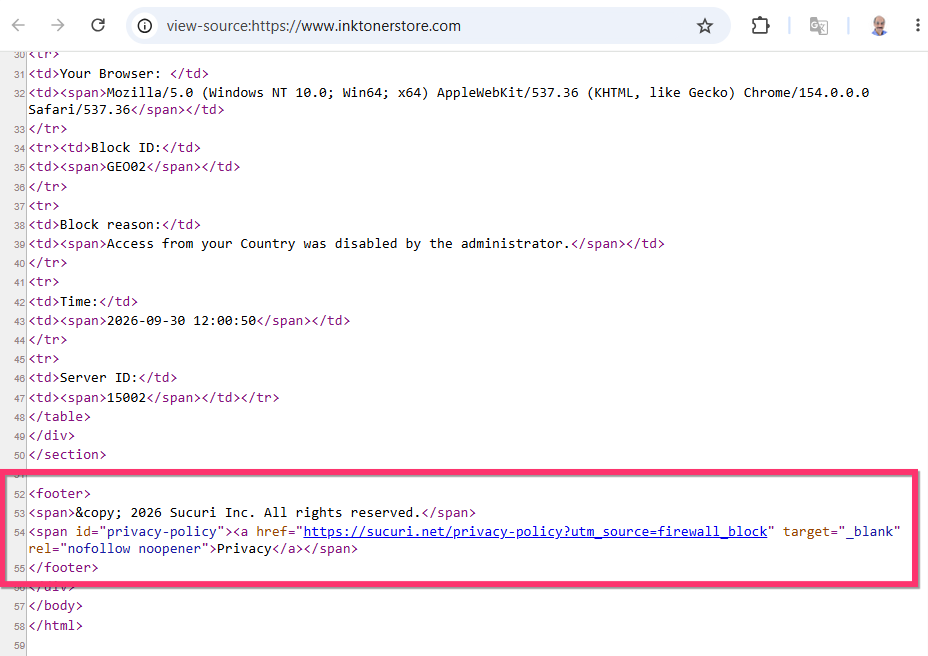
If you right click on your webpage and select "View page source" option, do you see the embed code?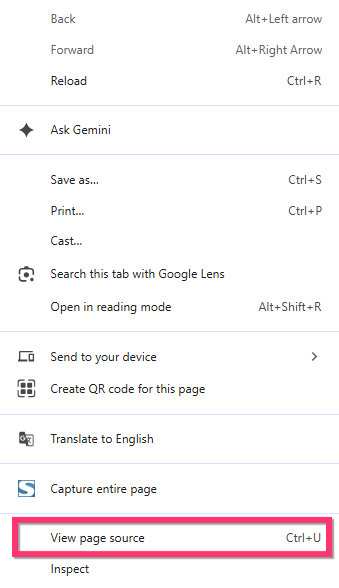 0
0 -
it looks like you are still blocked? I'm not sure why, is there a way you can use VPn and use U.S IP?
the page you show is still the blocked page source code
0 -
Hello Anson,
You’re right. The page source was showing a cached version of the “Access Denied” page. After reloading the page, I’m now able to see the correct page source.
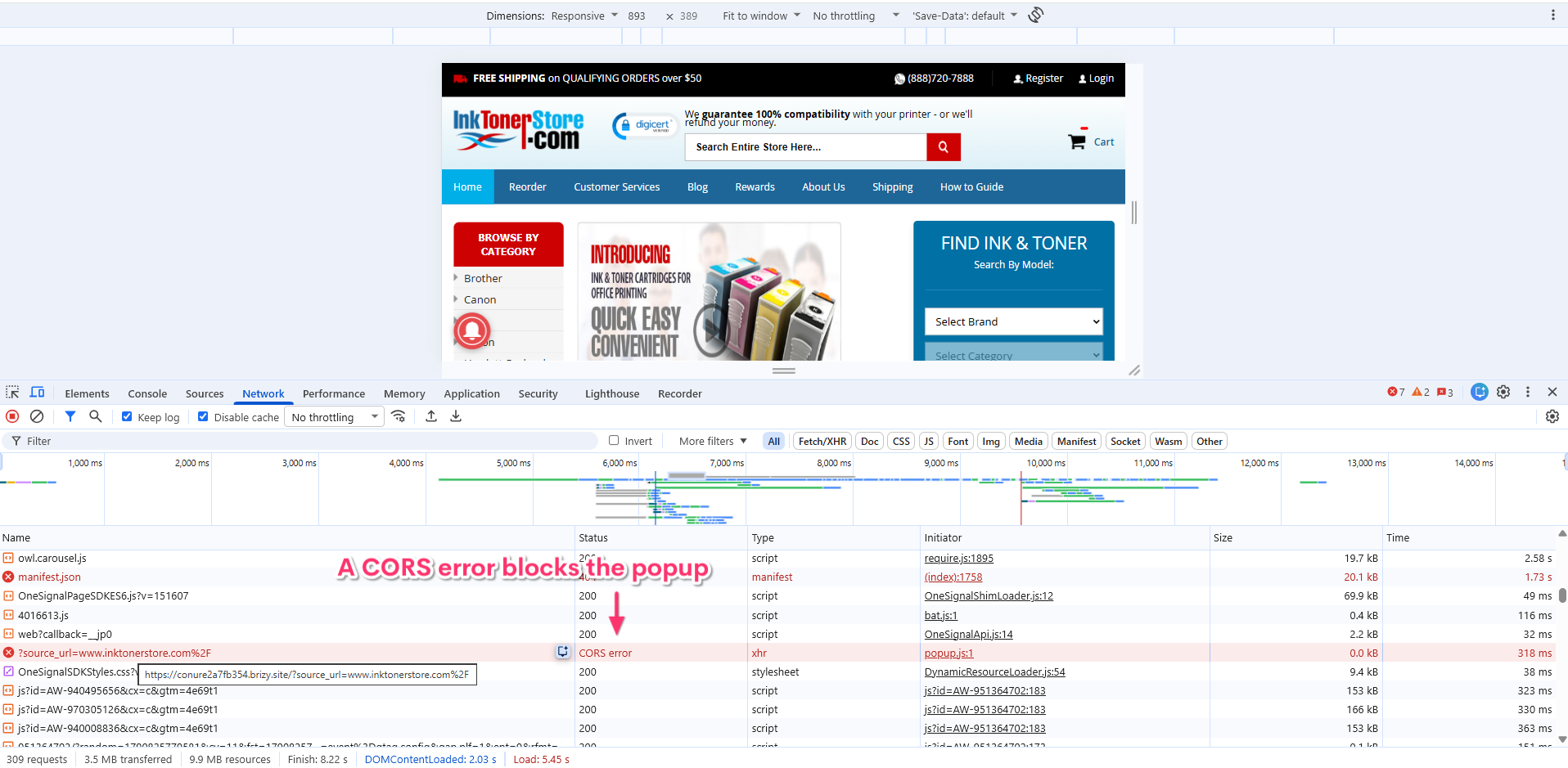
I found a CORS error in the Chrome Developer Tools on your homepage. It appears that the Brizy Cloud server is blocking access to the popup because of an incorrect CORS configuration. We’ll work with our developers to review and correct the CORS configuration and resolve the issue. Please give us some time to investigate and fix this. We’ll get back to you with an update.
 0
0 -
Perfect, George, thank you so much for identify the issue, please keep me updated, thank you!
0 -
Hello Anson,
We have corrected the CORS configuration on our side. The popup now shows on your website.
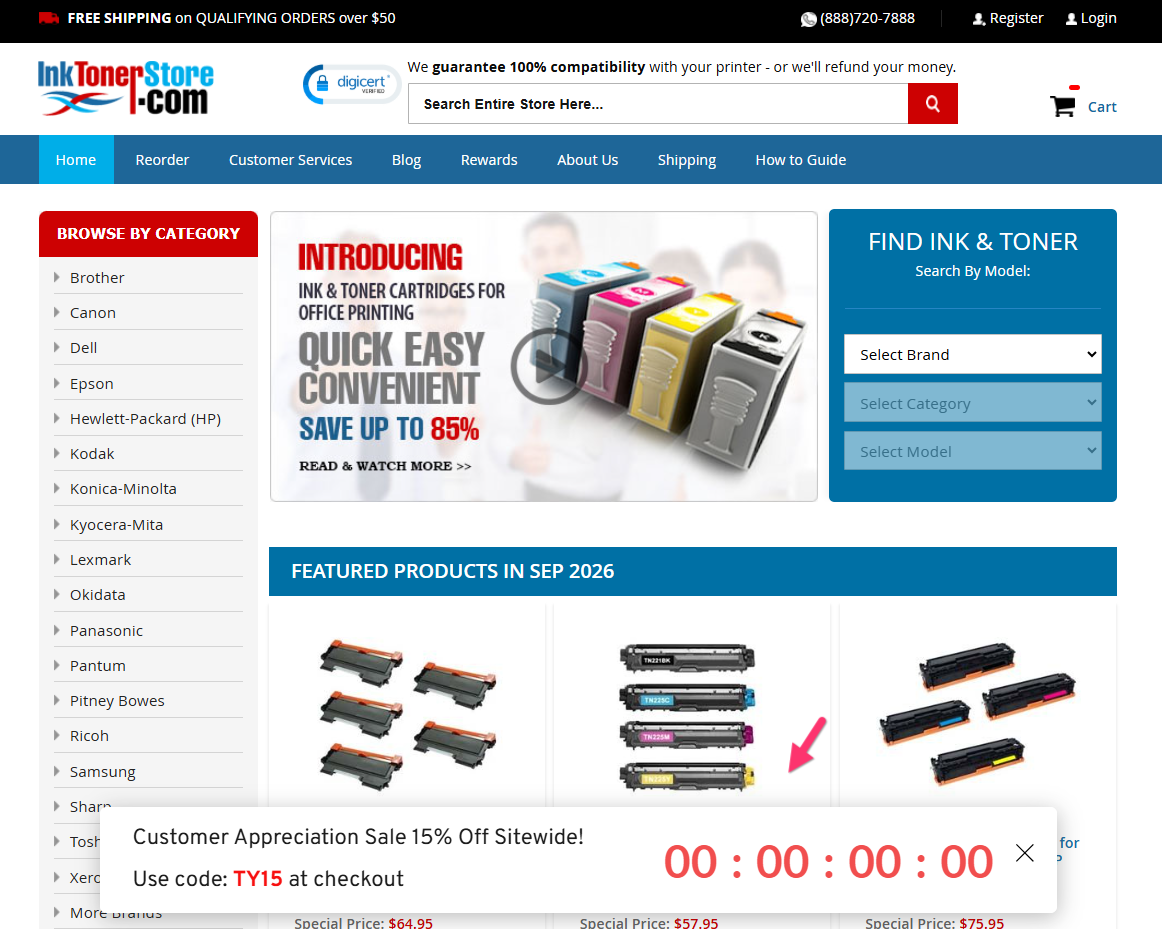 0
0
Please sign in to leave a comment.
Comments
13 comments