WooCommerce Add to Cart element styling controls do not appear in Brizy editor

Hi Brizy Support,
I’m building WooCommerce single product pages with Brizy Pro and Astra. When I click the Add to Cart element in the Brizy editor, its usual styling controls do not appear. I added a new Add to Cart element to test, and it has the same issue.
I checked WooCommerce product pages on a couple of my other Brizy sites and cannot access the Add to Cart styling controls there either. Those sites also use Astra, so I’m wondering whether this is a Brizy issue or a compatibility issue with a recent update.
Here is an example product page:
https://victoryracingpartners.com/product/under-armour-hat/
On that page, the Add to Cart button appears gold on the frontend, even though I want it blue. I can see a blue “Select options” button in the editor, but I cannot access the Add to Cart element’s controls to change the actual product button. I have also cleared the server cache.
Could you please check why the Add to Cart styling controls are not appearing and let me know how to restore them? I can provide a screen recording and plugin version numbers if helpful.
Thanks,
Chad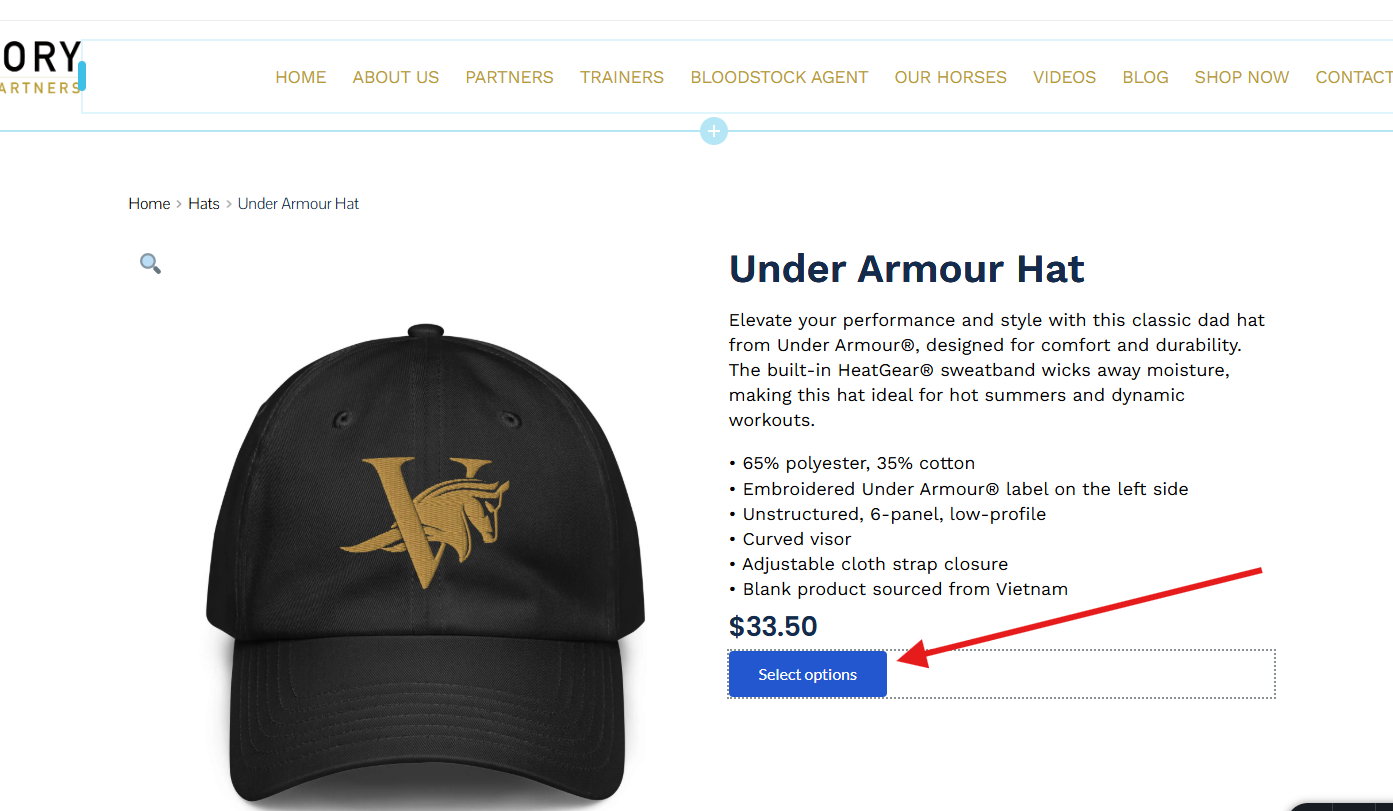
-
Both Brizy and Astra are fully up to date also
Brizy: 2.8.23
Brizy Pro: 2.8.12
Astra: 4.13.12
0 -

Hi Chad,
Thank you for reaching out.
To help us isolate the issue, could you please temporarily disable all other plugins except Brizy and Brizy Pro, and then check the Add to Cart element again?
If the styling controls appear after doing this, please re-enable your other plugins one at a time, testing the Add to Cart element after each plugin is enabled. This will help us identify which plugin, if any, is causing the conflict.
If the issue persists even with only Brizy and Brizy Pro active, please let us know and we can investigate further.
Kind regards,
Ariel H.0 -
Ariel,
I've turned off all the plugins, cleared the server cache, and tested in an incognito browser, with no luck getting the button controls to show up. I also activated just a basic theme, and no luck.
Again, this is happening on multiple sites using Woo and Astra. Each site is using a different setup based on the client's needs, but none are showing button controls.
All sites are on SiteGround hosting, but their optimization plugins were all turned off, and the server cache was cleared.
We're using WordPress 7.1.2, but we have sites using different WordPress versions with the same result.
Any other suggestions?
Chad
0 -
Hi Chad,
Thank you for the update.
Please send us your site’s credentials so we can take a closer look. Kindly add us as an Admin user to your WordPress Dashboard and send the following details to communitysupport@brizy.io.
Community post link: https://support.brizy.io/hc/en-us/community/posts/39199395507090
WordPress Admin URL:
Username:
Password:Please make a full backup of your site as a precaution.
Best regards,
Ariel H.0
Please sign in to leave a comment.
Comments
4 comments