1 Page and All Headers Corrupted

My global header is missing from all pages, despite following all instructions on this support post.
My website is https://opendooronline.com/
Additionally, the "Connect" page https://opendooronline.com/connect/ has lost all style and its normal appearance.
How can I solve these problems best?
-

Hello Dennis
To resolve the issue with the global header and the /connet page, please follow the steps below. The Layout Recompiler for Brizy plugin can help recompile the existing pages.
- Install the Layout Recompiler for Brizy plugin from the WordPress Plugin Repository:

-
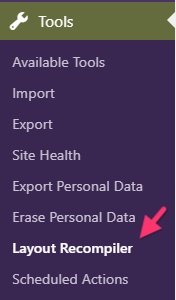
In your WordPress Admin Dashboard, go to: Tools → Layout Recompiler
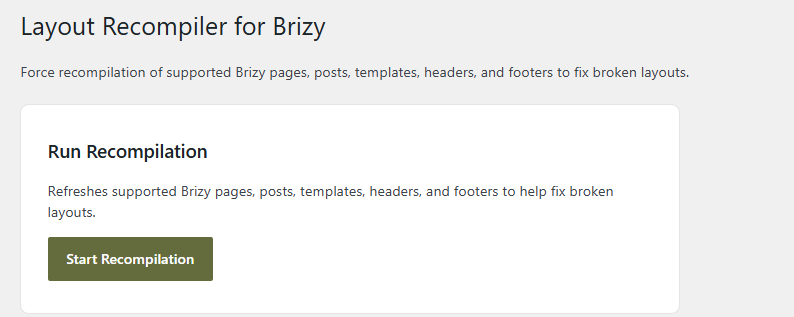
- Click the “Start Recompilation” button and wait for the process to complete.
Once the recompilation is complete, please check to see if both issues are resolved. If the issue persists after completing these steps, please let us know and we’ll be happy to investigate further.
0 - Install the Layout Recompiler for Brizy plugin from the WordPress Plugin Repository:
-
I used the Recompiler, and the corrupted pages look great now. Thank you!
The headers didn't load, but they did start appearing as blocks further down the page. I moved them where they go, and everything's looking good now. Thanks again!
0
Please sign in to leave a comment.
Comments
2 comments