Hidden element visible to some visitors despite being hidden on all devices

Hi !
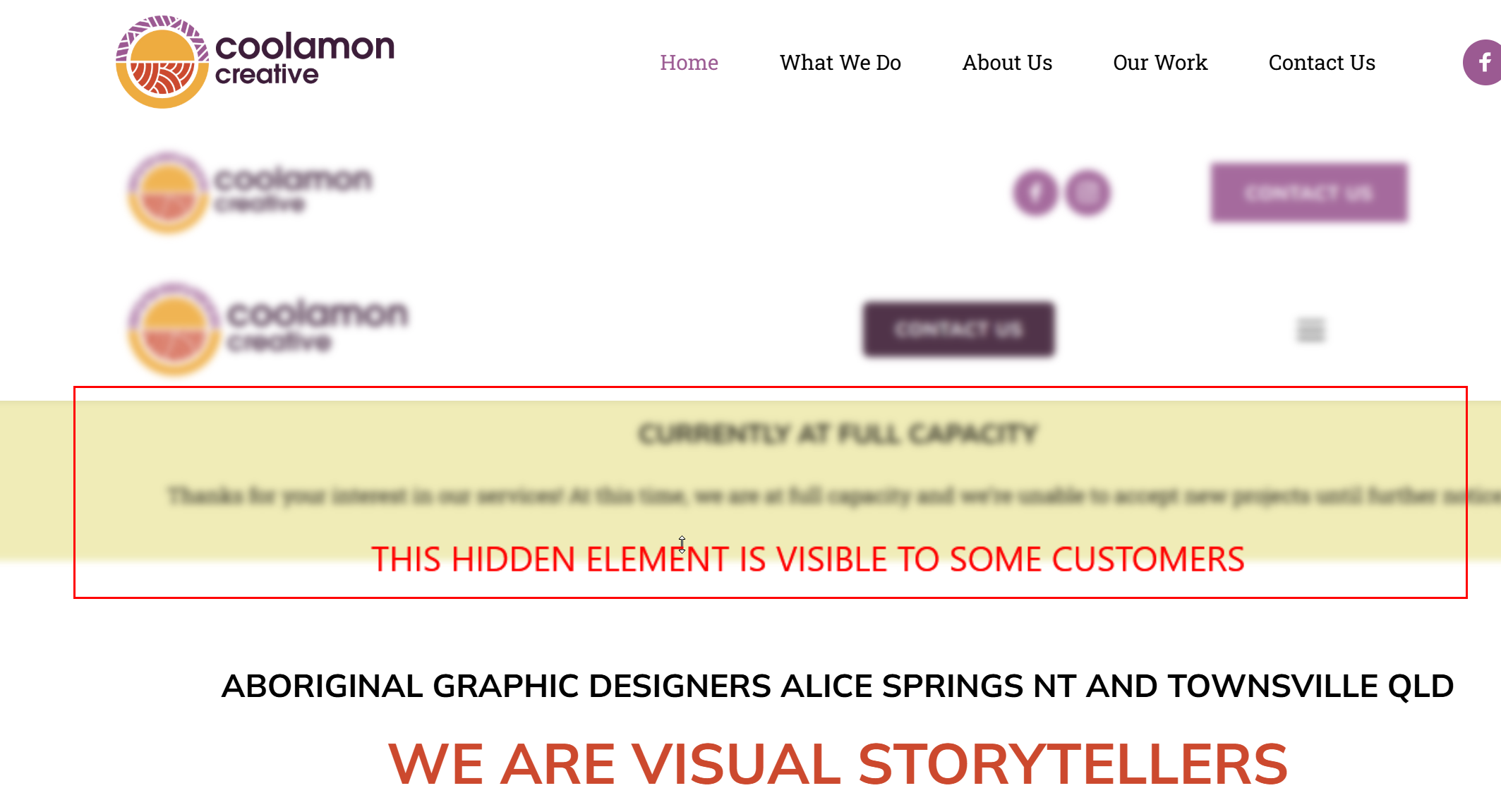
I've got a text element on a client's site set to hidden across desktop, tablet and mobile. I've checked it myself on all three and it's definitely not showing. The client also cannot see it in the front end. But some of the client's customers, are telling us they can see it.
Site is on Brizy Cloud hosting with Brizy's SSL, not sitting behind Cloudflare or any other CDN that I've set up myself.
I have not deleted the block yet as I prefer it to be hidden as I will turn it on later. I'd like to know what the problem might be rather than ignore it and delete it.
Site is: https://www.coolamoncreative.com.au
The hidden element is under the hero banner, saying they are at capacity and not taking on any work at the moment (but of course should be hidden).
Screenshot below:
Hope to find out what the issue is.
Thanks
Eva
-

Hello Eva,
While we cannot determine the exact cause of this unusual behavior yet, there are a few possible reasons worth checking:
- Bunny CDN Cache: Bunny CDN caches your pages to help it load faster. When you update the page, the previous cache is normally cleared and a new version is generated. As a first step, make a small change to the homepage and click "Update" to refresh the cached version.
- Browser Cache: Visitors who have previously accessed your website may have an older version of the HTML, CSS, or JavaScript stored in their browser cache. They may continue seeing the hidden element until their cache is refreshed or expired.
- Ad Blockers or Privacy Extensions: Some browser extensions can interfere with scripts or styles that control whether certain elements are displayed. If an extension is causing the issue, removing the affected content may be the only practical solution.
As the simplest workaround, we recommend saving the hidden block to your "Saved Blocks & Layouts" library and then deleting it from the page. This allows you to keep a copy of the block while removing it from the live page.
0 -
OK thanks, that's a concern for all the websites with hidden sections.
Anyway, I have deleted the section entirely (and saved as block)
0
Please sign in to leave a comment.
Comments
2 comments