Redirect Rules — "failed to add redirect" error, won't save

Hi again, I'm getting a "failed to add redirect" error when trying to save a redirect in Brizy Cloud's Settings → Redirects, on firstupcleaning.com.
I've tried several variations, all with the same result:
- Source: /gift-cards/ → Destination: /deals-promos/
- Source: /gift-cards → Destination: /deals-promos (without trailing slashes)
- A test redirect with a completely unrelated source URL
The source page (/gift-cards/) was a live page that I deleted, and I republished the site after deleting it, but the redirect still won't save.
Is there a known cause for this, or a leftover reference to the old slug that might need clearing on your end?
-

Hello Alan,
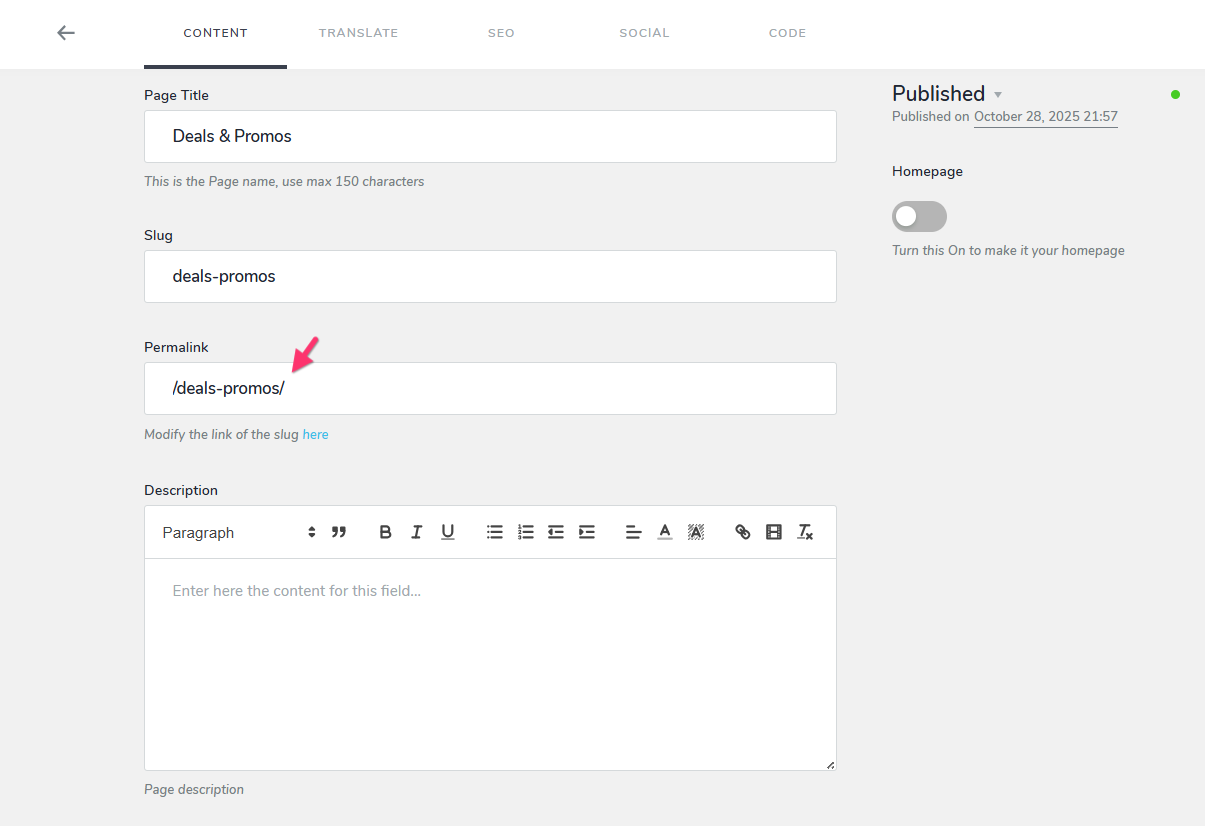
The issue you’re experiencing is due to a current limitation with the Redirects feature. If a page URL includes a trailing slash (/), a redirect cannot be configured for that page. Trying to add one will result in the error “Failed to add redirect.” Redirects currently work only with page URLs that do not have a trailing slash.
We’ve escalated this limitation to our developers for further investigation and a fix. In the meantime, consider removing the trailing slash from the Deals & Promos page permalink. This will allow you to configure a redirect for the page.
 0
0 -
Thanks for the heads up. Will probably have to do a meta refresh until this is fixed. Hopefully soon, as the site was a migration and I can't really remove the trailing slashes without impact.
0
Please sign in to leave a comment.
Comments
2 comments