Webpage Trouble

I created several independent pages in Brizy Cloud by duplicating a page and then editing each duplicate with unique text, images, SEO, and social settings. Each page was displaying its own unique content correctly.
After editing/saving the final duplicated page, the earlier pages began displaying the final page’s content and images, even though each page retains its own unique URL/page identity. These are not Global Blocks.
For example, this URL is the Baja/Valle de Guadalupe page:
https://www.inspiredbookingsbychristine.com/baja-coast-an-indulgent-adventurer-getaway
The page retains the Valle de Guadalupe SEO title, but its rendered body now displays the Mazunte/Free Spirit page.
This has affected multiple duplicated pages. Please advise whether the duplicated pages are referencing the same underlying content record and whether the previous individual page revisions can be restored before I make any further edits.
Please do not make destructive changes or reset the pages without confirming whether previous revisions/backups are recoverable.
Thank you!
-

Hello Christine,
I’ve reviewed your project and identified the cause of the issue you reported. It appears to be related to incorrectly configured Display Conditions for your Global Blocks. I’ve explained the correct procedure for configuring the Display Conditions in a short screen recording. Please take a moment to review it here: Setting display conditions correctly
Regarding the previous page revisions you may have lost, we can attempt to restore the affected pages from a backup. To proceed, please provide:
- The names of the pages you would like us to restore.
- The date of the backup you would like us to restore them from.
Once we have these details, we can check the available backup and determine whether the pages can be restored.
0 -
Hi KC,
Thank you—your video helps me understand why the Mazunte content was ultimately displayed across the other pages.
There is one part I'm still confused about. I intentionally use Global Blocks for repeated elements such as my headers and footers, so I'm familiar with the feature. I don't recall making the destination-specific content on these pages Global, nor would I have had a reason to do so.
These pages were created by duplicating an existing page and then replacing the text and images for each individual destination. Each page displayed its unique content correctly before the issue occurred.
Could you tell me whether duplicating a page that contains Global Blocks can cause other blocks on the duplicated page to inherit Global status or Display Conditions, or whether there is another way those destination-specific blocks could have become Global? I'd like to understand how this happened so I can prevent it when creating similar pages in the future.
I would also appreciate your help restoring the affected pages. Before proceeding, could you let me know which backup dates/times are available from September 16? I'd like to choose the latest backup from before the Mazunte content began appearing across the other pages.
Thank you again for helping me troubleshoot this.
0 -
Hello Christine,
When duplicating a page, Global Blocks and regular blocks are expected to retain their respective status. In other words, regular blocks on the duplicated page should not automatically turn Global Blocks simply because the original page contains Global Blocks. You can see the expected behavior demonstrated in this screen recording: Expected page duplication behavior
The only scenario we can think of that could result in the behavior you’re currently seeing is if all the blocks on the original page were already set as Global Blocks. Based on the current information, we’re unable to determine exactly how this above situation occurred.
We do have backups available from the beginning of September. We can check these backups to see whether different pages have different content and restore the relevant pages. Please let us know which pages you would like us to investigate, and we’ll check the available backups.
0 -
Hi KC,
I believe the Baja Coast – Indulgent Adventurer page may be the most useful point to investigate.
Baja was the final destination page I completed before creating the Mazunte – Free Spirit page. I viewed Baja after completing it and its unique destination content was displaying correctly at that time.
However, I can't confirm whether the previously completed destination pages were still displaying their individual content at that exact point, because I wasn't reopening every earlier page after creating each new duplicate.
Could you please check the available backups around the time the Baja Coast page contained its correct, unique content, and see what the other destination pages looked like in that same backup?
In particular, I'd like to know:
• whether Baja's destination-specific blocks were regular or Global at that point;
• whether Riviera Nayarit, Puerto Vallarta, Riviera Maya, and Troncones still contained their unique content; and
• whether those destination-specific blocks were regular or Global in that backup.If you can identify the most recent backup where the individual pages are intact, please let me know what you find before restoring anything.
Thank you!
0 -

Hi Christine,
We’ve raised this issue with our senior support team and are currently awaiting their response. We’ll get back to you as soon as we hear from them.
Thank you for your patience and understanding.
0 -
Hello Christine,
We reviewed the backup history of six destination landing pages, shown in the attached screenshot, going back to September 1, to determine whether the pages previously contained different content. Unfortunately, our investigation did not find any backup in which these pages contained content different from the current content in the Global Blocks. The backups we checked show that the pages contained only Global Blocks.
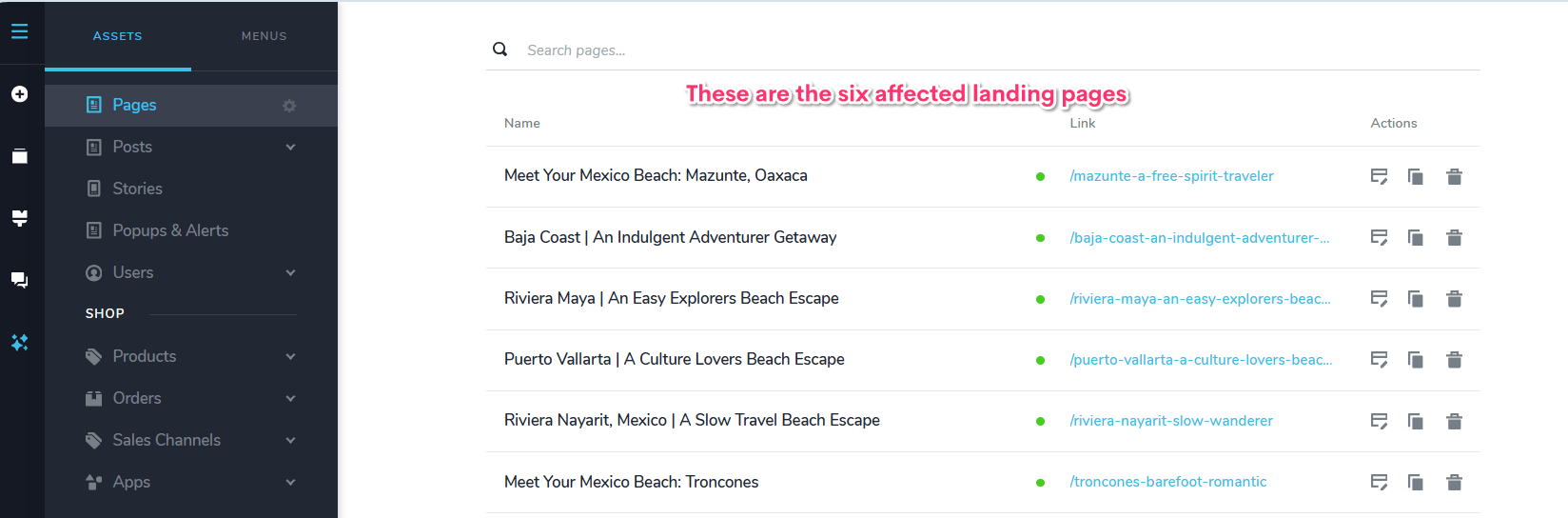
This means that the unique content previously present on five of the six landing pages may have been lost, as we were unable to locate that content in the available backups. We understand this may be disappointing, and we wanted to share the findings with you as clearly as possible based on the backup history currently available.
0
Please sign in to leave a comment.
Comments
6 comments