Saving Pages correctly

Not sure if I understand correctly how brizy pages are saved.
When I leave the brizy editor to dashboard, I get directed to the wordpress editor that displays my newly edited page as some cluttered content. Always makes me wonder if I just lost all my work. Sometimes, the "edit with brizy" link on the WP pages wouldn't show up either.
Also, I tried to save my work as Layout, so I wouldn't lose it, but I cannot find it in the block manager.
-

Hello Christoph,
When you navigate back to the WordPress Dashboard from the Brizy editor, you may notice two changes:
- The Brizy page content, which was previously hidden in Gutenberg, is now visible, although it may appear without its usual styling.
- The “Edit with Brizy” button is currently missing from the Gutenberg Editor.

The missing “Edit with Brizy” button is related to a recent update, and will work on including this button in an upcoming Brizy update.
Most importantly, these issues do not affect your Brizy pages or your saved content. Your pages will continue to be saved correctly, even if some of the content is visible in Gutenberg or the “Edit with Brizy” button is not displayed.
You could avoid clicking the “Back to WordPress Editor” button shown in the Gutenberg editor. This will help you avoid opening the page in Gutenberg. We appreciate your patience and understanding while we address this issue.

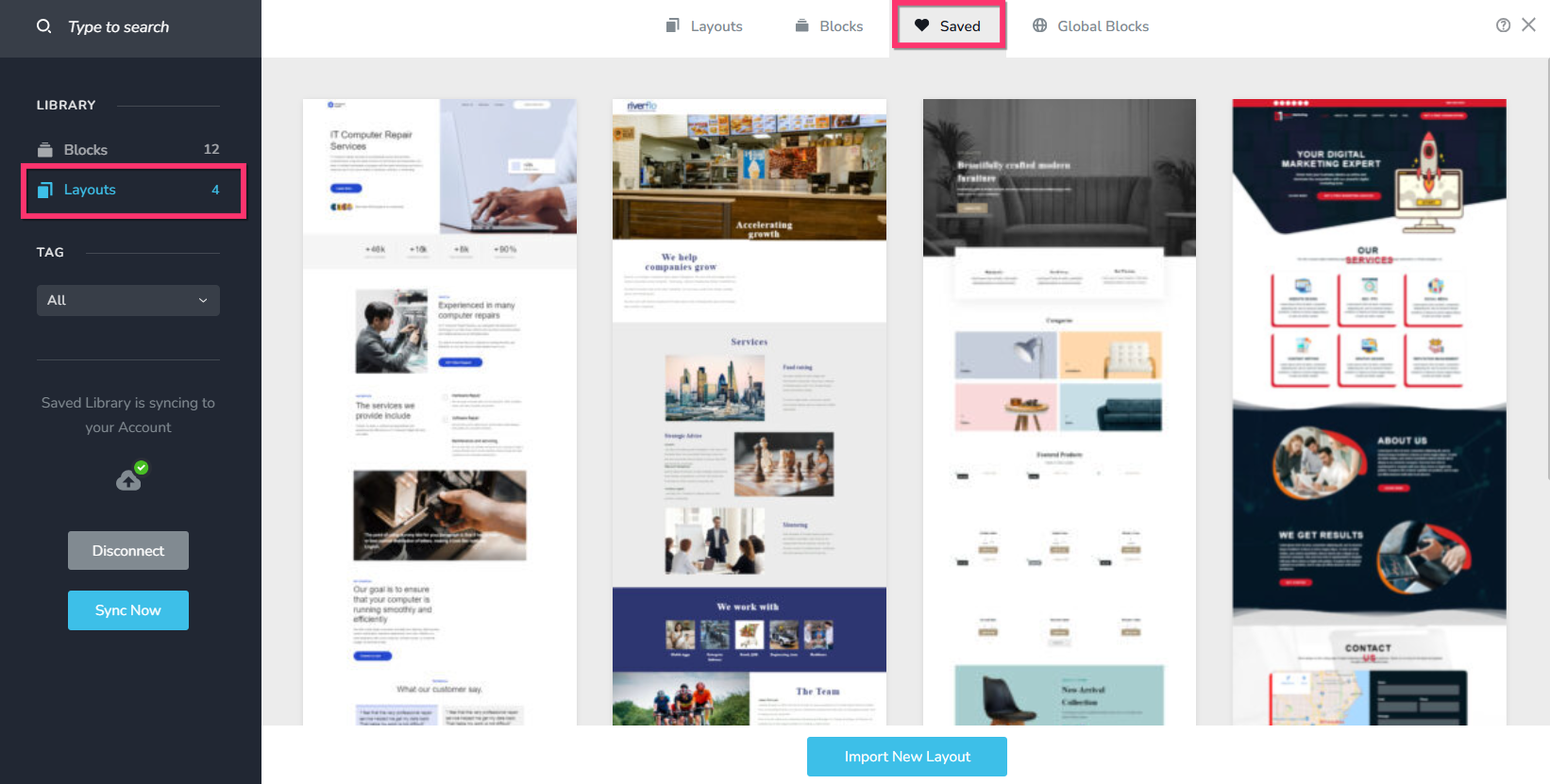
You can find your saved layouts in the "Saved Blocks and Layouts Library" under the "Saved" tab, when you select the "Layouts" option on the left sidebar.
 0
0
Please sign in to leave a comment.
Comments
1 comment