Simple Directory

hi -- i am using brizy cloud and trying to create a simple (embeded?) directory featuring basic info in a custom asset, or just create the directory manually and maintain it manually.
the best example i can provide would be here: https://30a.com/restaurants/ (not the top of the page with images, but the list of restaurants that can be categorized).
i'm also having trouble figuring out how to use custom assets effectively. i am using 30a.com as a model for my website for fripplife.com, but tutorials and help info is limited.
i want each of my custom asset pages to look like this: https://30a.com/locations/friends-30a-burger-bar/
-

Hello Matthew,
Yes, you can build a restaurant directory website similar to 30A Restaurants using Brizy Cloud. For a practical example of this approach, take a look at the Brizy Academy website: Brizy Academy. The directory-style pages on Brizy.io are also built using Brizy Cloud, so this demonstrates what can be achieved with the platform.
You can approach your restaurant directory using the following steps:
- Create a Custom Asset called “Restaurants” and define the custom fields you need for each restaurant; for example, name, address, cuisine, description, image, website, phone number, and other information relevant to your project.
- Add your restaurants as individual entries under the "Restaurants" Custom Asset.
- Create your directory page in Brizy and use the "Posts" element to dynamically display your restaurant entries.
- Design the restaurant listing and individual restaurant pages to match the look and functionality you want. You can use the custom fields to display the relevant restaurant information dynamically.
This approach gives you a flexible foundation for building a scalable restaurant directory, allowing you to add, update, and manage restaurants without having to manually redesign the directory page each time.
For more detailed instructions on how to use custom assets and add custom fields, kindly refer to Blogging in Brizy Cloud 2023
0 -
this is great news! the custom element capabilities are exactly what i'm looking for.
can you point me to a specific tutorial on how to create the similar look and feel of the simple directory view? i have sorted through much of the tutorial content, but i still not yet been able to create a simple table as intended.
0 -
Hello Matthew,
I’ve created a screen recording to demonstrate how you can create a directory listing similar to the design used on Brizy Academy. Please take a look at the recording here: Watch the screen recording
I hope this illustration helps you better understand how you can achieve the directory structure you’re looking for with Brizy Cloud. If you have any questions or would like clarification on any of the steps, feel free to get back to us.
0 -
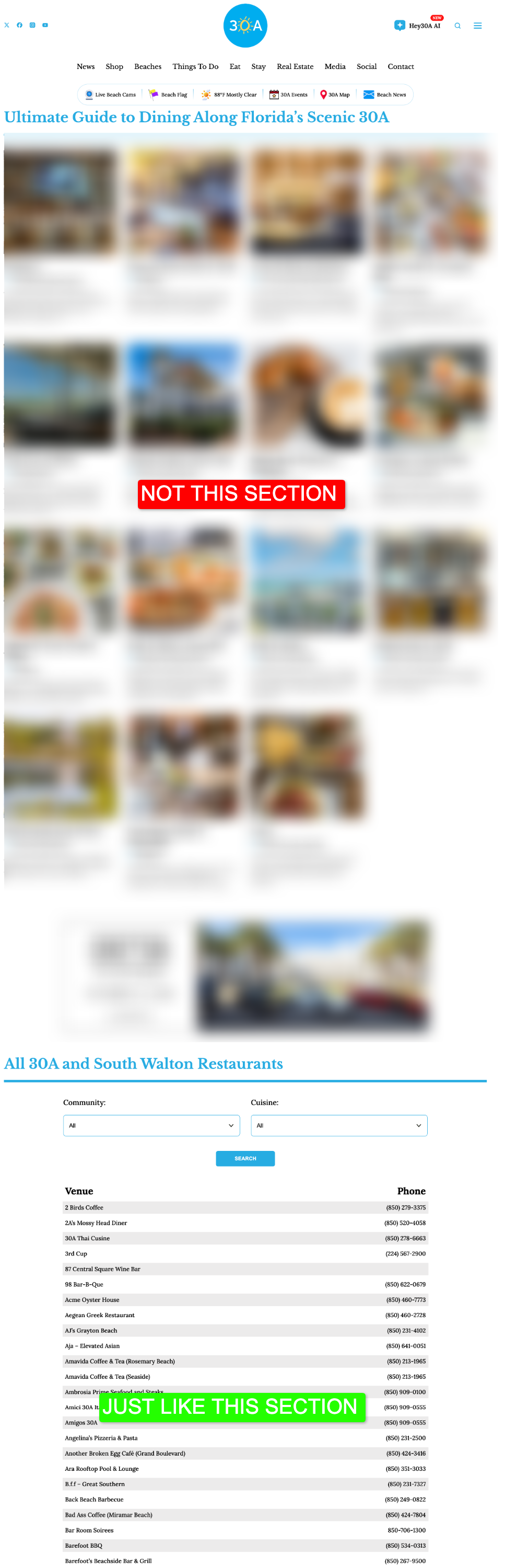
I see the confusion. You needed to scroll further down on the page to see the example directory that I was referring to. A simple directory that is searchable by tag, etc. I have included an example image here for reference.
Here is a link to the page again so you don' thave to search for it in this thread: https://30a.com/restaurants/
 0
0 -
Hello Matthew,
At the moment, Brizy Cloud does not support a search feature and filtering of results based on taxonomies such as “Communities” and “Cuisines,” as demonstrated on the reference website 30A Restaurants. We understand that this functionality is important when building a directory with multiple categories and filtering options. We sincerely apologize for the inconvenience and appreciate your understanding.
0
Please sign in to leave a comment.
Comments
5 comments