Brizy cloud not showing my website privately hosted and synced

Hi https://www.mabelslookout.com.au/ is showing this and not what's showing in the project. HELP 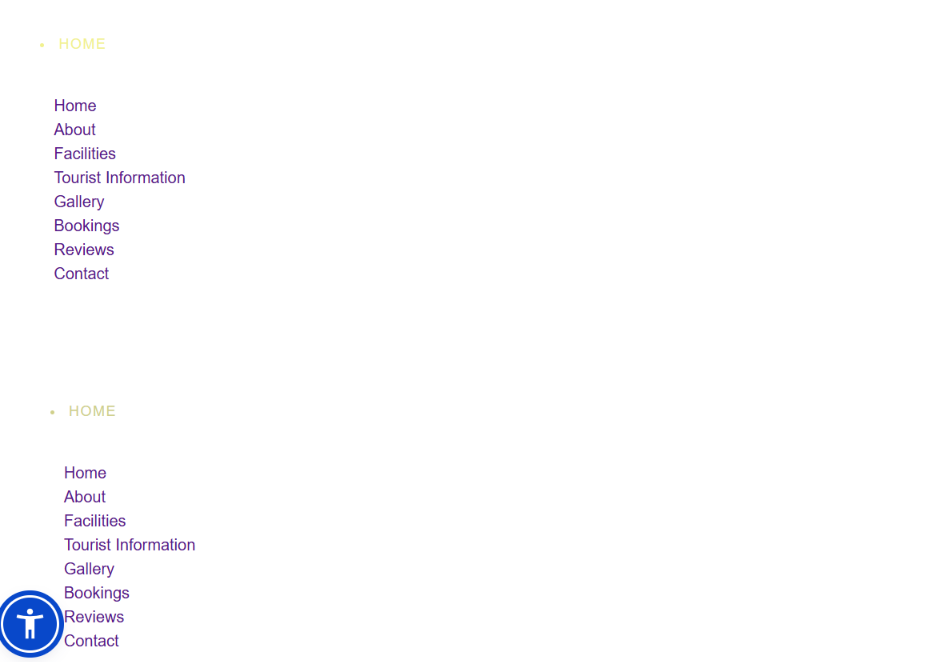
-

Hello Tanya,
Your domain mabelslookout.com.au is not currently pointing to your Brizy Cloud website. The content displayed when you visit the domain is being served by an external server.
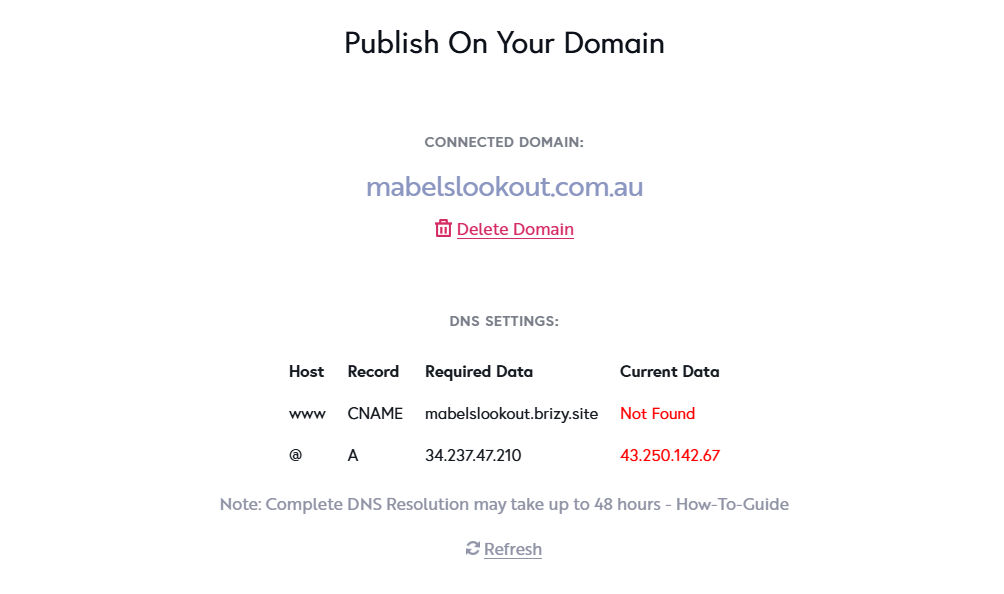
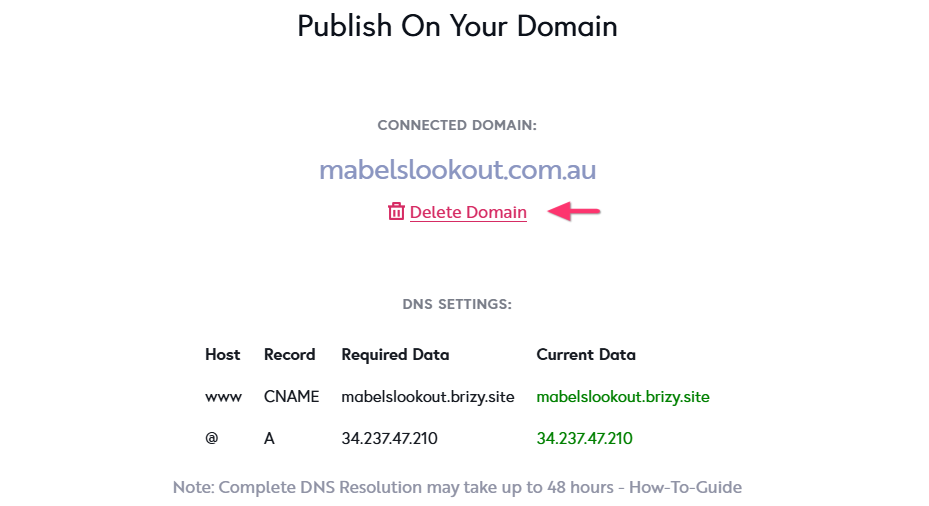
To connect the domain to your Brizy Cloud website, please follow the steps in our guide: Add a Custom Domain. Once the A Record and CNAME record are configured correctly, the “Required Data” and “Current Data” shown on the "Publish On Your Domain" screen should match. This will confirm that your domain is correctly pointing to your Brizy Cloud website.
The DNS records are usually configured through your domain registrar account. For example, if your domain is registered with https://www.instra.com, you’ll need to sign in to your Instra account and update the DNS records there. If you’re unsure how to update the DNS records in your domain registrar account, we recommend contacting their support team for assistance with making the required DNS changes.
0 -
the domain is hosted not at my website hosting but I have a cname record there pointing to www CNAME mabelslookout.brizy.site and an a record for me to host mabelslookout.com.au on my hosting. It is the sync that is not working I think :/
0 -
Hello Tanya,
Please make the following two changes to your CNAME and A Record settings:
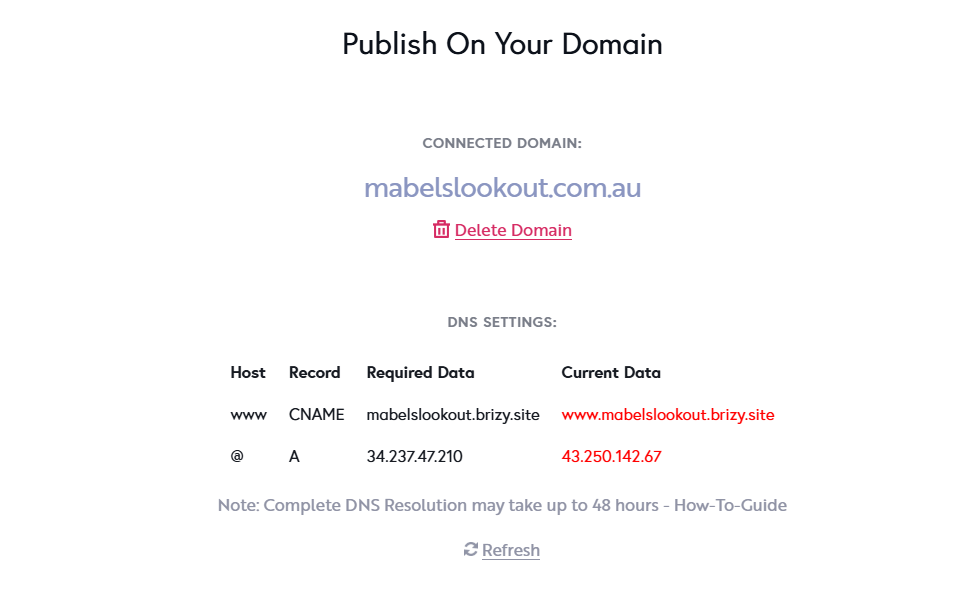
- CNAME Record: It is currently configured as
www.mabelslookout.brizy.site. Please remove www from the beginning so that it is set tomabelslookout.brizy.site. - A Record: It is currently set to
43.250.142.67. Please replace this with34.237.47.210
Once these two records are updated, the domain should be correctly configured. Thank you for making these changes.
 0
0 - CNAME Record: It is currently configured as
-
Thanks for your help :) The server sink says download now, will it change to black soon?
0 -
Hello Tanya,
Your website is currently hosted with Brizy Cloud. You can host your website using either of these options:
- On Brizy Cloud, using the Custom Domain publishing option
- On your own hosting server using the Server Sync publishing option
Please note that these two hosting methods cannot be combined. Since you are using the custom domain publishing opton with Brizy Cloud, we have temporarily disabled the Server Sync option.
If you prefer to host the website on your own server using Server Sync, you can switch back by following these steps:
- Go to the "Publish On Your Domain" screen.
- Select "Delete Domain" option to remove the custom-domain
- Remove the A Record and CNAME record added to your domain
- Add an A record pointing your domain to your hosting sever
- Follow the Server Sync publishing procedure again
This will allow you to host the website on your own server using Server Sync instead of Brizy Cloud hosting.
 0
0
Please sign in to leave a comment.
Comments
5 comments