Stock Content showing in page source - unable to remove

I am running through my Brizy built pages and all of them seem to have some stock text and images in the page source that is not displayed but is getting read by SEO and AI crawlers I'm working with to improve my pages. If I view a page with "Edit with Brizy" I don't see it, but if I just click "Edit" it's there. I can delete it from this view but it seems to just come back with the next change I make in Brizy. I'll show you in a screenshot the content I'm talking about. I went as far as to have Claude Code blow it away in the database and now it doesn't show in the "Edit" view for that one page in WordPress, but it's still in the view source of the page, just not displayed I guess due to CSS and Javascript I'm guessing. I assume it's in some default template globally but I haven't a clue how to find it and get rid of it.
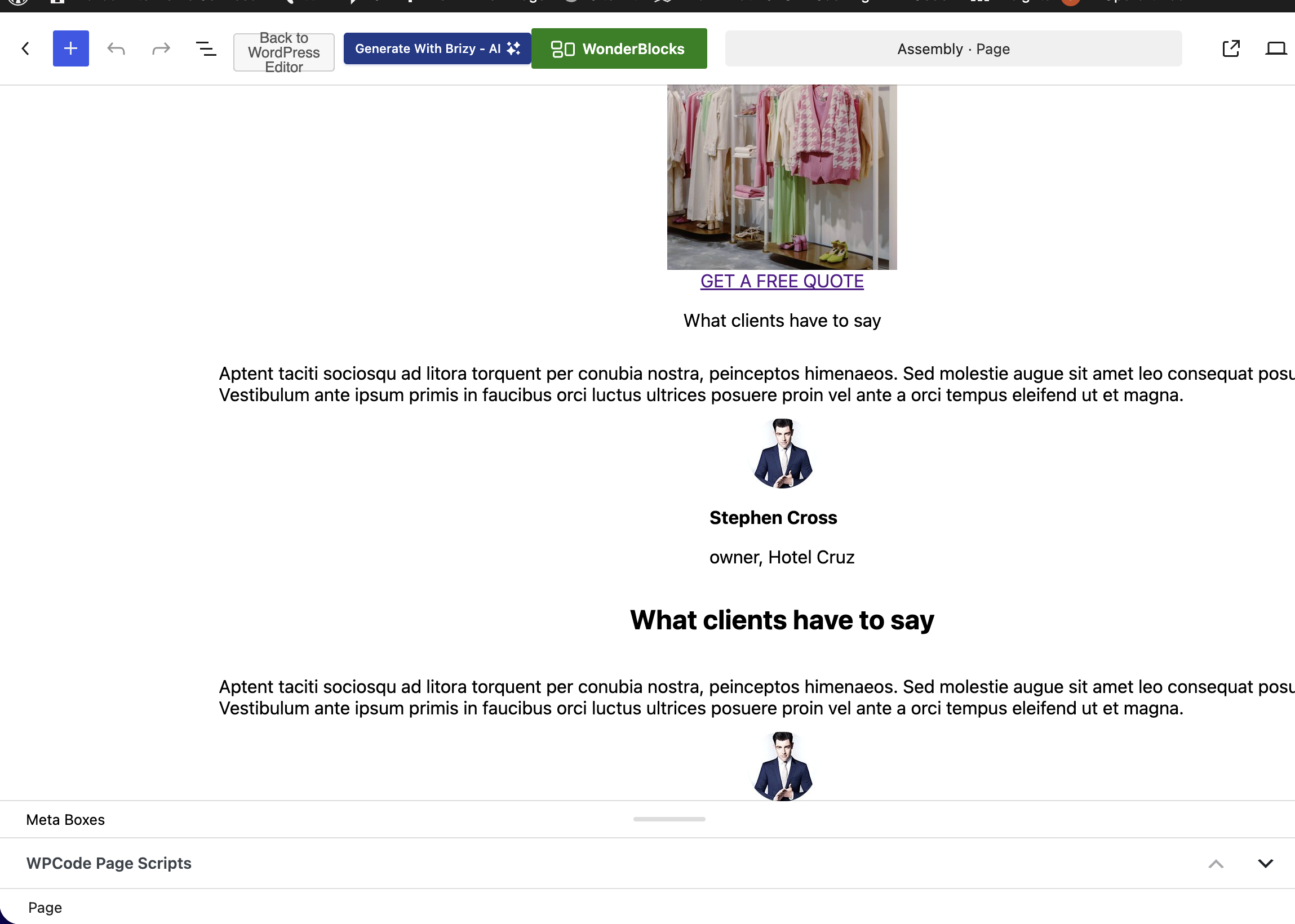
-

Hi Scott,
To help us investigate this issue, could you please provide temporary access to your WordPress admin dashboard? This will allow us to take a closer look at your setup and identify the cause of the issue.
Kindly send the following details to communitysupport@brizy.io:
- Community https://support.brizy.io/hc/en-us/community/posts/38531346725522
- WordPress Admin URL:
- Username:
- Password:
Also, please include the URL of this page.
We’ll review it as soon as we receive the access.
Best regards,
Ariel H.0 -
Hi Scott,
Thank you for your cooperation.
The issue has been resolved by installing and activating the Classic Editor plugin.
Please check again and let me know if you have any further questions.
Best regards,
Ariel H.0 -
That solution did not work for me. Using the Classic editor does not remove it, and if you do and save it blows away the entire Brizy laid out page. The correct solution that I found was turning on the "eye ball" in the Brizy Editor to show hidden content. From there I could see it embedded on all my pages and delete it. While it was hidden from view by humans, it was seen by AI and web crawlers. Glad to have finally figured out how to get rid of it with Claude AI for the assist.
0
Please sign in to leave a comment.
Comments
3 comments