Google Maps no longer displayed.

As you can see from the following screenshot, google maps is no longer displayed on my page: 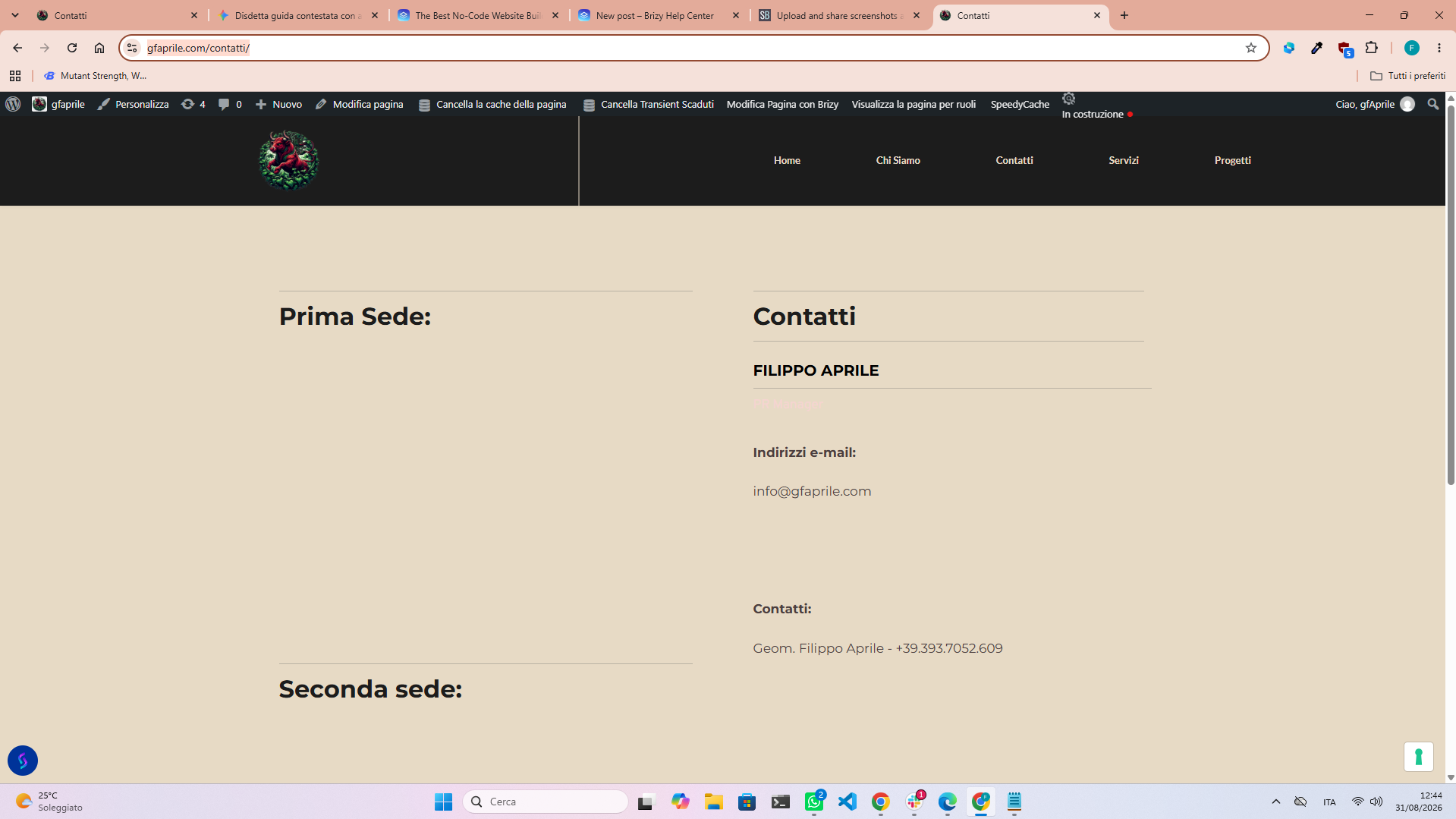
While on the builder it works: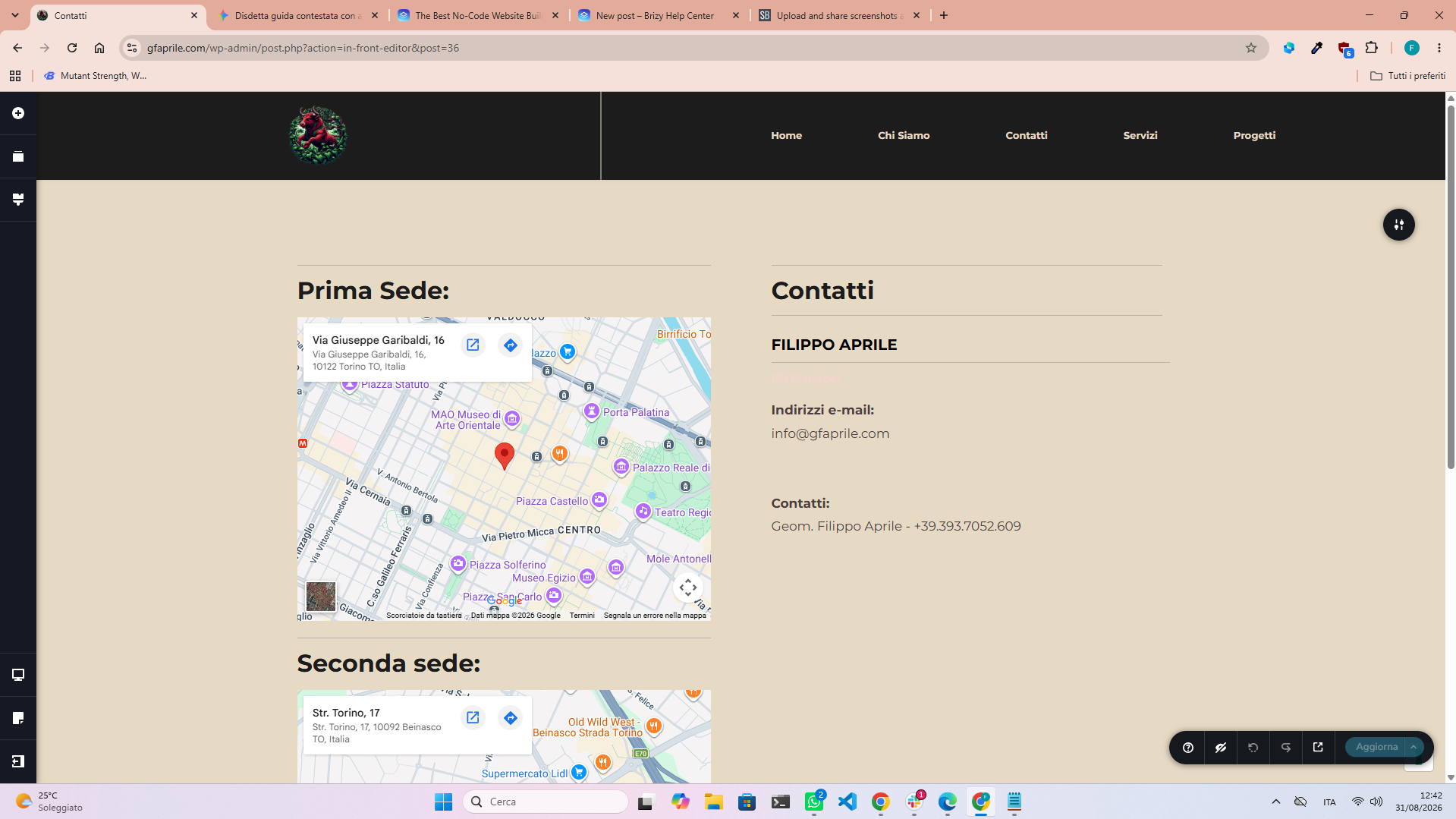
The link of the page is: https://www.gfaprile.com/contatti/
-

Hi Fabio,
Could you please try to replicate the issue with all other plugins temporarily disabled, leaving only Brizy and Brizy Pro active? This will help us determine whether another plugin is causing a conflict.
If the issue still occurs, please also try switching to a different theme, preferably a default WordPress theme such as Twenty Twenty-One, and check if there is any difference.
These tests should help us narrow down whether the issue is related to a plugin or theme conflict.
Please try this and let me know how it goes.
Best regards,
Ariel H.0 -
Hello, i did as you asked and it worked. The problematic plugin is iubenda | All-in-one Compliance for GDPR / CCPA Cookie Consent + more.
0 -

Hi Fabio,
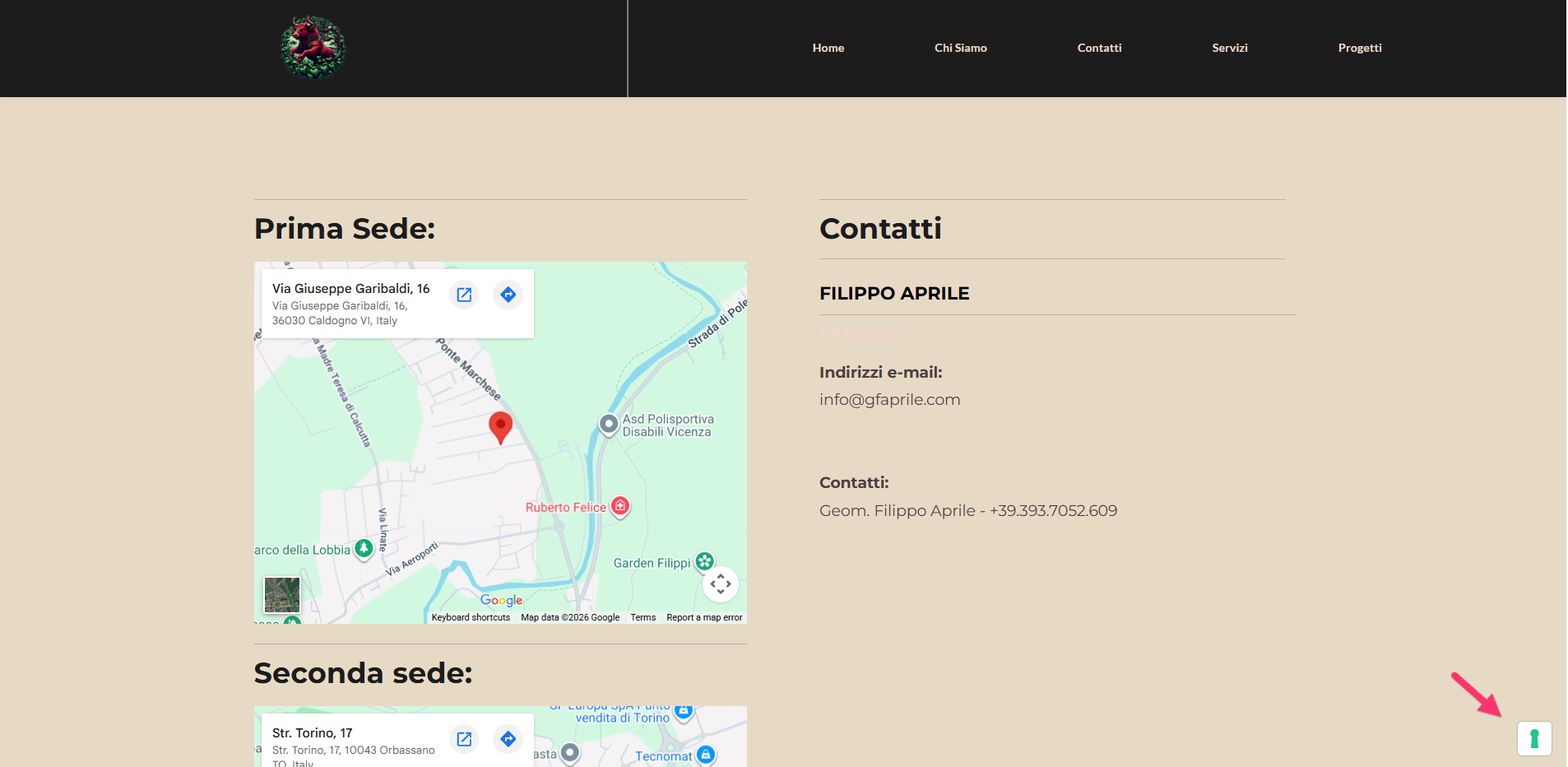
Do you mean that you deactivated the Iubenda plugin to get Google Maps working? I’m asking because the plugin currently appears to be active on your website, and its consent icon is still visible at the bottom-right corner.
 0
0
Please sign in to leave a comment.
Comments
3 comments