Bad FCP, LCP and TTI on mobile – how to fix this?

PSI is showing quite bad values for FCP, LCP and TTI for my site claudiuskrucker.com on mobile. How to fix this in Brizy Cloud?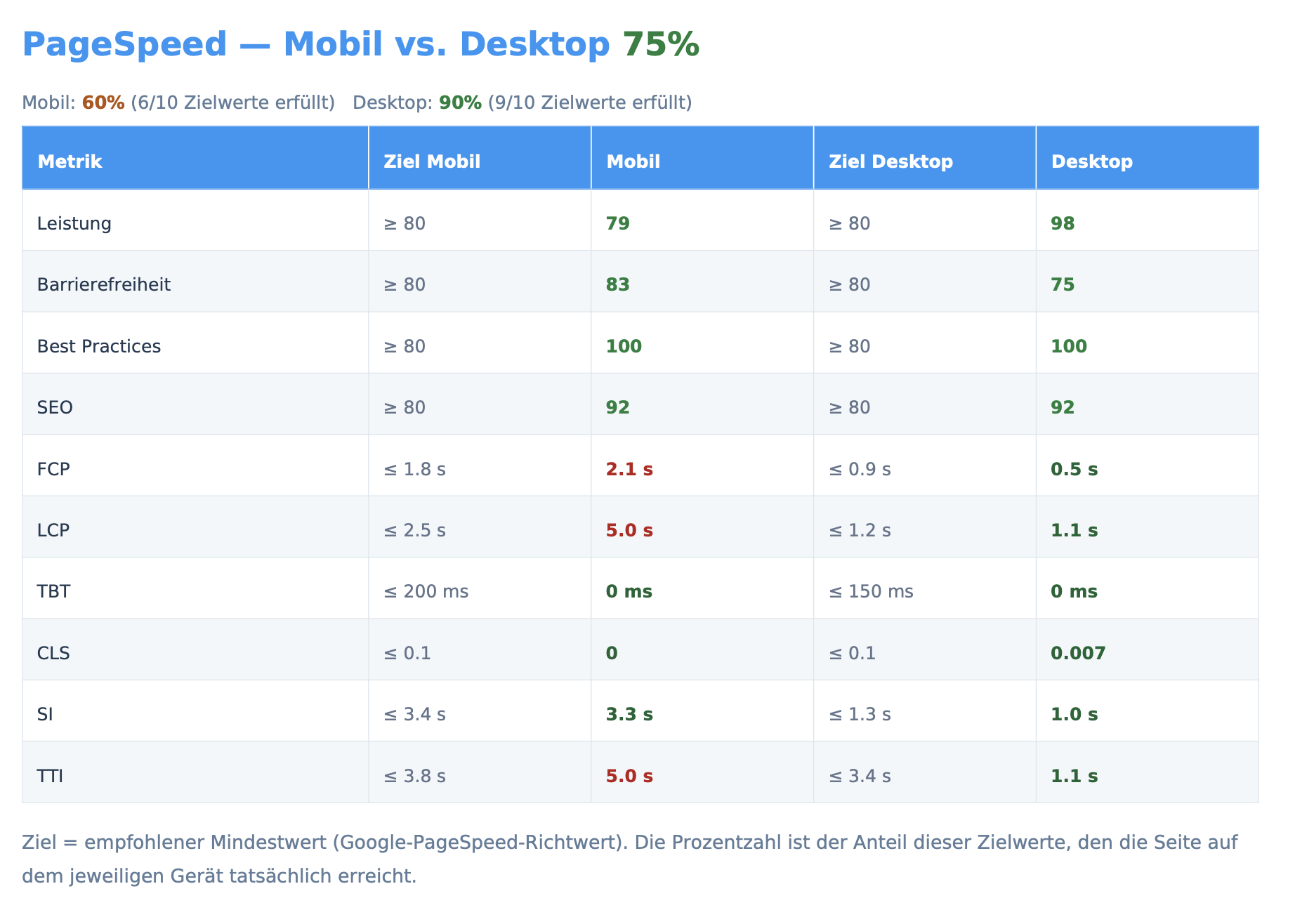
-

Hello Sir,
To improve your First Contentful Paint (FCP) and Largest Contentful Paint (LCP) scores, we recommend optimizing the image used in the hero section of your homepage.
The current image is 1920 × 1654 pixels, which is larger than necessary and may contribute to slower page loading. We recommend reducing it to 1000 × 861 pixels. This should help reduce the image file size and allow the hero section to load faster, potentially improving your FCP and LCP metrics.
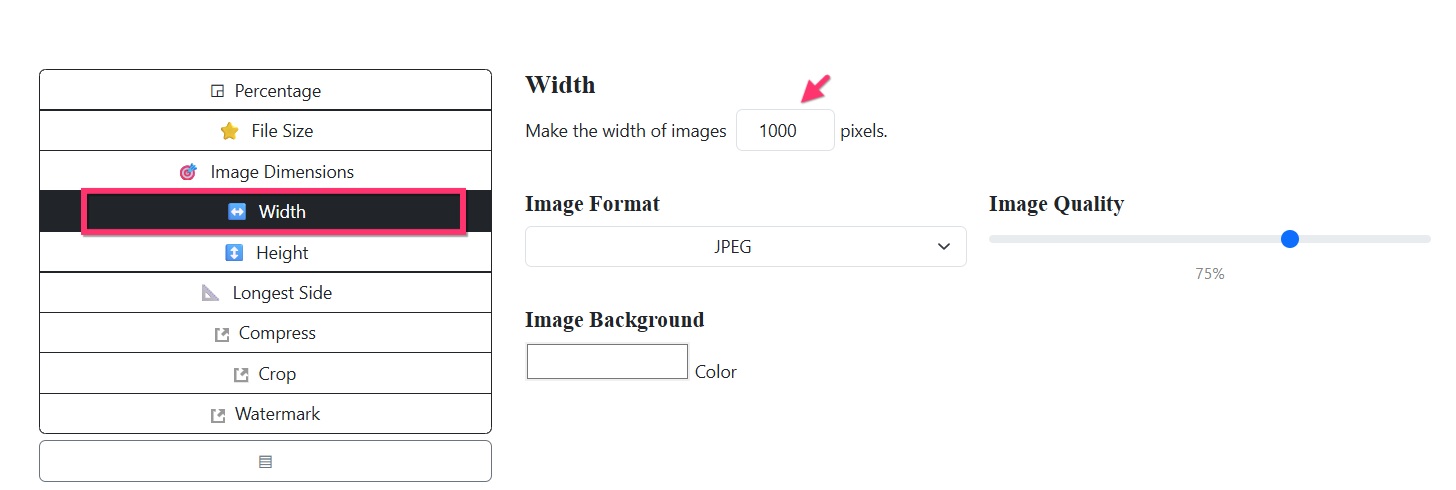
You can resize the image easily using Bulk Resize Photos:
- Open the website and upload the hero image.
- Select Width option from the left sidebar.
- Set the width to 1000 pixels.
- Click Start to resize the image.
- Use the resized image on your homepage in place of the current version.
- Recheck the Pagespeed Insights score of your website.
 0
0 -
Thank you for your reply @KC George.
I must admit that I was pretty sure that I have read that Brizy Cloud does automatically optimize images and therefore I don't need to think about best-optimal-but-not-too-small-either image sizes and formats (jpg, webp, best would be heic but is this at all accepted to upload?)If this is wrong and I have to take care of the whole image size and responsive considerations, it's a big step back from what I used so far ☹️
0 -
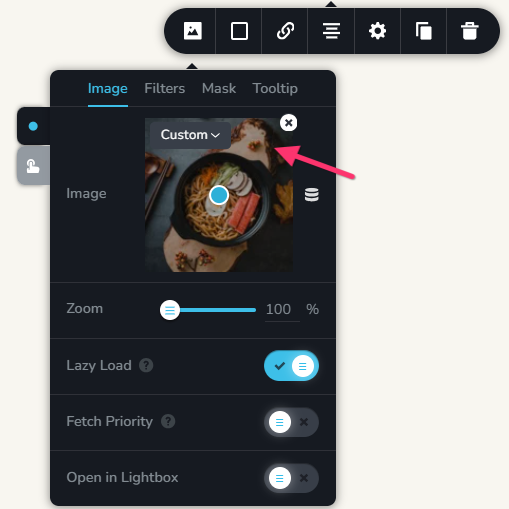
Brizy Cloud automatically resizes images for desktop, tablet, and mobile devices when you select the “Custom” image size option in the Image element and for background images. This means you don’t need to upload separate images for tablet and mobile. In addition, our CDN partner, Bunny CDN, automatically converts images to WebP, helping reduce file sizes and improve page loading performance.
However, if page speed is a priority, we also recommend compressing your images with TinyPNG before uploading them. It is also important to upload images at an appropriate resolution for desktop rather than using unusually large source files. These simple optimizations can further reduce image size and contribute to faster page load times.
0
Please sign in to leave a comment.
Comments
3 comments