Unable to create new pages or load startup templates

Hi, I can no longer create a new page or upload starter templates. Below are the fixes I've made (WP version 7.1):
Increase PHP limits on the server: Verify that the max_execution_time and memory_limit in your hosting control panel (e.g., cPanel) are sufficient.
Set the PHP time limit to at least 400 seconds or higher to avoid timeout errors during import.
Clear cache and permalinks: Clear the site and browser cache.
Go to Settings > Permalinks in the WordPress dashboard and click Save Changes to update the URL rules.
Check connection and firewall: Temporarily disable any security extensions, firewalls, or VPNs that may be blocking external SSL requests to the Brizy template servers.
Update or reinstall plugins: Make sure you're using the latest versions of Brizy Free and Brizy Pro. Try deactivating, uninstalling, and reinstalling plugins if the download stops with a generic error.
Can you please help me?
Thanks.
Best regards.
-

Hi Giuseppe,
To help us investigate this issue, could you please provide temporary access to your WordPress admin dashboard? This will allow us to take a closer look at your setup and identify the cause of the issue.
Kindly send the following details to communitysupport@brizy.io:
- Community https://support.brizy.io/hc/en-us/community/posts/38363153174546
- WordPress Admin URL:
- Username:
- Password:
We’ll review it as soon as we receive the access.
Best regards,
Ariel H.0 -
Hi Giuseppe,
Thank you for your patience.
Could you please try resetting the site using the WP Reset plugin and check whether that makes any difference?
https://wordpress.org/plugins/wp-reset/
If the issue continues after the reset, please provide us with temporary access to your hosting control panel so we can investigate it further. Please send your hosting credentials to communitysupport@brizy.io.
Best regards,
Ariel H.0 -
Hi Giuseppe,
We’ve installed a fresh WordPress instance in a subdirectory here:
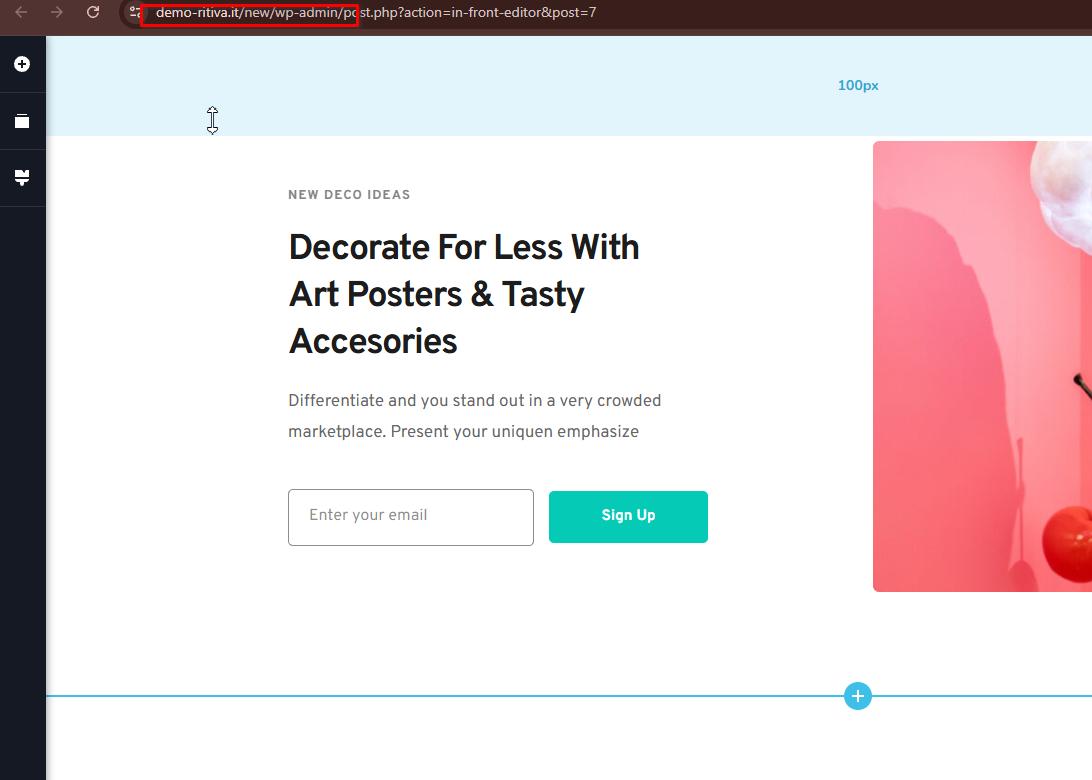
We were able to update and save pages without any issues. No changes were made in cPanel; this is simply a fresh WordPress installation, and everything appears to be working properly on our end.
You can also directly access this WordPress installation through Softaculous. Please try creating new pages and making changes to existing pages, and let us know if you’re still able to reproduce the issue on this test site.
Looking forward to your update.
Best regards,
Ariel H.0 -
Hi Giuseppe,
I’ve created a private ticket for your issue so I can escalate it to our team for further investigation. You should receive a reply from one of my colleagues soon.
Thank you for your patience!
0
Please sign in to leave a comment.
Comments
4 comments