Form issue

-

Hello Jean-Pierre,
Are you referring to the form at https://www.8hearts.org/contact? It is possible that the iframe code on this page is interfering with the delivery of the email notification. Can you test the same form on another page without the iframe code?
0 -
Yes I already did that. I created a copy of the page deleting the iframe. And it still doesnt' work
0 -
you can find the page here: https://www.8hearts.org/contact-copy
0 -
Hello Jean-Pierre,
I'll have to escalate this issue to my colleagues. We reopen on Monday after the weekend. Please give us until Monday to get back to you.
0 -
Thank you KC
0 -

Hi Jean-Pierre,
Upon checking your domain's email DNS records, we noticed that there is currently no DMARC record configured for your domain.
While this may not necessarily be the only reason the form notifications are not reaching your Gmail address, having a valid DMARC record can help improve email authentication and deliverability.
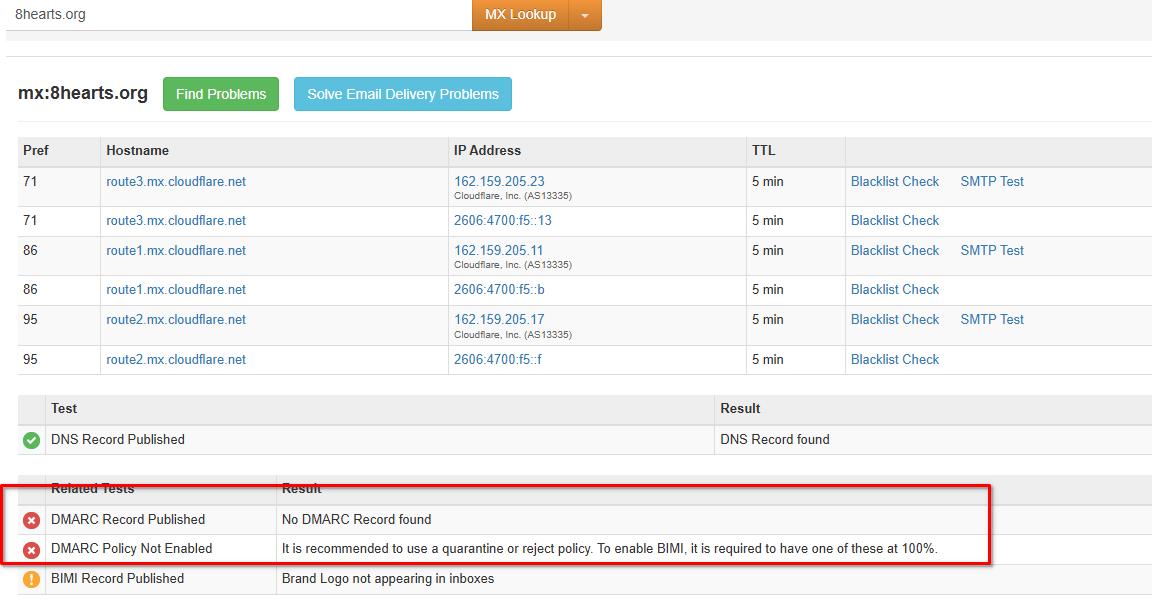
Please add the following DMARC record to your domain's DNS:
Type: TXT
Name/Host: _dmarc
Value: v=DMARC1; p=none;We also recommend configuring Gmail SMTP for your Brizy Cloud form. You can follow the steps in this tutorial:
For testing, we created a second form and configured it using Gmail SMTP with my email address. The form worked as expected, and the notification email was delivered successfully.
We also added your email address as one of the receivers, so you should receive the same test email as well.
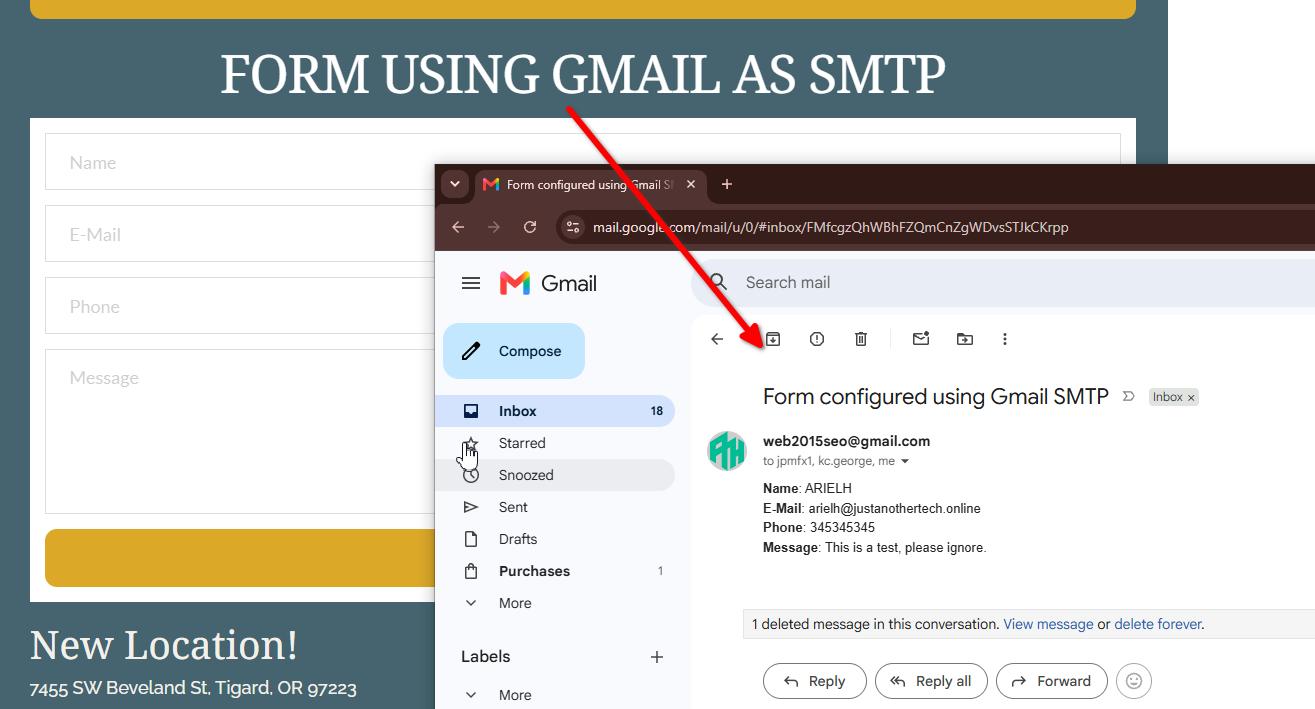
Please configure Gmail SMTP on your original form and add the DMARC record above. Once done, test the form again and let us know if you are still not receiving the notification emails.
Best regards,
Ariel H.0 -
Thanks Ariel, I received an email from you. But this is my gmail. they have a domain mail o*s@8hearts.org What should i use as settings?
0 -
Hi Jean-Pierre,
Thank you for the update.
Could you please confirm with your client how the o*s@8hearts.org email address is currently configured, particularly whether it is being forwarded through Cloudflare Email Routing?
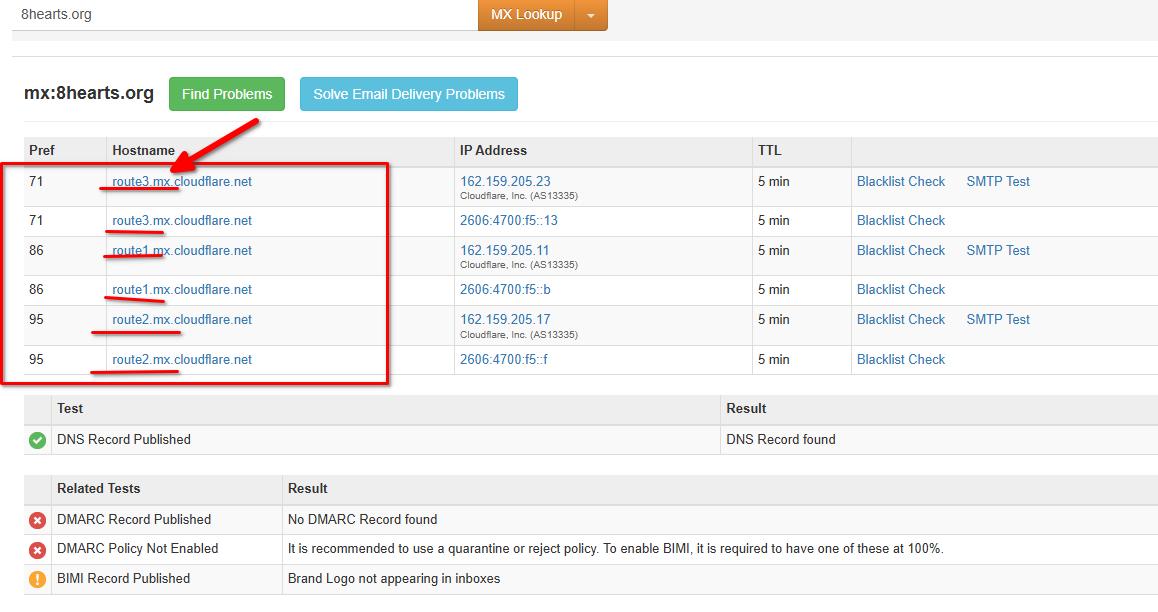
If it is a forwarding address, please provide us with the actual destination email address where the forwarded messages are supposed to be received so we can test it further.
Alternatively, you can ask your client to provide the SMTP details for the email account they would like to use for the form. They can also configure SMTP using the mailbox or email service that receives the forwarded emails.
I have also added o*s@8hearts.org as one of the receivers on the form and sent a test email. Please ask your client to confirm whether they received the test message at that address as well.
Using SMTP is generally more reliable for form email delivery.
Best regards,
Ariel H.0 -
Hi Ariel, I tested with the Google app pw on the main site. and it doesn't work. I received your messages But not with this new installation. It should have been sent to 2 gmails and none received it.
It used to work perfectly so I don't understand. They are using a catch all redirecting email going to ******* ***** But i added directly this gmail and it still doesn't work
0 -
I still see the messages arriving on the leads of the website, but not on the inboxes
0 -
Hi Jean-Pierre Michael,
Upon checking, the issue appears to be related to the DNS/email routing configuration.
I also recreated the form on the following test page:
https://www.sitecheck.space/form
This form is using the default Brizy Cloud email notification and is configured to send submissions directly to o*s@8he**ts.org.
Could you please confirm with your client whether they received the test emails sent from this form? This will help us determine whether the issue is specific to their current domain/DNS.
Please let us know what they find so we can continue troubleshooting the issue.
Best regards,
Ariel0 -
I wish so but I tried with a plain gmail account with no relation to their emails and domains and it doesn't work. It looks like it's Site related becaus if you creat it on another site it works. I modified the recipient with a gmail and it still doesn't work
0 -
Hello Jean-Pierre,
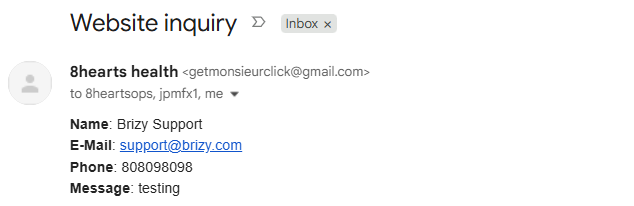
I made a few configuration changes to the form at https://www.8hearts.org/contact and sent a test email and I received the email in my Inbox. Can you check your Inboxes including the SPAM folder?
 0
0 -
Yes ! It works KC. I received the email. Can you explain what you did? Can I use the default email sender without my Gmail attached ?
0 -
Hello Jean-Pierre,
When sending an email notification through Gmail SMTP server, they require that the "From Email" is the same as the email used for authentcating. Since you are using getm.........ck@gmail.com for authentication, I used the same email adress as the "From Email". I also changed the shortcode to a static text for the "From Name".
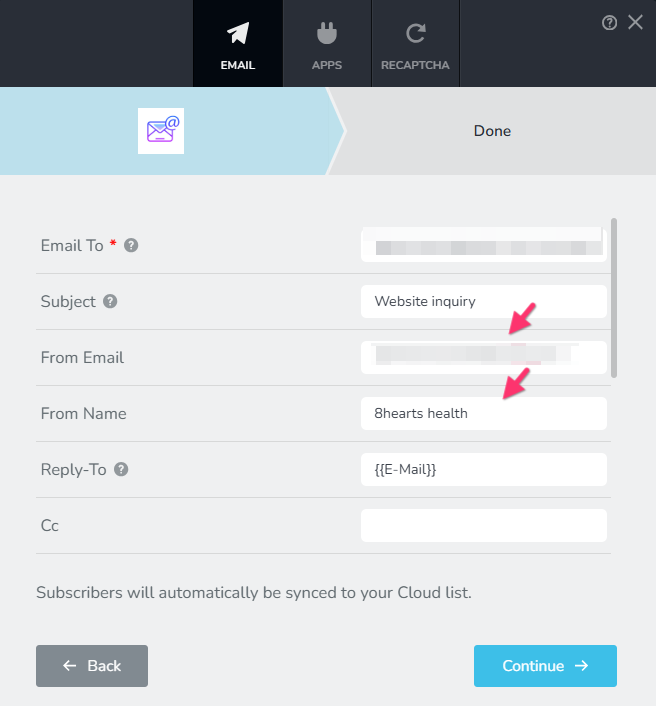
The Brizy Cloud native email sender still may not work.0 -
Thank you. Do you know why this doesn’t work anymore? It used to work perfectly
0 -
It's unclear why the native email server is not working on this specific project. This may be the only project where it does not work.
0
Please sign in to leave a comment.
Comments
17 comments