Product Card Background Colors

I believe the product background card color is a bright white. Is that correct? My question is: would it be possible to have a CMYK or RGB option for the background color? Would that make sense for folks who are photographing products and placing them into their Shop system? When photographing objects, it seems the lighting is almost always the key factor in what color the background turns out to be assuming product quality is captured accurately. In my lightbox case, the background always comes out with a very slight green tint, but it is there. Because I like to shoot photos in full frame 3:2, rather than 1:1 squares, it creates a 3:2 box issue when placed into the Brizy system. I realize I can photoshop much of this, but would prefer to change the color temperature of the RAW file and call it a day for most objects. Any opinions? Or better yet, any Brizy, photo or photoshop tips to resolve this issue? Can Brizy consider this option? Thank you.
-

Hello Wil,
Yes, if you upload a transparent product image, it will appear against a bright white background on both the Shop and product pages. Brizy Shop does not offer an option to change the default background color. However, if your product photograph was shot with a different background color, the product also will appear on your website with the same background color. For example, select the first product at https://mc-shoes.brizy.site/en/shop/shop/bestsellers
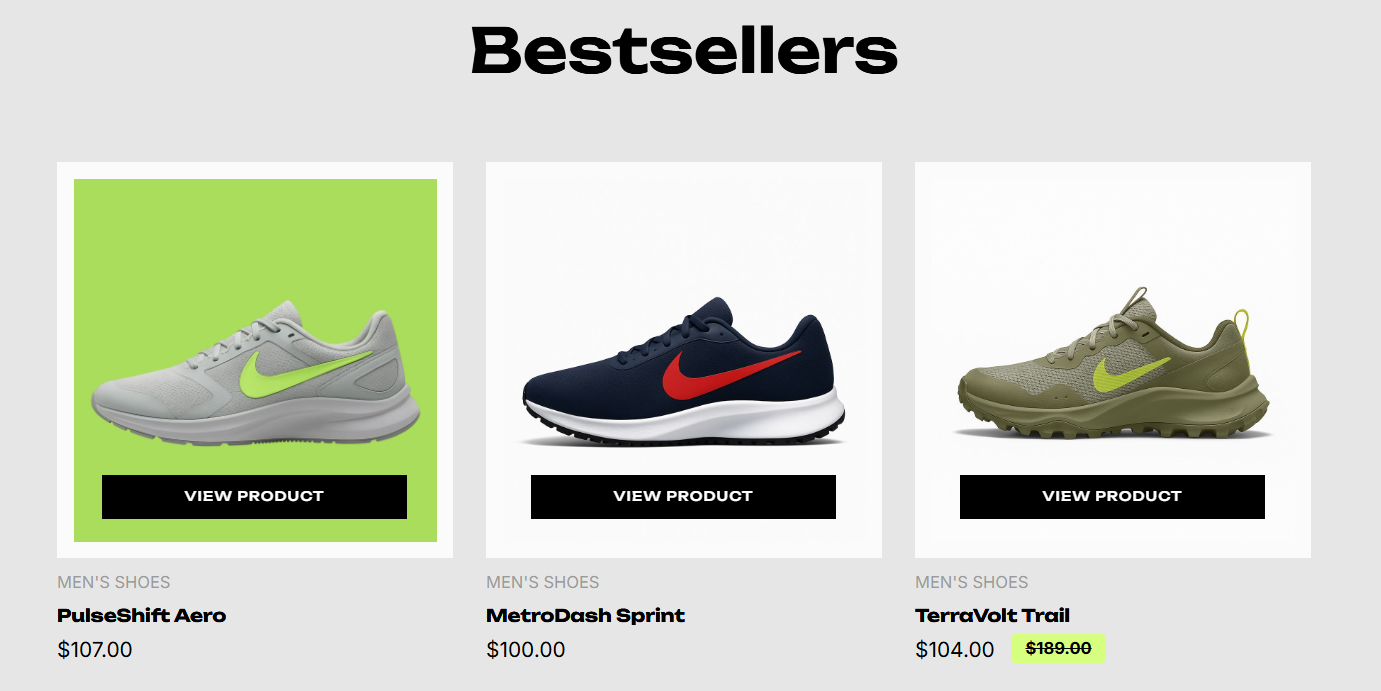
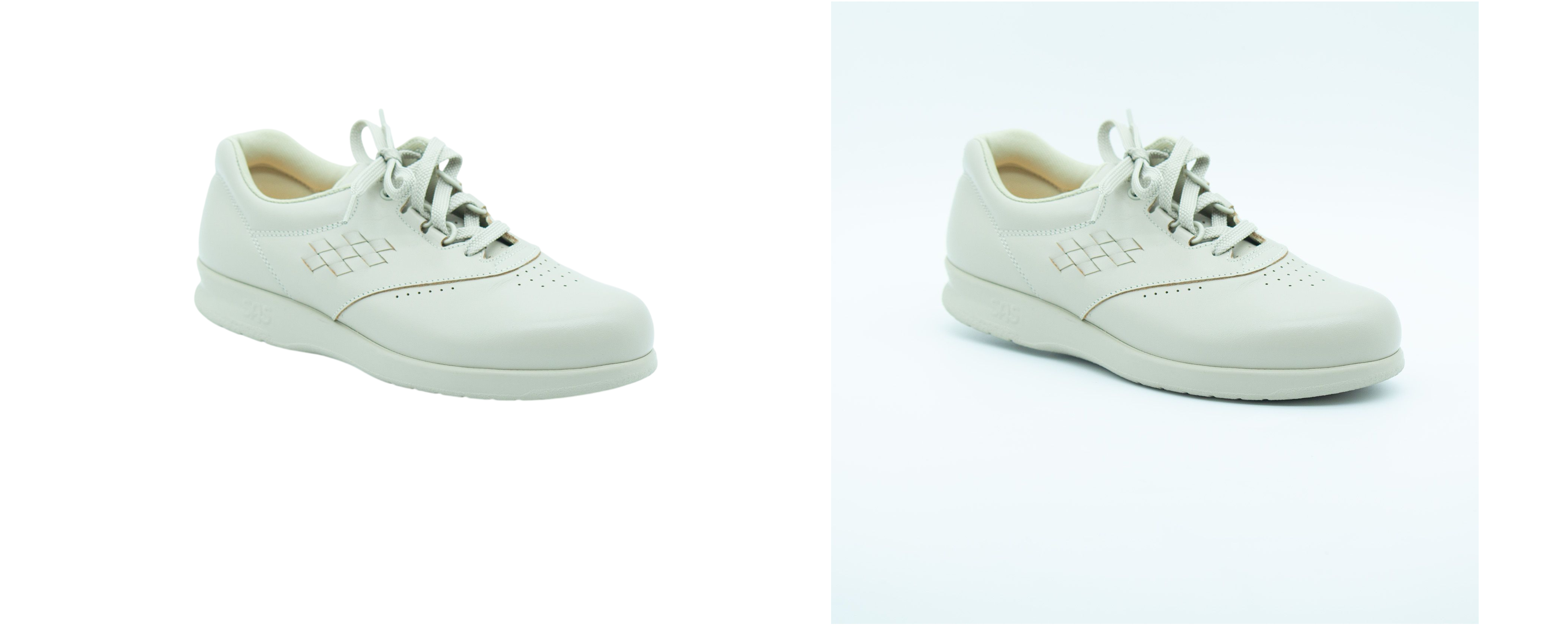
To eliminate the mild green tint that seeps into the background of product images, you could use a background removal service such as https://www.photoroom.com/tools/background-remover or Photoshop Let's say you remove the background of the product at https://www.findperhaps.shopping/shop/sas-free-time-827619286. It will look like the product on the left in the screenshot below.
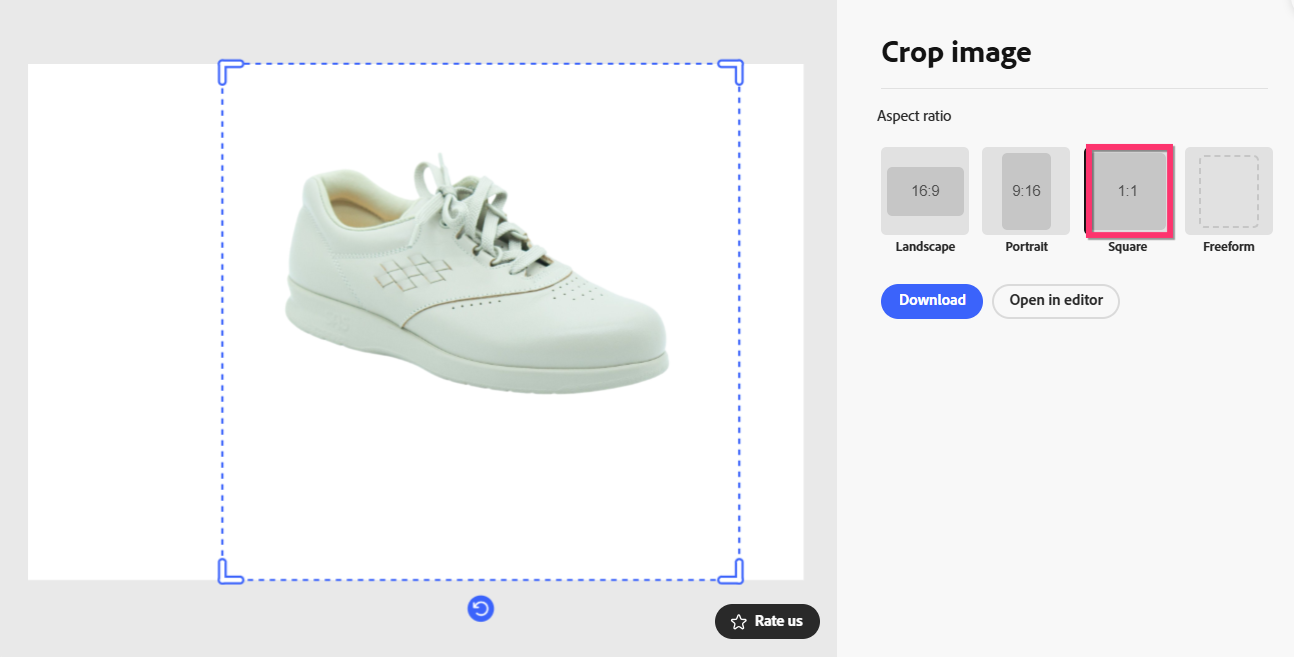
After photographing a product in 3:2 aspect ratio, you also have the option to crop the image in 1:1 aspect ratio using a service like https://new.express.adobe.com/home/tools/crop-image. Your product image can look like the one at https://jmp.sh/lRfgRSmm
 0
0
Please sign in to leave a comment.
Comments
1 comment