Error "This page needs to be refreshed"

When I try to add a URL link to a button, I keep getting an error message.
This has been happening for years! Why hasn't this been fixed yet???
I have disabled all the plugins except for the Brizy plugins, and tried a different theme, but I still get this error.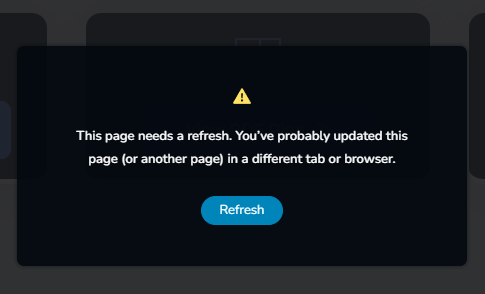
-

Hi Yianakis, my apologies for the inconvenience.
I've replied to you on this support thread - https://support.brizy.io/hc/en-us/community/posts/379034545952180 -
How can a setting in cPanel affect the Brizy Builder??
Why doesn't Elementor have the same problem???
I don't have access to the cPanel.
Please can you sort out this ERROR!!!!!
0 -
Hi Yianakis,
I understand your frustration.
Since websites can be hosted on different server configurations, there may be a specific limitation or security rule in your hosting environment that is affecting Brizy.
This type of issue is not exclusive to Brizy. Elementor users can also encounter similar server-related 413 errors, as discussed here:
https://wordpress.org/support/topic/error-server-413/Since you don’t have access to cPanel, could you please send us your WordPress admin dashboard credentials so we can inspect the website and investigate the issue further?
Please add us as an Admin user to your WordPress Dashboard and send the following details to: communitysupport@brizy.io
- Community Post: https://support.brizy.io/hc/en-us/community/posts/37939914754194
- WordPress Admin URL:
- Username:
- Password:
We’ll review it as soon as we receive the access.
Best regards,
Ariel H.0 -
URL: -----
0 -
Hi Yianakis,
We tried to reproduce the issue by adding a URL link to a button, but we were not able to encounter the same error. You can see our test in this screencast:
Could you please send us a similar screencast showing the exact steps you take when the error appears?
Please also include the URL you are trying to add to the button so we can test the same link on our end and try to reproduce the issue.
In the meantime, please try opening the Brizy editor in an incognito/private browsing window or using a different browser and see if that makes any difference.
Best regards,
Ariel H.0 -
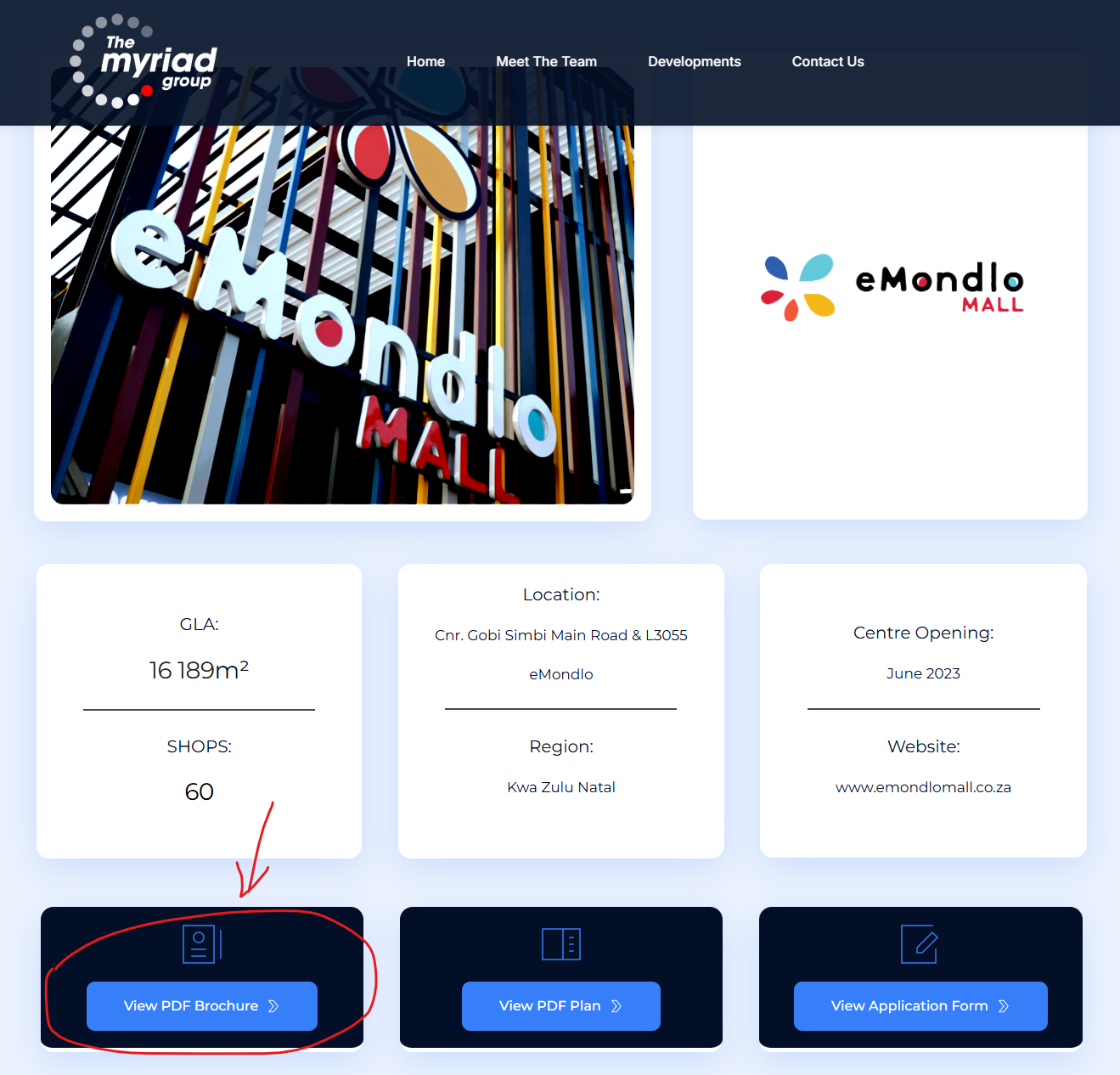
Try to add a URL link to the "Emondlo Mall" page, on the "View PDF Brochure" button.
 0
0 -
Hi Yianakis,
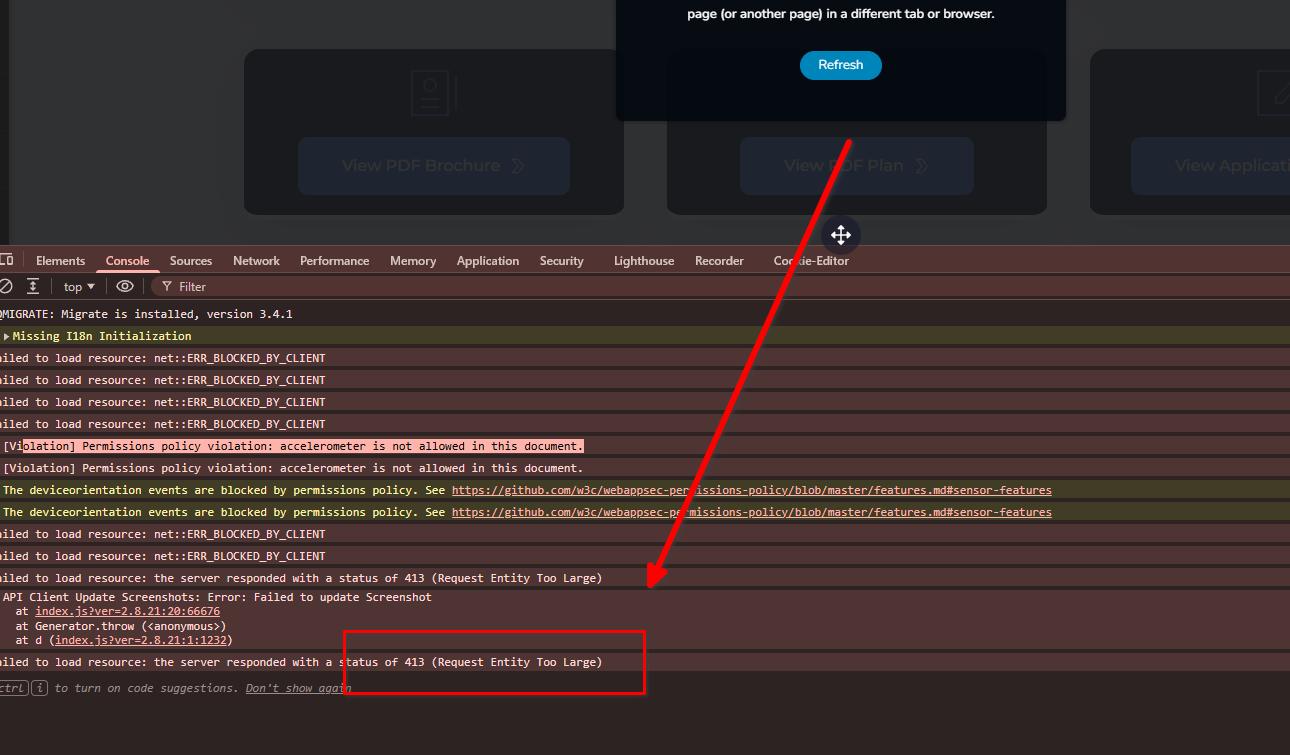
We checked the error, and this appears to be caused by a server request-size limit.
The issue does not appear on smaller pages, but as a page becomes larger, the amount of data Brizy needs to send when saving also increases. If the server’s request limit is too low, it can return a "413 Request Entity Too Large" error.
This type of issue can also occur with Elementor:
https://wordpress.org/support/topic/error-server-413/Some hosting providers set the default ModSecurity request limit as low as 128 KB for additional security, but this can be restrictive for Brizy when saving larger requests. This is also documented here:
https://support.brizy.io/hc/en-us/articles/22590197512210
To fix it, please ask your hosting provider to increase the following limits in ModSecurity:
SecRequestBodyLimit 4194304
SecRequestBodyNoFilesLimit 2097152This should allow Brizy to save larger pages properly while keeping ModSecurity enabled.
Best regards,
Ariel H.0 -
Thank you so much for your help.
Sorry for being angry with you.
0
Please sign in to leave a comment.
Comments
8 comments