Pages not rendering as they should, 404 Errors in console, WPML Website

The pages are not rendering right in Live/Preview mode (frontend) but they look good in the Editor. Saved changes are reflected, but lot of CSS, JS and media, are getting 404 answer in the G-Developers Console. The website uses WPML for translation (EN (Standard) + DE + ES), and in the Standard version (EN) the content is rendering as it should, looks the same as in the editor, but for DE and ES they look good in editor, but not in frontend.
I prefer to not share the domain, because is a client website.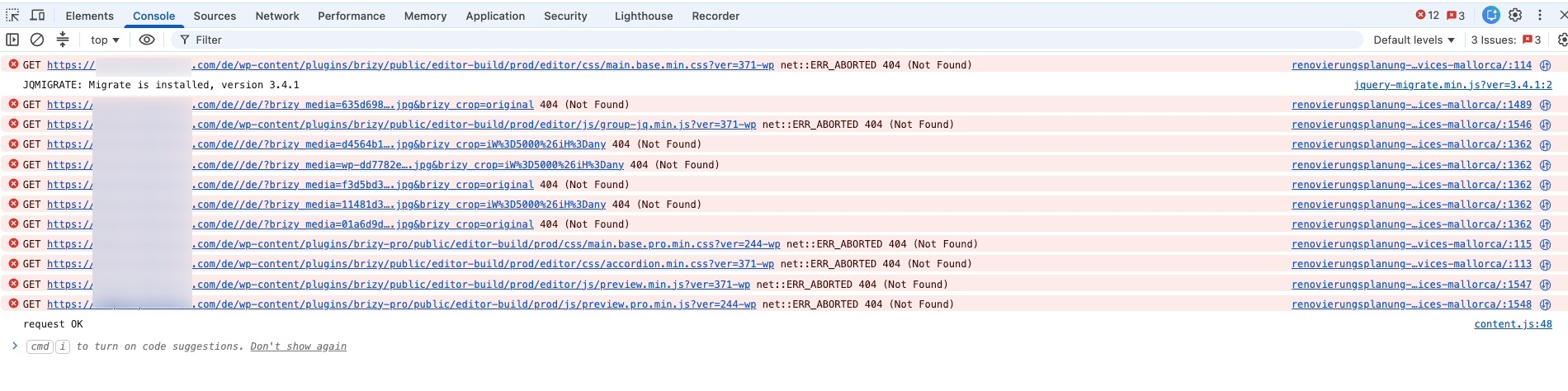
-

Hi Raúl,
We have already rolled out a fix for the issue you reported. However, it may take at least 24 hours before the updated version becomes available in the WordPress plugin repository.
In the meantime, you can download and install the latest version of Brizy from the link below:
https://drive.google.com/drive/folders/1t-UzQwLrE04ci1hSEAUIuPsoSB_mrtda?usp=sharing
After updating, please clear all website and browser caches, then check the translated pages again.
Best regards,
Ariel H.0 -
My clients website stil broken for the DE + ES languages, no Brizy update to solve the problem, no support answer since 3 days, as ussual problems with Brizy since I bought the LTD (Aug 15, 2018). At least the support was better, faster and much effective years ago, sad to say.
0 -
Hi Raúl,
We understand your frustration, and we’re sorry that the issue is still affecting the DE and ES versions of your clients’ websites.
Could you please provide the login details for one of the affected sites so we can investigate the issue further?
Kindly send the following details to communitysupport@brizy.io:
- Community Post: https://support.brizy.io/hc/en-us/community/posts/37595545864722
- WordPress Admin URL:
- Username:
- Password:
We’ll review it as soon as we receive the access.
Best regards,
Ariel H.0
Please sign in to leave a comment.
Comments
3 comments