Brizy AI for Single Pages

Hello, when using Brizy AI, I noticed it creates an entire website with multiple pages. However, I only want to use Brizy AI to build one page. How do I do that?
-

Hello Edwin,
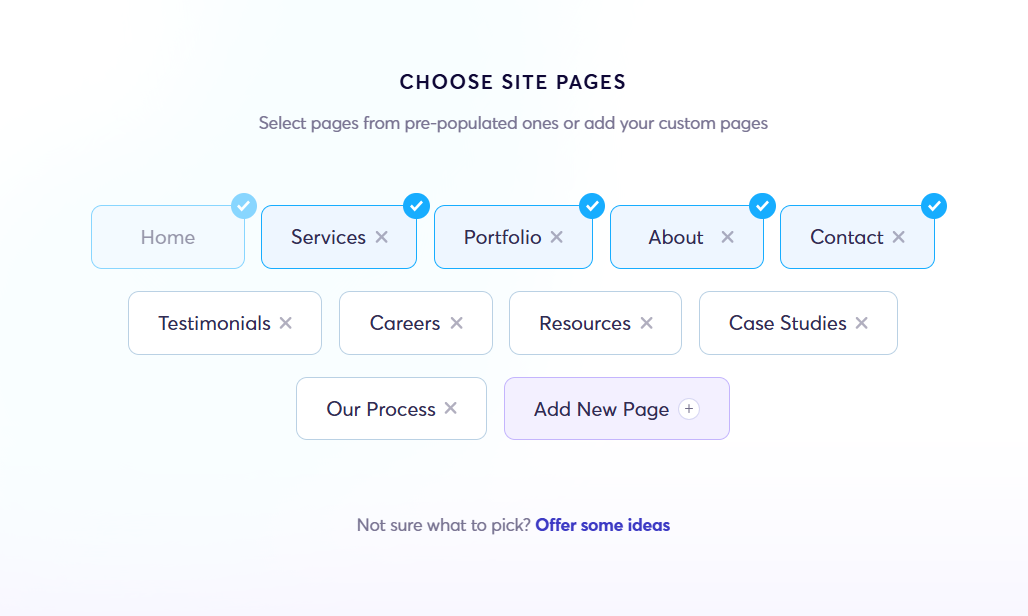
In the prompt for the website, kindly specify that you need a single page website. As part of the AI onboarding process, you will also find a screen to select the pages for your site. Here you could remove all pages except the homepage.
 0
0 -
Yes, I believe I did that, but it looks like you also have to create a homepage because there’s no option to deselect it. It was confusing since I already had the website created, but Brizy AI seems to be designed to build an entire website from scratch.
It would be great if Brizy had an AI feature that could help edit a single page while you’re working on that page.
0 -
Hello Edwin,
Yes; you are right, there is no option to deselect the Home page. We will work on making this option available.
When you want to generate a single additional page to an existing website, kindly follow these steps.
- In your WordPress Dashboard, under "Pages", add a new page.
- Name your page and click on "Publish" towards the top right corner in the Gutenberg Editor.
- Click on the "Generate with Brizy-AI" button at the top.
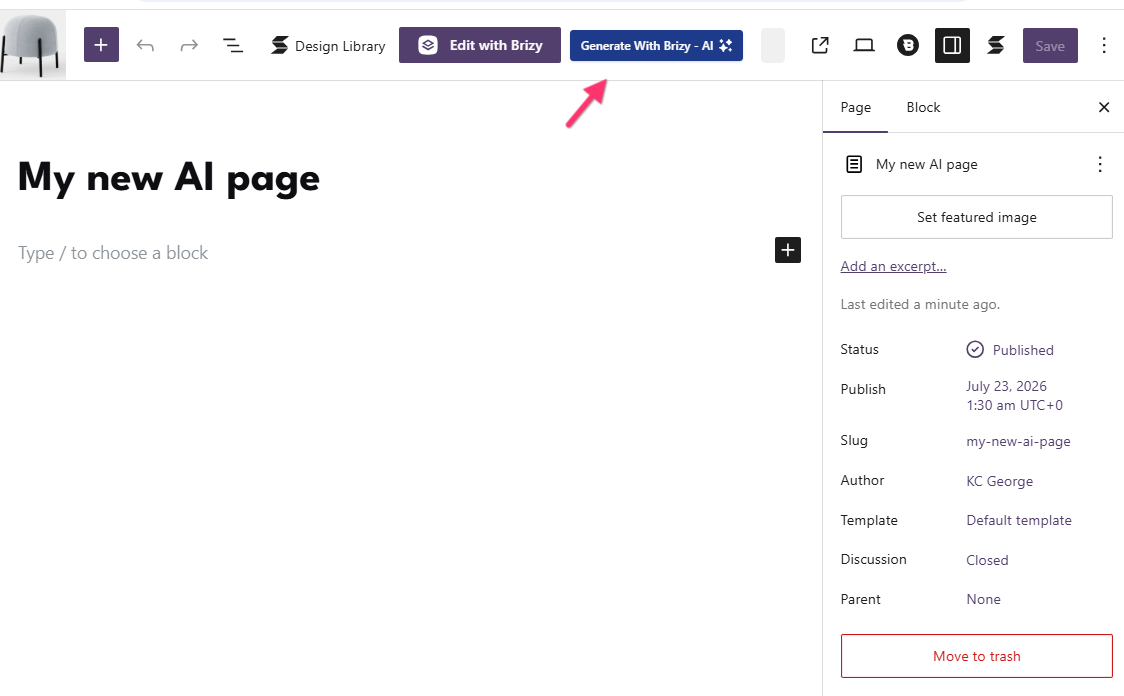
- Add a prompt for the additional page
0
Please sign in to leave a comment.
Comments
3 comments