Problems after site migration

I have migrated a site from one hosting to another (both using the same sort of cpanel). I have done this severa times in the past with no issues. This time the live site looks all scrambled, however, when I open the page with Brizy I see all fine. The problem is that when I try to save a modification I have just made in order to get the page republished, I get an error like this: ..."This page needs a refresh. You’ve probably updated this page (or another page) in a different tab or browser."....
Which is not helping as I have not opened or modified the page in other browsers tabs.
I have no idea what's going on.
-

Hi Daniele,
Thank you for the details.
The broken layout on the live site may be resolved by using the Layout Recompiler for Brizy plugin to regenerate the layout files after the migration.
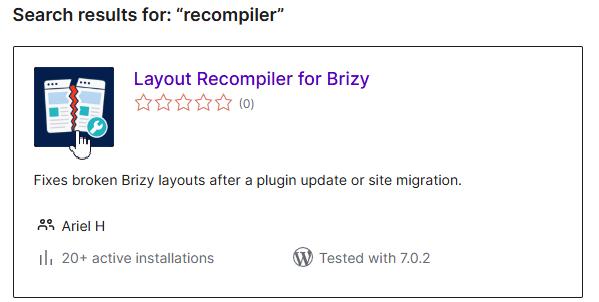
After installing and activating the plugin, please go to Tools → Layout Recompiler in your WordPress dashboard, then click Start Recompilation. Once the process is complete, clear any website, server, and browser cache, then check the live page again.
However, the error that appears when saving the page may be caused by ModSecurity or another server-side security restriction on the new hosting account. Please check cPanel to see whether there is an option to temporarily disable ModSecurity for the domain, then try editing and updating the page again.
This will help confirm whether ModSecurity is blocking Brizy’s save request.
Best regards,
Ariel H.0 -
HI Ariel, First, many thanks for the prompt response. I managed to get the layout OK by hit and miss with several attempts on eliminating the server cache and things like that, i guess the latest trick did the fix (I have used the tool that changes the URL from the old to the new website.
I will now check the ModSecurity from the server and see if that works. Either way will update the post here, so that hopefully can help anyone with the same problem in the future.0 -
Problem temporarily solved by de-activating WordFence. The puzzling thing is that also the staging site had WordFence running but no issues there. For now I will e-activate for editing and re-activate when I am done. I don't know how else I could solve this issue.
0 -
Hi Daniele, please set WordFence to Learning Mode - https://thrivethemes.com/docs/reason-to-set-wordfence-firewall-to-learning-mode/
0 -
Hi Ariel, I just did. For now it is still blocking the Brizy save function...let's see.
0 -
Hi Daniele,
To help us investigate this further, could you please provide temporary access to your WordPress admin dashboard? This will allow us to take a closer look at your setup and identify the cause of the issue.
Kindly send the following details to communitysupport@brizy.io:
Community Post: https://support.brizy.io/hc/en-us/community/posts/37379049055890
WordPress Admin URL:
Username:
Password:We’ll review it as soon as we receive the access.
Best regards,
Ariel H.0 -
Hi Ariel,
I have just sent you the admin credentials.
Many thanks0 -
Hi Daniele,
Thank you for your cooperation.
We tested setting Wordfence to Learning Mode, and it is working correctly on our end. I created a screencast to demonstrate this:
If it is still not working on your end, please try using an incognito window or a different browser to see whether that makes any difference.
Best regards,
Ariel H.0 -
Hi Ariel,
Excellent work.!
I confirm it is now working fine on my end too.
I want to thank you for your time and dedication.
I really appreciate it.0
Please sign in to leave a comment.
Comments
9 comments