Brizy Cloud and Brizy Wordpress not connecting

I signed up for Brizy Pro Lifetime back in 2020 for Wordpress. Then, in 2026, I bought a Brizy Cloud plan using a different email address than the one I used in 2020. I just set up a Wordpress site using my original account. The license works fine for a that. My problem is trying to sync my saved blocks & layouts so I can use them from both sites. Do I need to have you move my new cloud account into my original account in order to get my Wordpress site to sync?
-

Hello Cindy,
No, you do not need to move your new cloud account to your original account. You can sync your Brizy Pro Lifetime WordPress saved blocks and layouts to any Brizy Cloud account. Here are the steps.
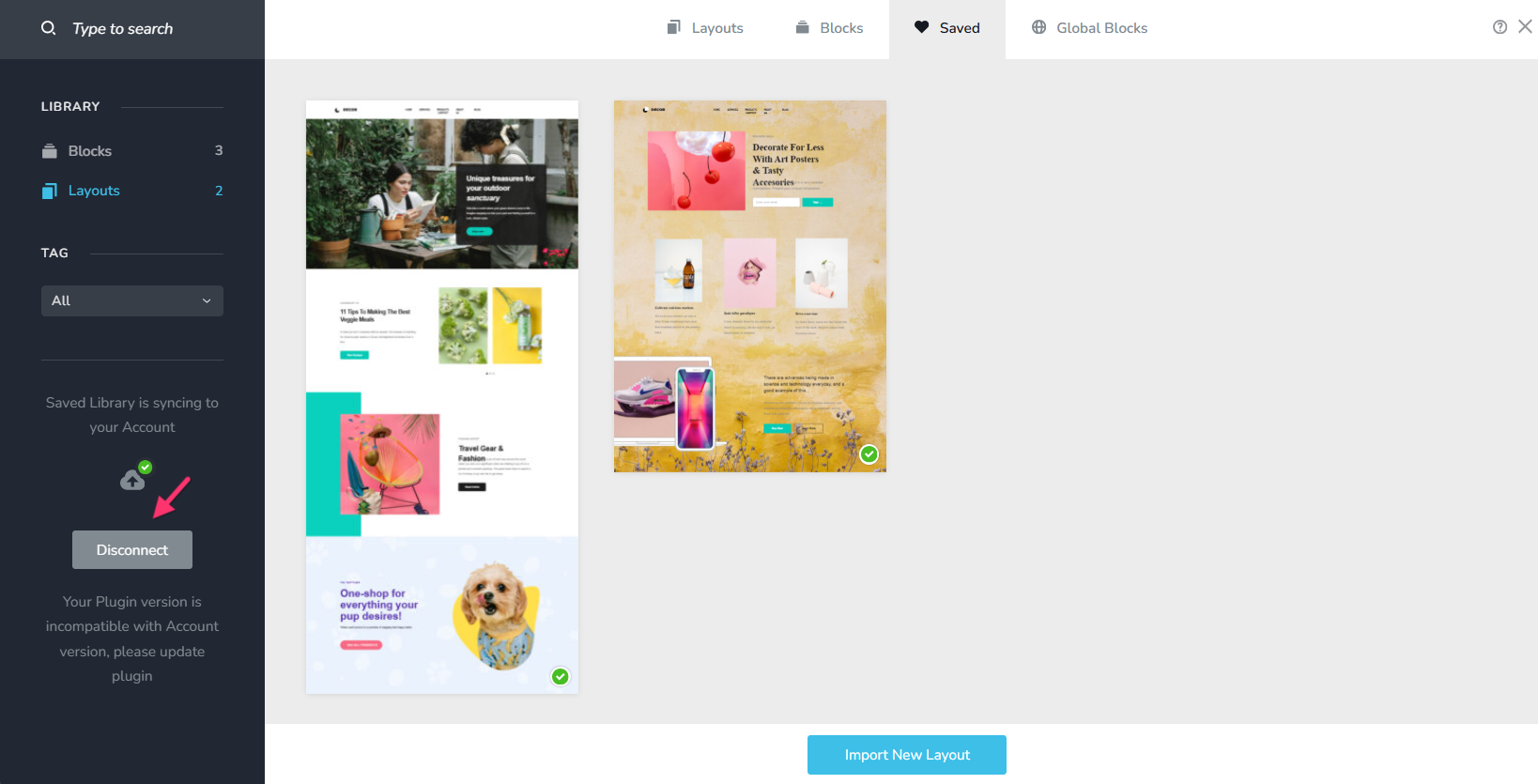
- In your WordPress project, under the "Saved Blocks and Layouts" select the "Saved" tab, and then the "Disconnect" button.
- Then click on the "Connect" button and add the Username and Password for the Brizy Cloud account you purchased in 2026 and click on "Connect".
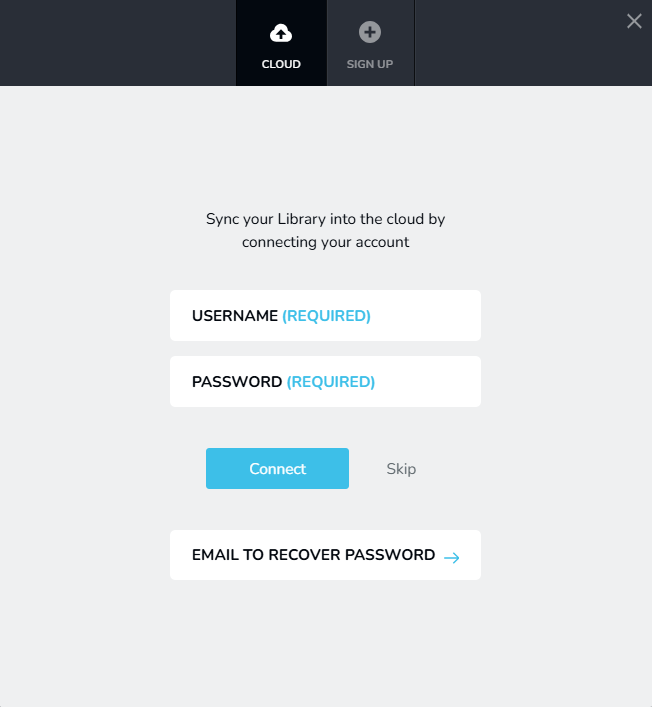
Please let us know if you are able to connect to your preferred Brizy Cloud account.
0 - In your WordPress project, under the "Saved Blocks and Layouts" select the "Saved" tab, and then the "Disconnect" button.
-
Yes this worked perfectly. Thank you for your help.
0
Please sign in to leave a comment.
Comments
2 comments