Library Sync

This seems to be a repetitive subject with no clear solution... I'm trying to sync my library from Cloud to WordPress, but when I connect the account in WordPress I see 6 blocks (when I should have 23), and no layouts (when I should have 1).
I've tried "sync now" but get an unsuccessful sync error
I've tried disconnecting and reconnecting the account
I've tried resetting my password
I've tried clearing browser cache
I've tried a different browser
Please advise.
-

Hi Richard,
Thank you for reaching out.
Could you please share temporary WP Admin access so we can take a closer look at the issue? You can add us as an Admin user in your WordPress dashboard and send the details to communitysupport@brizy.io:
Community post link: https://support.brizy.io/hc/en-us/community/posts/37054906498578
WordPress Admin URL:
Username:
Password:Best regards,
Ariel H.0 -
Hi Richard,
It looks like you forgot to include your website's URL. Could you please send it over so we can take a closer look?
Kind regards,
Ariel H.0 -
Hi Richard,
Thank you for your patience.
We checked your Brizy Cloud account, and it shows the same number of blocks that are currently available in your WordPress installation.
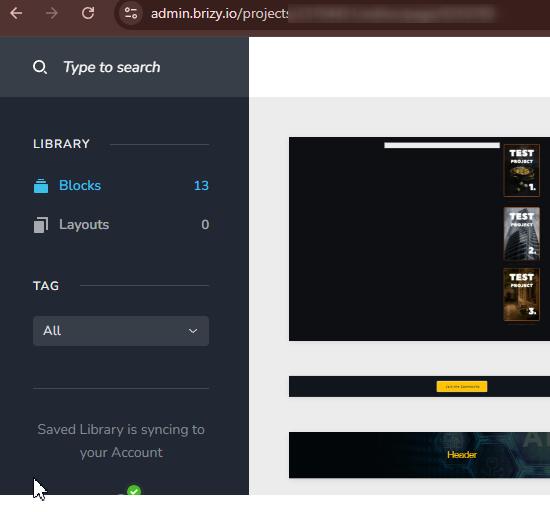
Regarding the "Unsuccessful Sync" error, we've raised this issue with our developers for investigation so it can be fixed in one of the upcoming versions of Brizy Pro.
We apologize for the inconvenience and appreciate your patience while we work on a fix.
Kind regards,
Ariel H.0 -
Hi Richard,
We are still looking into the issue, and it may take some time to resolve. We apologize for the inconvenience.
We also noticed that the site credentials you previously provided are no longer working. Could you please restore our access so we can add the updated credentials to the ticket we have already raised with our development team?
Best regards,
Ariel H.0 -
Hi Richard,
The issue is still ongoing, and our team is continuing to work on a fix.
In our previous message, we asked you to reactivate the WordPress credentials, but we have not yet received a response. Could you please restore our access and let us know once it is working so we can update the existing development ticket?
We apologize for the inconvenience and appreciate your patience.
Best regards,
Ariel H.0 -
Hi Richard,
Sync is now working correctly in the latest versions of Brizy and Brizy Pro.
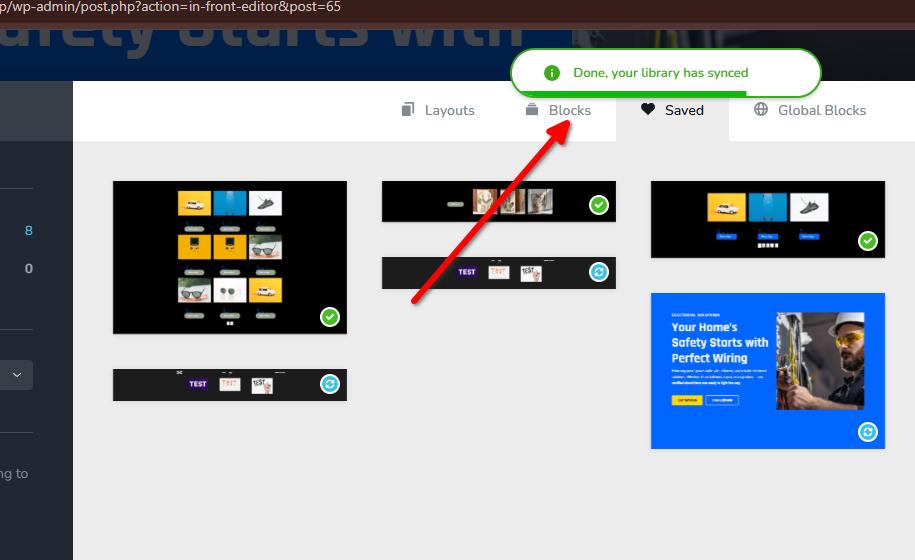
Could you please update both plugins to their latest versions and let us know if you are still able to replicate the issue?

Best regards,
Ariel H.0
Please sign in to leave a comment.
Comments
6 comments