Not able to coordinate versions from wordpress - with brizzy pro (2.8.17)

I have tryed updating breezy pro to 2.8.17 but I can't find a file anywhere - and the auto update doesn't sync to the normal breezy? How can I fix that?
0
-

Hi Johan,
Thanks for reaching out.
Please log in to your Brizy account at https://www.brizy.io/account/member. From there, you can download the latest version of Brizy.
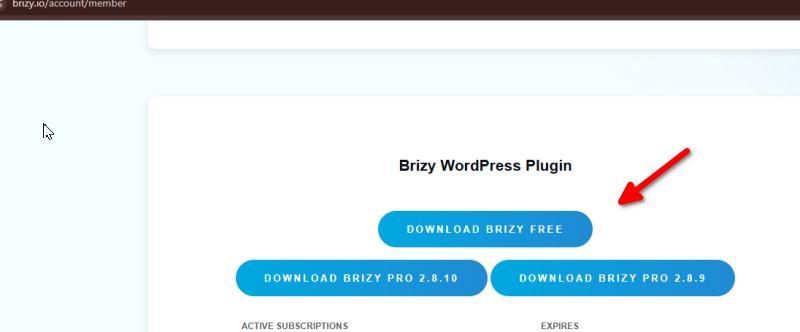
To update manually:
1. Deactivate and delete Brizy from your WordPress website. (Your content and settings will not be affected.)
2. Download the latest version of Brizy from your Brizy account.
3. Upload and install the new version through Plugins > Add New > Upload Plugin.Please try this and let me know how it goes.
Kind regards,
Ariel H.0
Please sign in to leave a comment.
Comments
1 comment