Posts-Block – Beitragsbild als Column-Hintergrund wird auf Mobile/Tablet nicht angezeigt

Beschreibung:
Beim Einsatz des Posts-Blocks in Brizy wird das Beitragsbild (Featured Image) jedes Beitrags als dynamischer Spalten-Hintergrund über die CSS-Variable --brz-background-image eingebunden. Auf dem Desktop funktioniert das einwandfrei.
Für Tablet und Mobile generiert Brizy jedoch automatisch folgendes CSS im inline <style>-Tag der Seite:
@media (max-width: 991px) and (min-width: 768px) {
  .brz .brz-css-[id] > .brz-bg > .brz-bg-image {
    background-image: none;
  }
}
@media (max-width: 767px) {
  .brz .brz-css-[id] > .brz-bg > .brz-bg-image {
    background-image: none;
  }
}
Dieses CSS überschreibt das dynamisch gesetzte Hintergrundbild auf Mobile und Tablet, sodass das Beitragsbild auf diesen Breakpoints komplett unsichtbar ist. Im Editor gibt es keine Möglichkeit, dieses Verhalten zu verhindern oder das Hintergrundbild für Mobile/Tablet-Breakpoints bei dynamischer Befüllung (Featured Image als Column-Hintergrund) wieder zu aktivieren.
Der einzige Workaround ist derzeit ein Override mit !important im Additional CSS. Das Problem tritt ausschließlich auf, wenn das Beitragsbild als Column-Hintergrund verwendet wird – nicht beim Einsatz des brz-image-Widgets innerhalb des Posts-Blocks.
Schritte zur Reproduktion:
- Posts-Block erstellen
- Beitragsbild als Spalten-Hintergrund setzen (dynamische Befüllung)
- Vorschau auf Mobile oder Tablet → Hintergrundbild nicht sichtbar
Erwartetes Verhalten: Das dynamisch befüllte Hintergrundbild sollte auf allen Breakpoints sichtbar sein, oder es sollte im Editor eine Breakpoint-spezifische Steuerung geben, um dieses Verhalten zu kontrollieren.
-

Hello Noah,
If you set the featured image as the background for blog post cards in the Desktop, Tablet and Mobile design views, it will appear in all three devices. Please see the second section at https://brizy.digital/test/ You can see that the featured image appears as the background on desktop, tablet and mobiles.
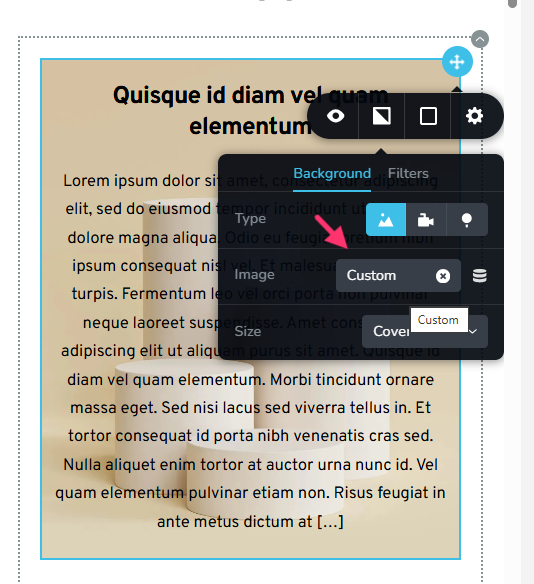 0
0 -
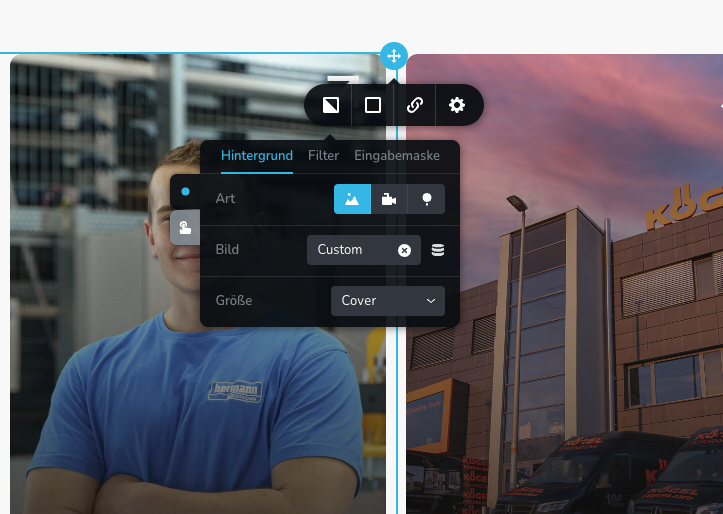
Thank you for the quick reply. I have already set the background image to "Custom" (see screenshot), but it still isn't displaying. I have also included the website link so you can take a look at it.Website:
https://beventive.de/rimmele-formentechnik-medienproduktion/0 -
Hello Noah,
Can you please confirm if you have set featured as background for Desktop, Tablet and Mobile as demonstrated at https://jmp.sh/share/EQZcO4G23PH9BBsORfhH
0 -
Thank you, that was the problem.
0
Please sign in to leave a comment.
Comments
4 comments