I can't give a client access to Brizy Cloud workspace as a designer

Hi,
I can't give a client access to Brizy Cloud workspace as a designer.
He does not get the right invitation to access the workspace.
Can you help me?
It is in my account Betty.vangrinsven@gmail.com
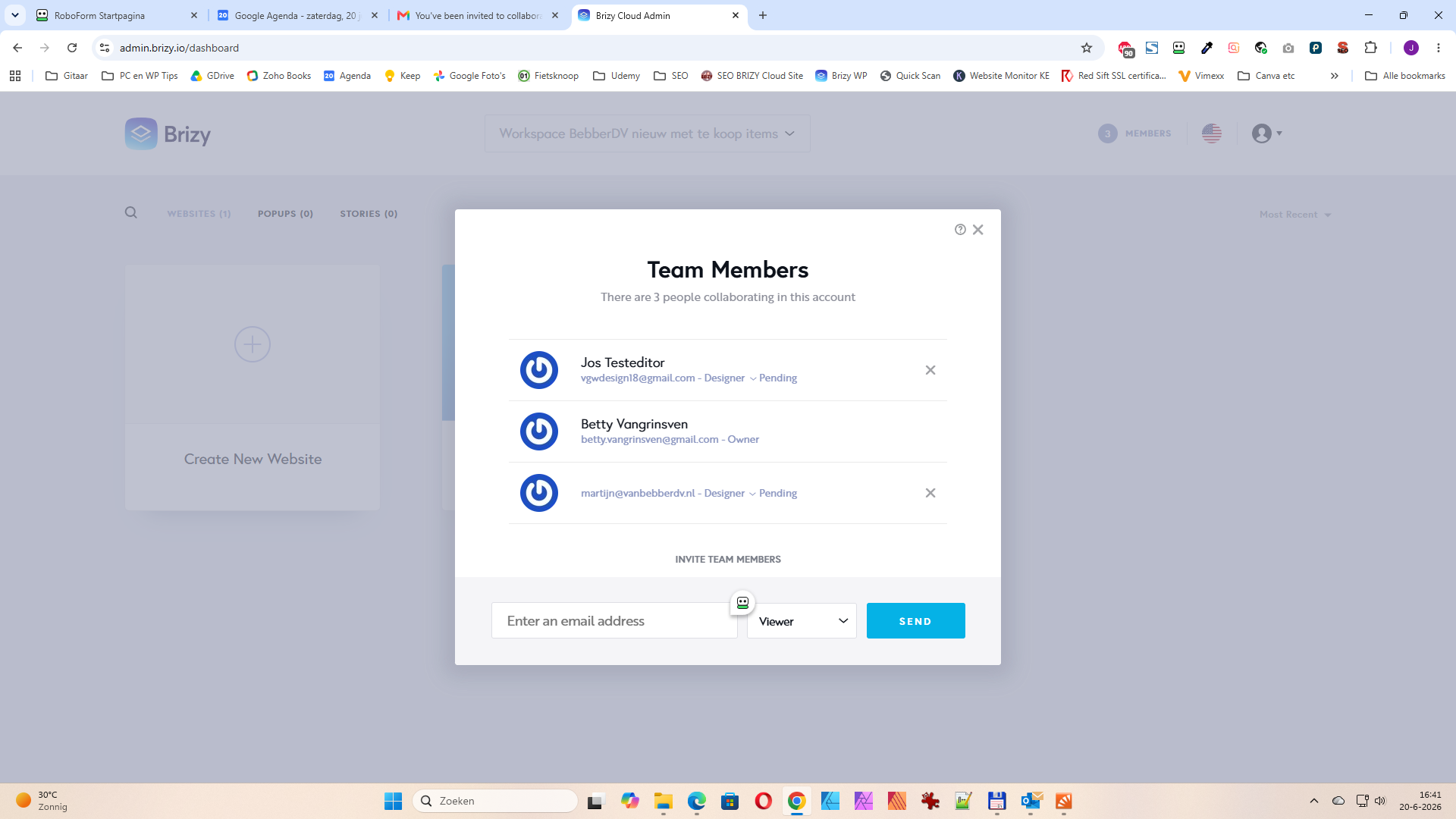
I am the owner I want to give access to a client to the workspace: workspace Bebber nieuw met te koop items. But the client gets a mail, but can't login properly. If I test it with a e-mailadress of mine I get a link in the e-mail get started. Then i can login right away. He gets something like confirm e-mail but he can't edit the website.
Thanks in advance,
Betty
-

Hello Betty,
Are you referring to martijn@.....erdv.nl when you say you want to give access to a client to the workspace? This user had not accessed Brizy Cloud (even once) after signing up with Brizy. Hence this account was not linked to Brizy Cloud. I have now accessed Brizy Cloud from this account.
Please delete your current invitation by clicking on the "x" icon next to the email address.
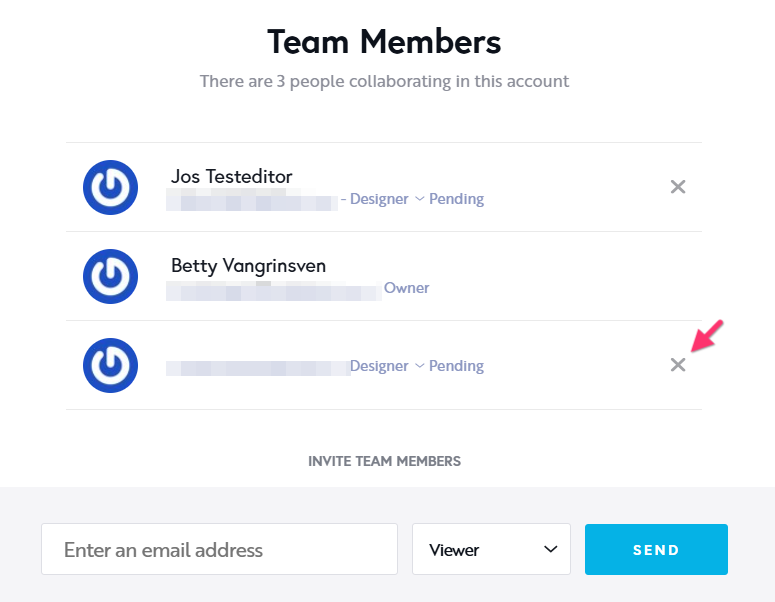
Send a new invitation to your client and check if they get the "Get Started" link in the invitation email.
0 -
Thank you for the fast reply KC. I will do this.
regards Betty
0 -
Hi KC,
My client was able to log in later, the next day, so Tuesday. But he hadn't informed me. Now he had applied changes in the editor. Then, at around 2 PM on Tuesday, I removed the member. And sent a new invitation as you recommended. As a result, he was removed and all his changes were gone!
On that new link, he gets the Brizy login screen again where he has to enter his email address and password.
I would appreciate help with this.
regards, Betty
0 -
Hello Betty,
Your client is already approved in your workspace "workspace Bebber nieuw met te koop items". Hence he should have access to your workspace.
Kindly request your client to try these two steps to access your workspace.
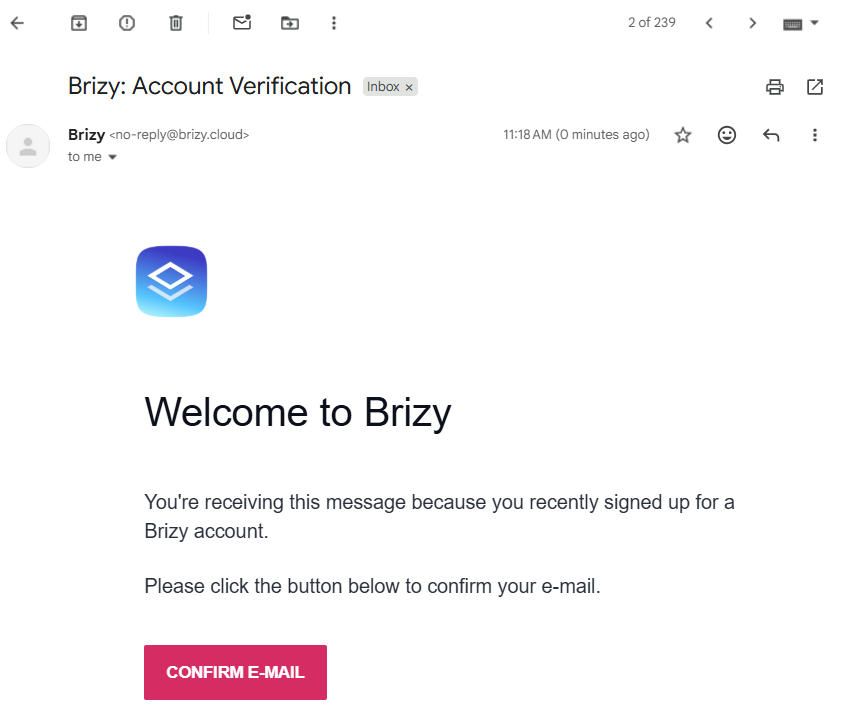
- After you sent the Team Member invitation, they would have received an email like below. They might have clicked on the "Confirm Email" button to confirm their email address. Request them to access the Brizy Cloud dashboard at https://admin.brizy.io/dashboard using the same browser. This should give them access to your workspace.
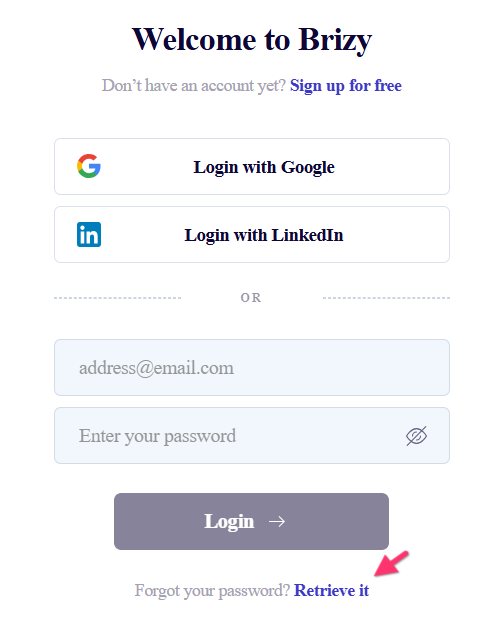
- If the above suggestion does not help, request them to visit https://www.brizy.io/account/login, click on the "Retrive It" link to create a password for the account and login using the email and password.
0 - After you sent the Team Member invitation, they would have received an email like below. They might have clicked on the "Confirm Email" button to confirm their email address. Request them to access the Brizy Cloud dashboard at https://admin.brizy.io/dashboard using the same browser. This should give them access to your workspace.
Please sign in to leave a comment.
Comments
4 comments