Site has reverted to Brizy branding and no form option (free?)

I built a one-pager 3+ years ago and just today noticed on the back-end that it wants me to "upgrade to pro" for the form in the footer and has Brizy branding on it.
I have paid for multiple domains on Brizy cloud.
What happened? How do I restore functionality?
Also, I just noticed that changing the date in the footer has blown up (tons of vertical white space) the testimonial section.
Not sure what went wrong here; I haven't touched it until today.
-

Hello Tyler,
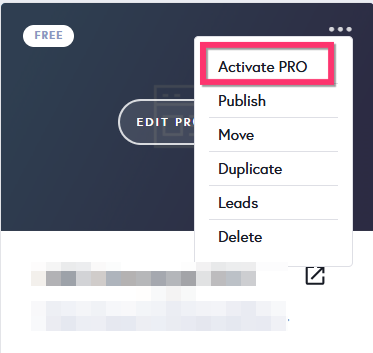
This happened because PRO feature was deactivated on your project. Kindly activate PRO feature on your project by selecting the "Activate PRO" option in the project thumbnail. You will then have access to all PRO elements and PRO blocks in the Brizy Cloud editor.
Open your homepage in the Brizy Cloud Editor and click on the "Update" button towards the bottom right corner and check if all sections of your homepage dispaly well in the website frontend.
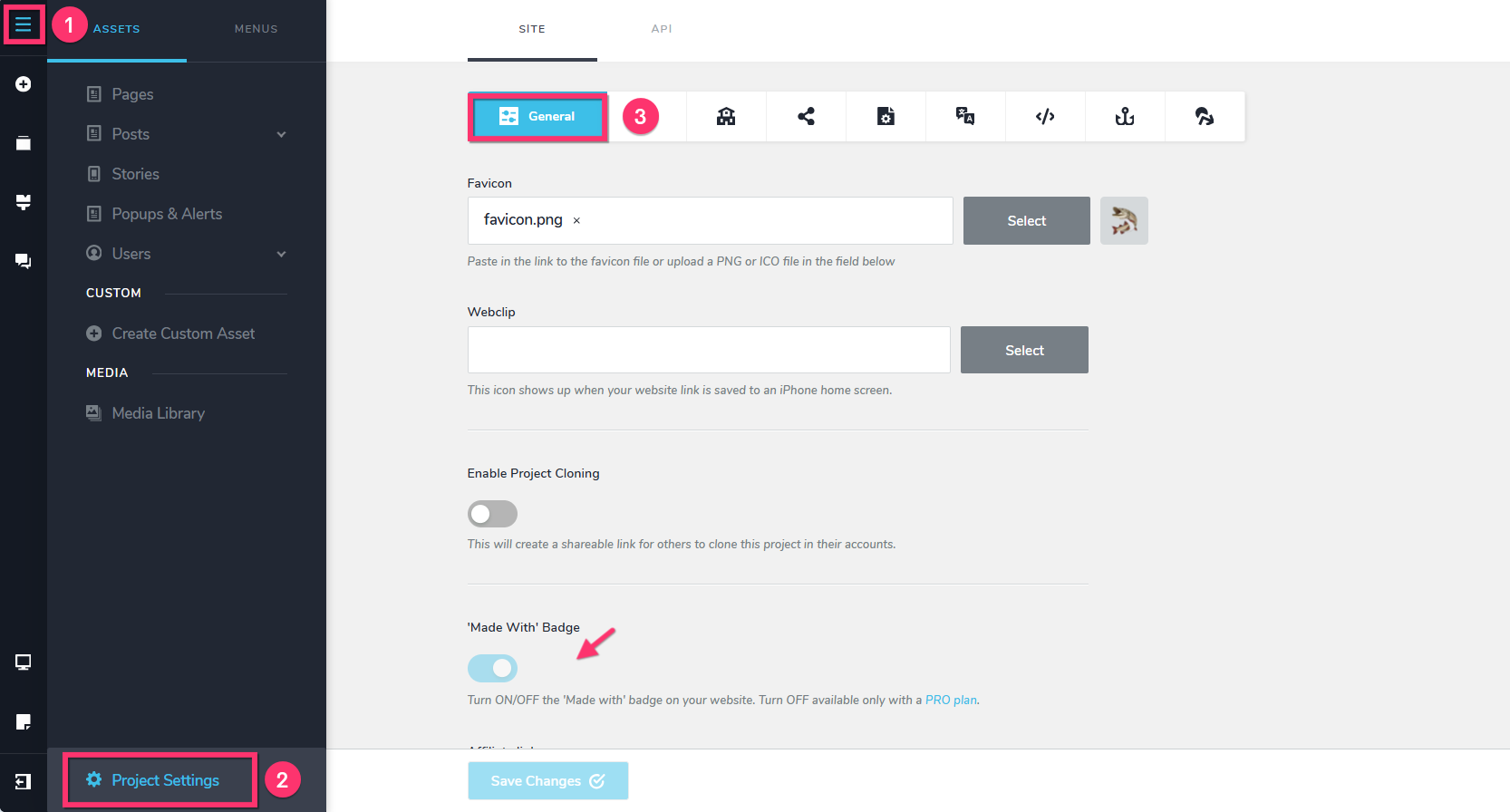
You can remove the "Made with Brizy" badge, under CMS > Project Settings > General, by toggling off the 'Made With' Badge switch.
 0
0 -
Hi KC, thanks. I was able to restore everything. Still not sure how it reverted to free on its own nor do I know how long it's been that way. In any case, all fixed now after enabling pro (that wasn't enough) going into edit, making a change then saving, thanks.
0
Please sign in to leave a comment.
Comments
2 comments