Margin issue following the Brizy update

Hello, I hope you are well.
Since the last Brizy update, I’ve noticed that some pages on my websites have a margin on both sides. I’ve checked, tested and looked at other sites where I hadn’t yet applied the update, but it is indeed due to the Brizy plugin.
Thank you in advance if you can look into this bug.
Examples of the sites:
-

Hello Elhadji,
To fix the issues with full width sections not displaying in full width, you need to recompile the pages using the latest Brizy versions, by making a minor change to the affected sections and saving your work. Try updating just a few blocks and then preview the page to see if the layout is restored in the frontend. If the issue persists, continue making small changes block by block from top to bottom until the page displays correctly. The screen recording at https://www.youtube.com/watch?v=P58IjaLA6iw demonstrates the procedire to fix the above issue.
If you need help with recompiling your pages, kindly add a new user to your WordPress Dashboard and send the following details to our email: communitysupport@brizy.io
- Support Forum reference: https://support.brizy.io/hc/en-us/community/posts/36434449506834
- WordPress Admin URL:
- Username
- Password
Your email must include a link to this thread's URL, otherwise we will be unable to locate your support ticket. Please notify us in this thread when you send us the email.
0 -

Hello,
I got the same issue for 3 websites. I was able to fix one of them completely.
For the second I got the issue, that the templates are not working properly - the rest is fine by now. And for the third one I got the issue that I get the "page-refresh"-error:
"This page needs to be refreshed. You probably refreshed this page (or another page) in a different tab or browser." - which makes me unable to update anything. Any help on that one?
Thanks in advance.
0 -

Hi Bastian,
Thank you for contacting us.
To help us investigate the issue, could you please send your website credentials using the format below?
- Support Forum reference: https://support.brizy.io/hc/en-us/community/posts/36434449506834
- WordPress Admin URL:
- Username
- Password
Once we have the details, we'll be happy to take a closer look and assist further.
Kind regards,
Ariel H.0 -
Hello George, thank you for your prompt reply,
It did indeed work for all the websites. I just had to apply it to a single block.
Bastian, regarding your issue with “This page needs to be refreshed…”, I’d experienced that on a few websites, but I had to temporarily disable ModSecurity in cPanel.
Have a good day everyone,
0 -
Hi Bastian,
Thank you for your patience.
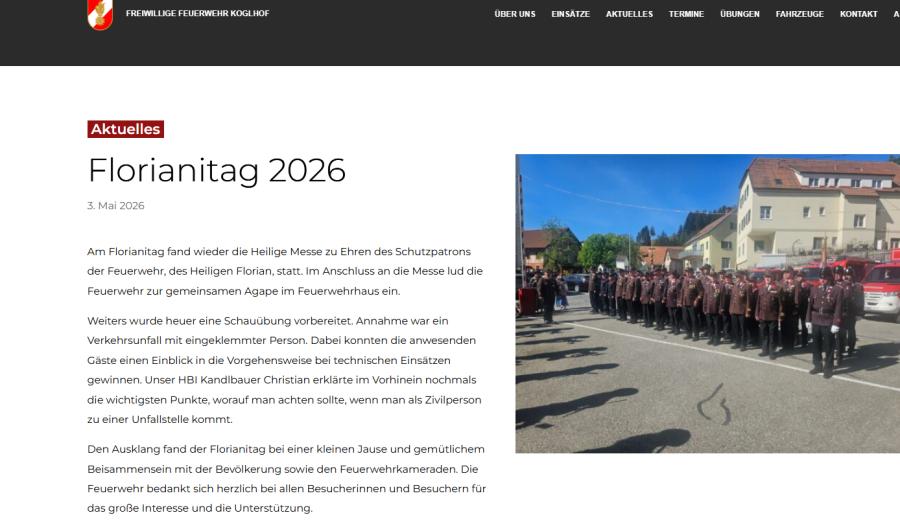
For ff-koglhof.at, to fix the issue with the Single Post Template, please update the Display Conditions and make sure that both the main category and all relevant child categories are selected.
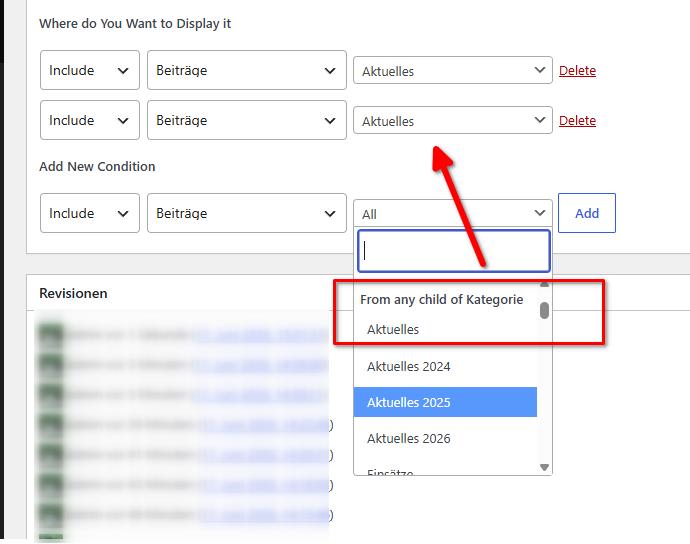
Once the categories are included in the display conditions, the template should apply correctly to the posts.
For sommerrodelbahn-koglhof.at, we noticed that the WordPress backend is responding quite slowly. This may be related to server resource limits. Could you please contact your hosting provider and ask them to increase the following PHP settings:- PHP Input Variables: 5000
- PHP Memory Limit: 512M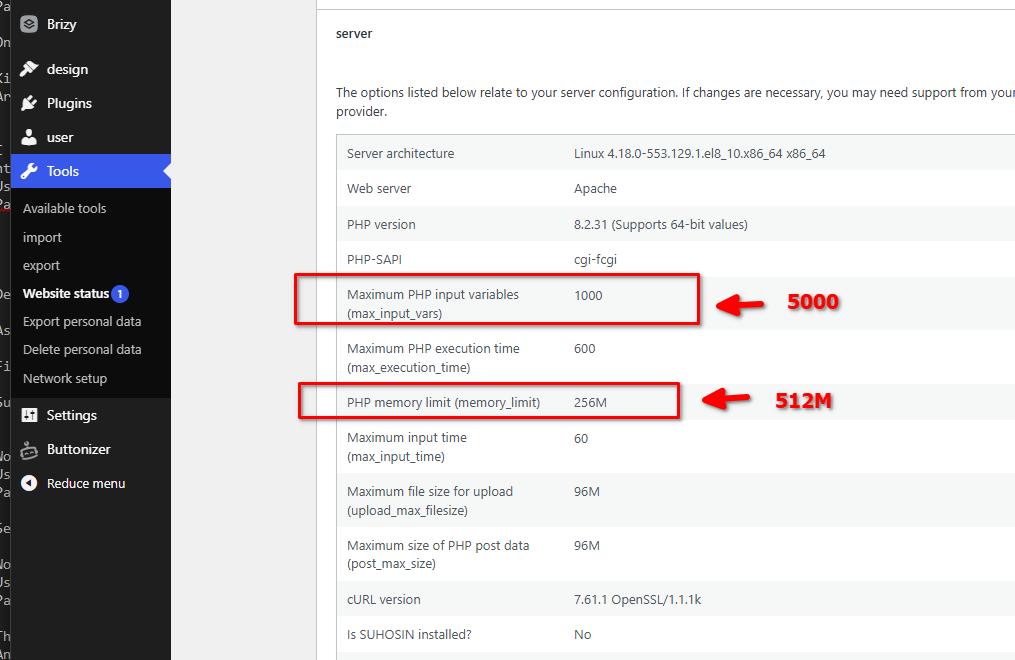
Once these changes have been applied, please let us know so we can check the site again from our end.
For additional information regarding this type of issue, please refer to:
https://support.brizy.io/hc/en-us/articles/22590197512210Kind regards,
Ariel H.0
Please sign in to leave a comment.
Comments
5 comments