how to enable Hamburger menu in Mobile

For some reason, I don't see the option to enable Hamburger menu.
I see the other help posts but my version doesn't show anything that is related to hamburger menu.
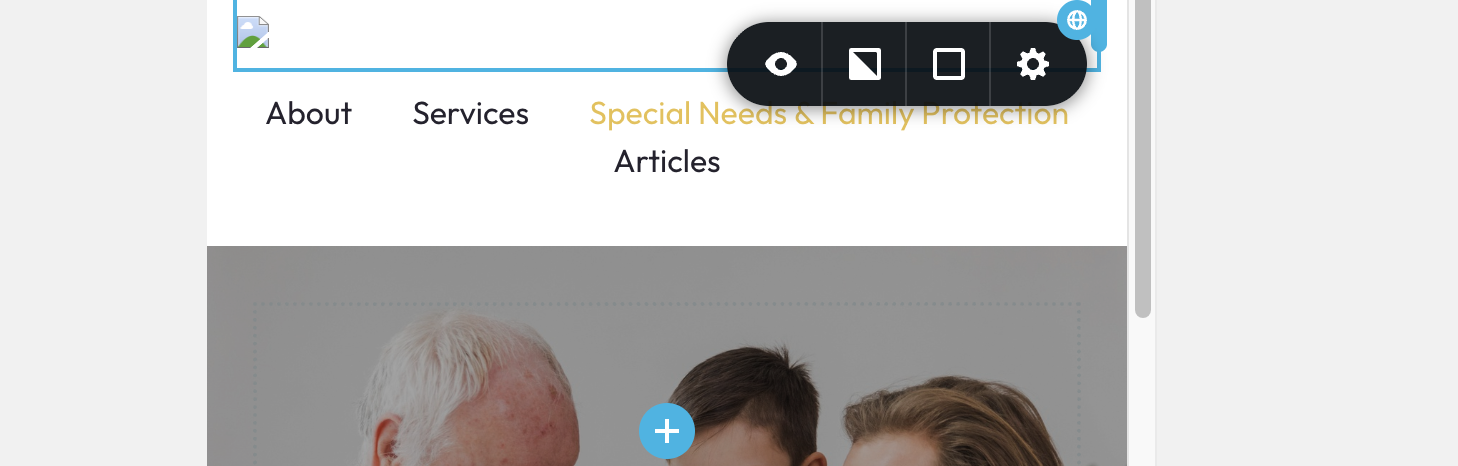
For example, see screenshot. No option to enable hamburger on mobile.
-

Hello Vince,
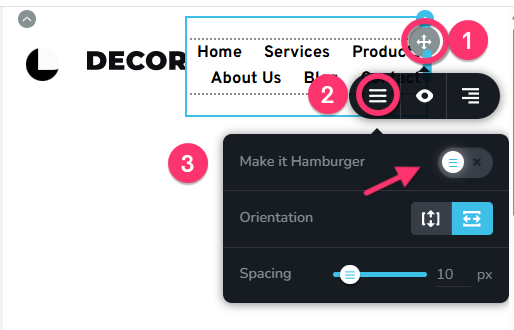
In the menu element, click at top right corner. In the toolbar that opens up, select the hamburger icon and then togggle the "Make It Hamburger" switch on to enable hamburger menu for mobile devices.
 0
0 -
Thanks this worked... that first grey 4 direction arrow eluded me...
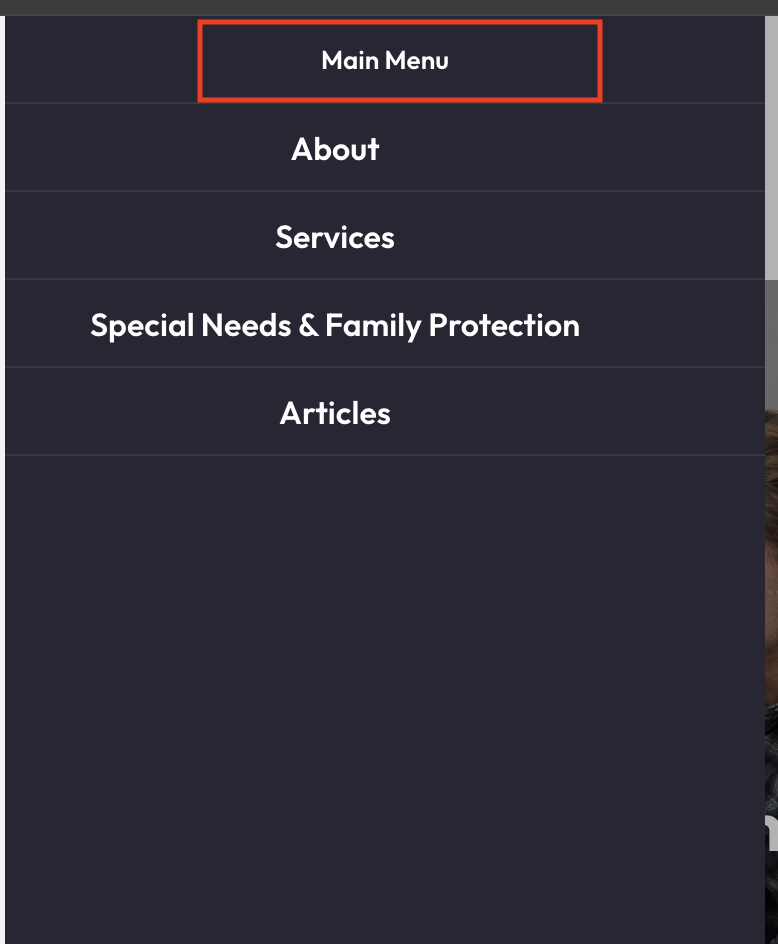
Next question is the mobile menu itself.. for some reason, it shows a header on it called "MAIN MENU". Is there a way to get rid of that?
 0
0 -

Hi Vince,
Regarding the "MAIN MENU" text in the mobile menu, you can remove it by opening the mobile menu, highlighting it then simply deleting it.
This is demonstrated on this screencast - https://youtu.be/X5uvTAHv7_A
Kind regards,
Ariel H.0
Please sign in to leave a comment.
Comments
3 comments