A Brizy update broke multiple client sites again apparently.

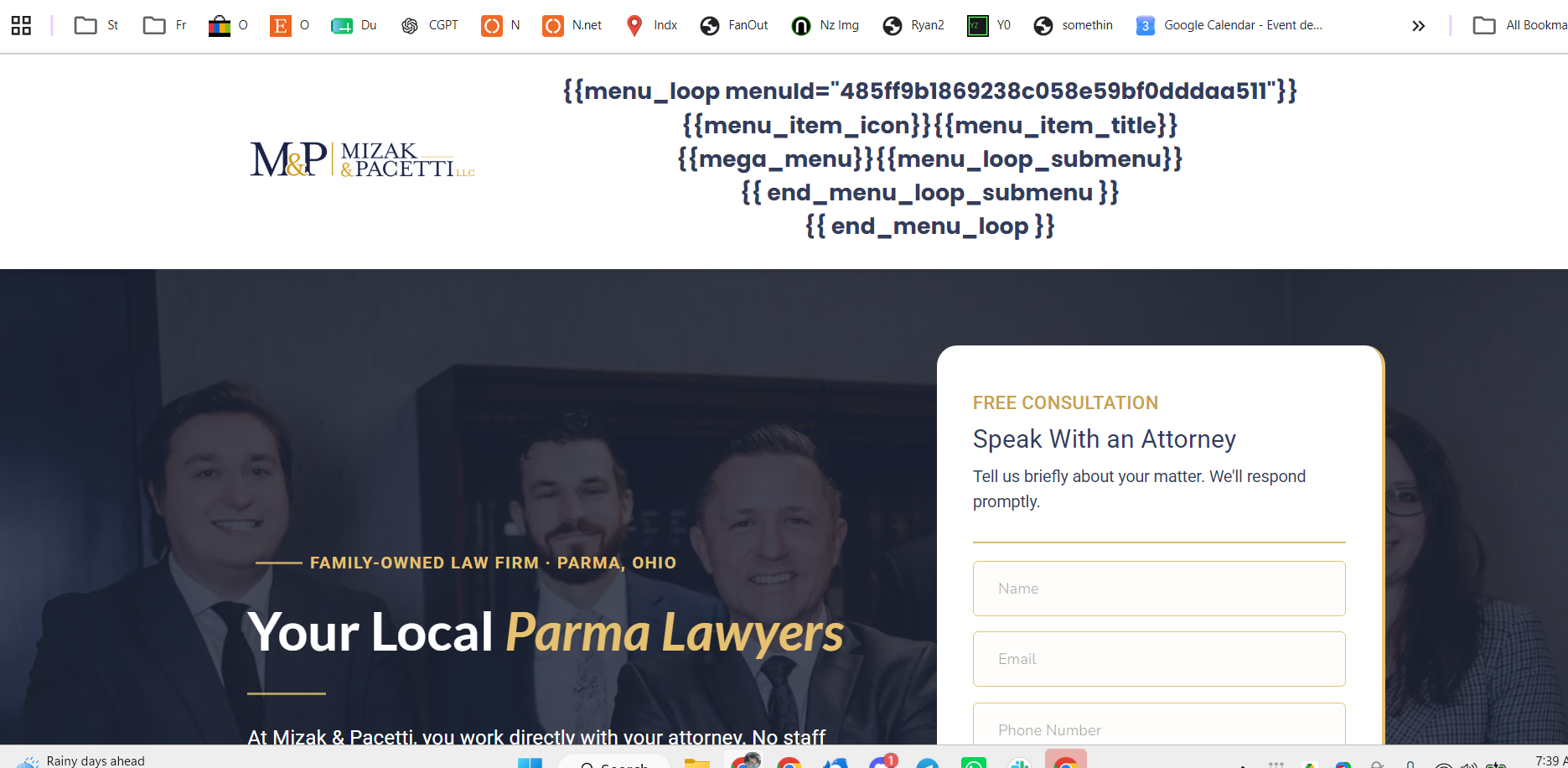
I have multiple sites that are having this issue. Not all of my client sites are having it but of the 5 I have checked, 2 are. See attached.
Another broken site is https://sabiosystems.com. This above site is htts://mizakandpacetti.com
-
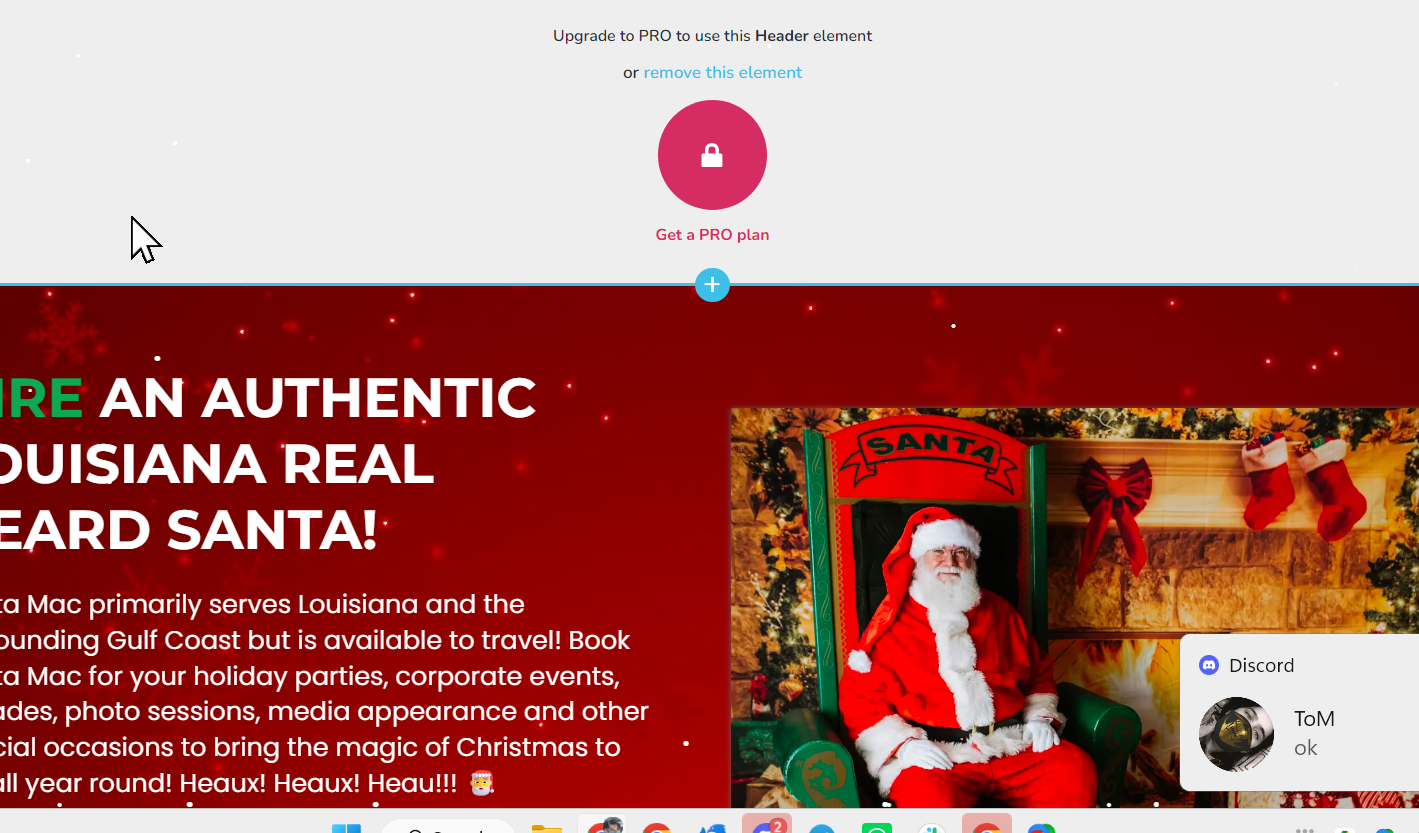
Ok so it looks like the license was removed or something.
I wil try and register again now.
 0
0 -

Hi Ryan,
Thank you for reaching out, and we apologize for the inconvenience.
It appears that Brizy Pro may have been automatically updated first from v2.8.8 to v2.8.9. Unfortunately, WordPress did not detect that there was also an available update for Brizy, which resulted in a version mismatch between the two plugins.
To resolve this, please install the WP Rollback plugin. Once installed, you should be able to update Brizy to the latest version. I've created a short screencast demonstrating the process here:
After Brizy has been successfully updated, you can safely delete the WP Rollback plugin, as it is no longer needed.
Alternatively, you may delete Brizy, manually download the latest version from your account dashboard, and then upload it to your website.
Please let us know if the issue persists after the update.
Kind regards,
Ariel H.0 -
Thank you. Why does this happen? Is there anything that can be done to prevent this?
Two of our clients' websites are now being rebuilt with another builder due to the number of times Brizy breaks during updates. I am telling you so you can understand the level of frustration there is out there. I doubt it's just us.
0 -
Hi Ryan,
Thank you for your feedback. We completely understand your frustration, especially when these issues affect client websites and require significant time and effort to resolve.
We're aware of this issue and it remains under investigation by our development team. Unfortunately, it may take some more time for us to fully address it.
Kind regards,
Ariel H.0 -
Ok. It takes too much time to babysit Brizy sites, Ariel. Thank you.
0 -

Hey, Ryan,
You're not alone; I feel the same way. It's been in the last few months that things with Brizy have gone sideways and we just get sent the same links to posts we've already been through and done. They always claim it's the host but I don't think so; have had trouble with different hosts, one of which is a top-of-the-line managed wordpress host that I absolutely trust with my own Wordpress sites. I understand mistakes are made, I make them too, but this is getting to be too much. I like Brizy but it's just not working anymore. I now have the white screen of death that happened after Brizy support was in there. I hope management reads these posts soon and does something because Chatgpt is recommending Bricks and it's really tempting at this point.
1 -
Hi Diane,
We completely understand your frustration, and we're sorry that this experience has led you to feel this way.
The reason we've been pointing to the hosting environment is not to avoid responsibility, but because the evidence we've gathered during troubleshooting consistently points in that direction. In your case, the issue does not occur on the cloned version of the website that was created during your previous support request at https://support.brizy.io/hc/en-us/community/posts/36205312941074
Since the same content and page layout work correctly there, it suggests that something in the server environment is affecting the live site.
We understand that you've experienced similar issues across different hosting providers, including providers you trust. However, from our perspective, we can only work with the behavior we observe during testing. The cloned site remains available for comparison and reproducing the issue under a different environment.
Regarding the white screen, we sincerely apologize for the disruption. We were able to recover the homepage layout, but the existing save issue is preventing us from restoring it properly. Unfortunately, we do not have access to or control over the server configuration needed to resolve the underlying issue.
We genuinely want to help get this resolved and will continue assisting wherever we can. If your hosting provider can provide any server logs or error details related to the failed save requests, we'd be happy to review them and work together toward a solution.
Kind regards,
Ariel H.0 -

I have done as shown in the Screenrecording and now i have the same updates as i should but still if i want to edit with brizy der just occurs an error and it shows "something went wrong".
What can i do?0 -
Hi Amir,
Thank you for reaching out.
Could you please provide temporary administrator access to your WordPress dashboard so we can take a closer look at the issue?
Kindly send the following details to communitysupport@brizy.io:
Community post link: https://support.brizy.io/hc/en-us/community/posts/36300309497106
WordPress Admin URL:
Username:
Password:We’ll be glad to assist as soon as we have access.
Best regards,
Ariel H.0 -
Hi Amir,
Thank you for your cooperation.
For junglefruits.de, the account provided does not have Administrator access. Could you please update the user role to Administrator? Also, please provide the exact steps needed to reproduce the issue so we can test it on our end.
Regarding the slider arrows on tsfco.com, this may take a bit more time to review. It currently appears to be related to how Polylang translated the page. Alternatively, we can check whether the issue can be resolved with custom CSS.
Looking forward to your update.Kind regards,
Ariel H.0
Please sign in to leave a comment.
Comments
10 comments