Menu Items Not showing up

I am trying to add menu items, but nothing shows up in the menu area. Please help. 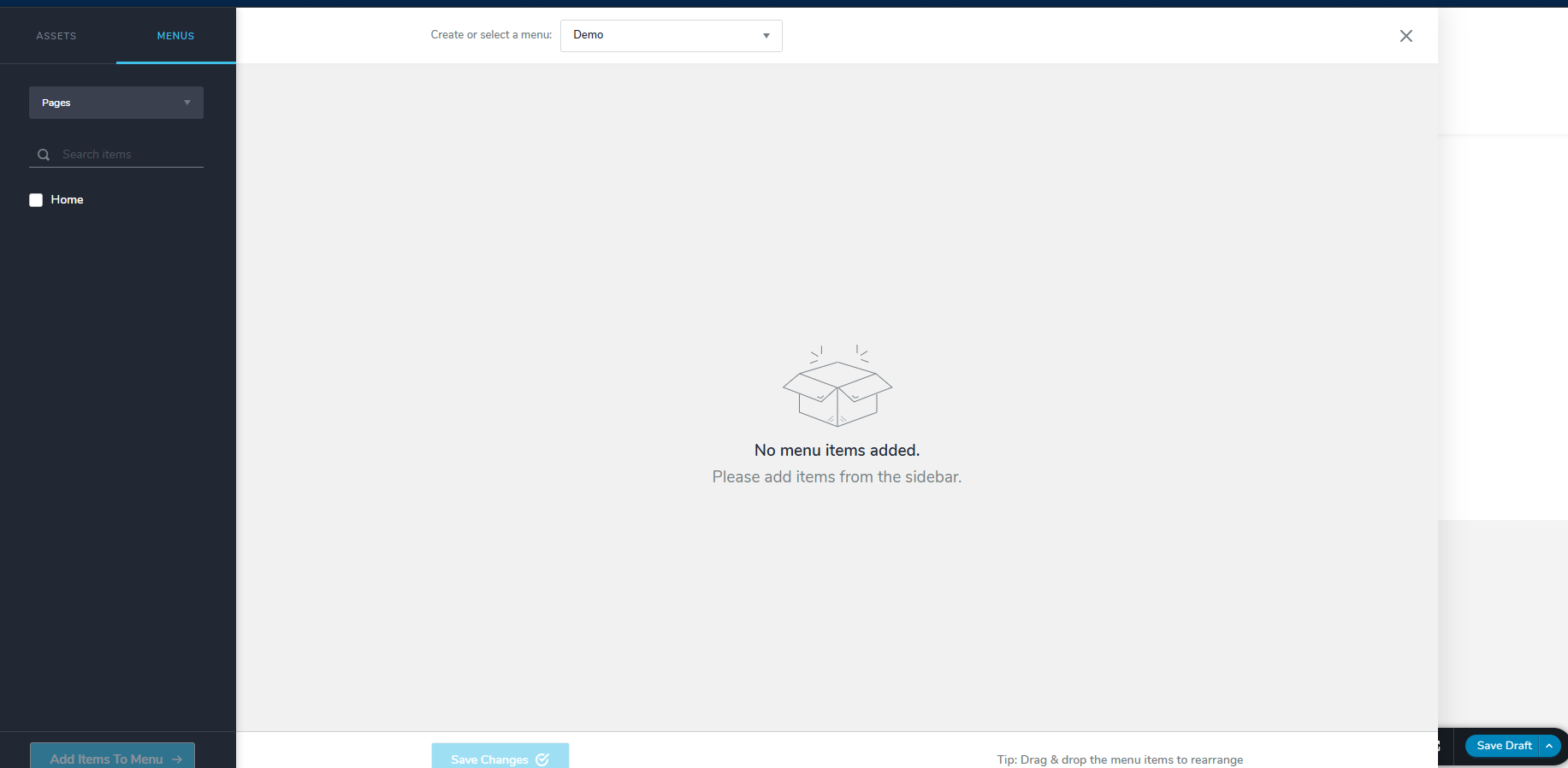
-

Hello Kale,
Select the pages you want to add from the left pane and then click on the "Add Items To Menu" button at the bottom left.
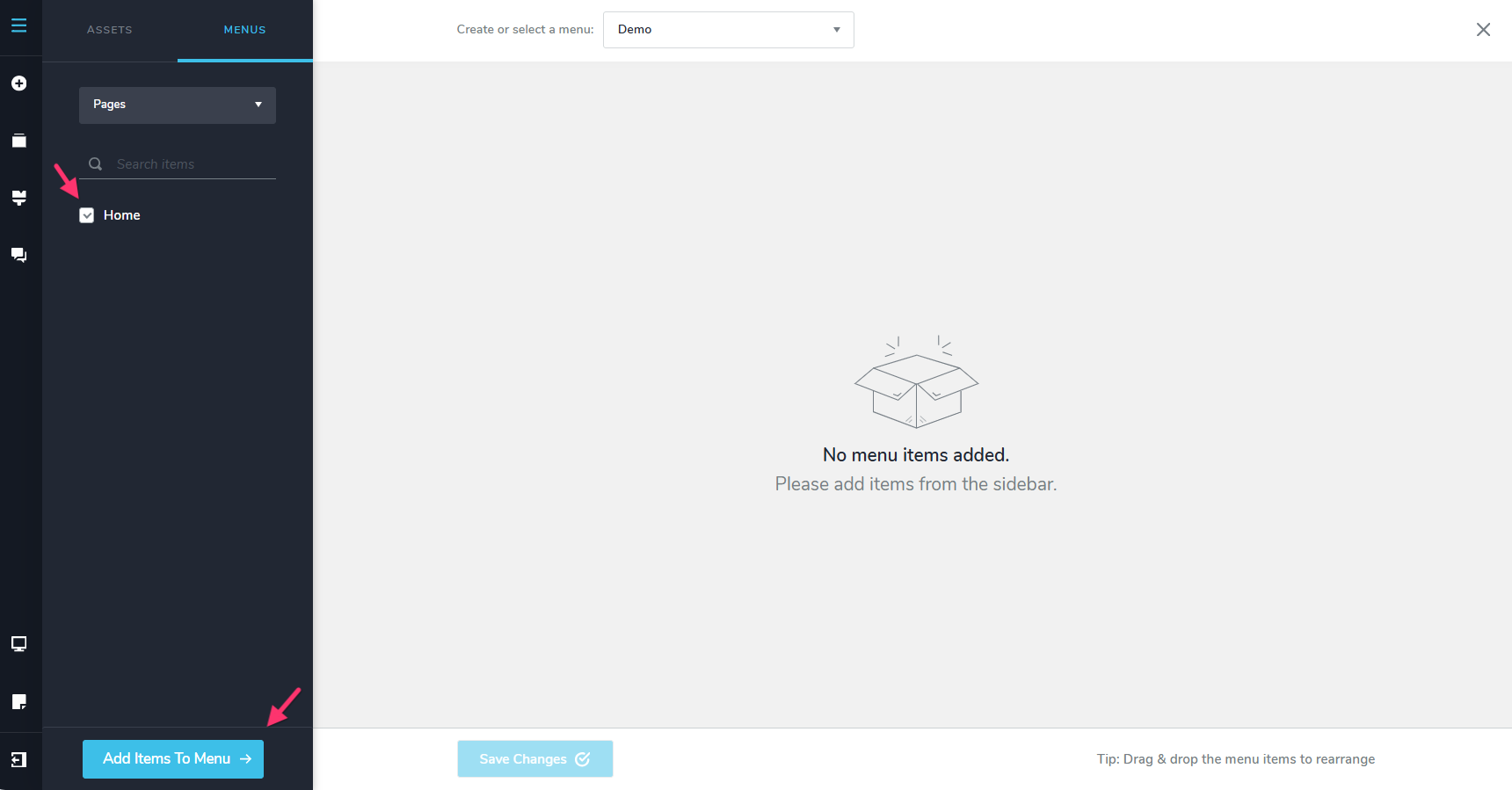
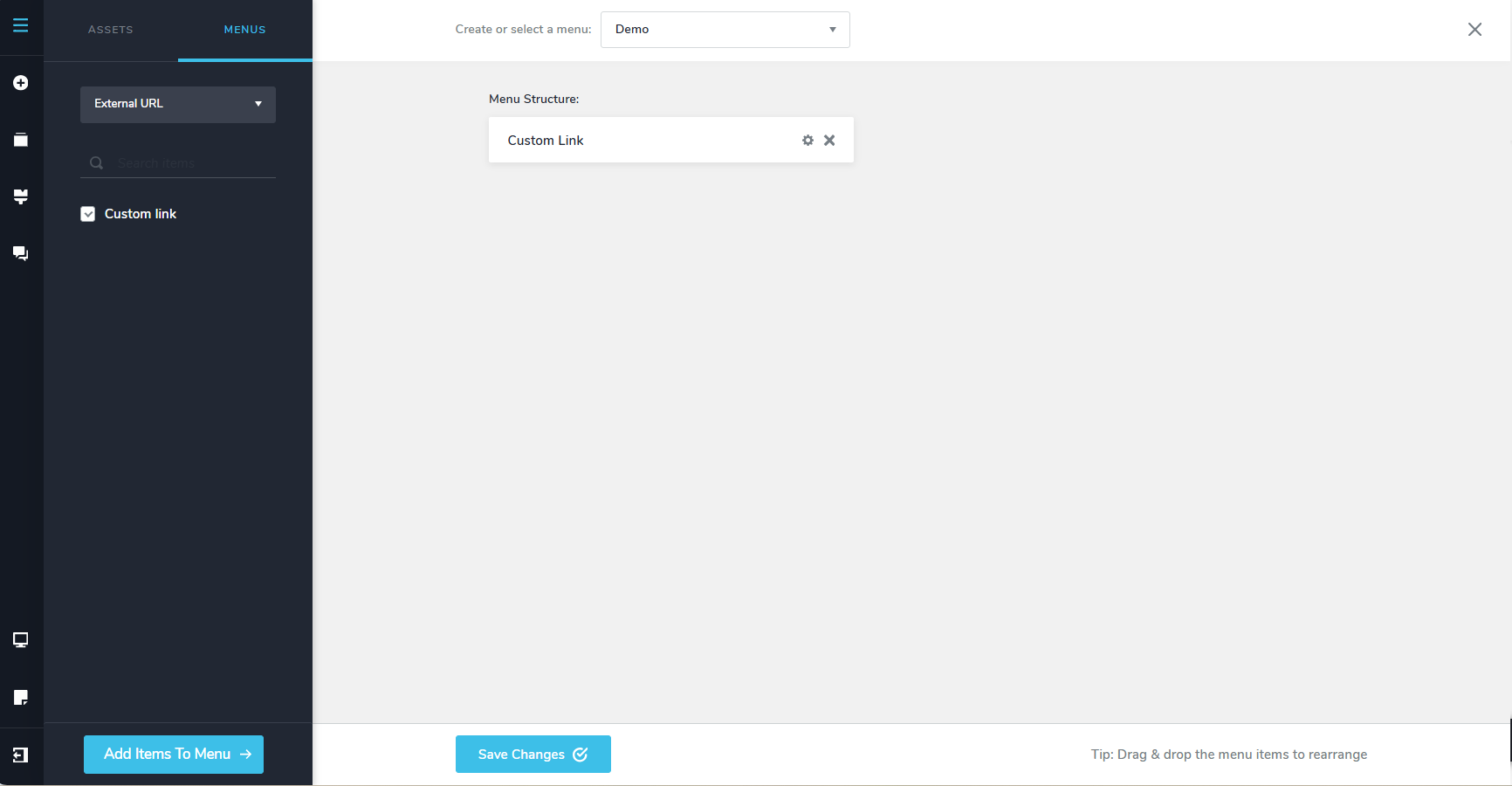
If you want to add an anchor link, please select the "External URL" option in the drop down and select the "Custom Link" option on the left sidebar.
 0
0 -
Mr. George,
Thank you for gettign back to me so quickly.
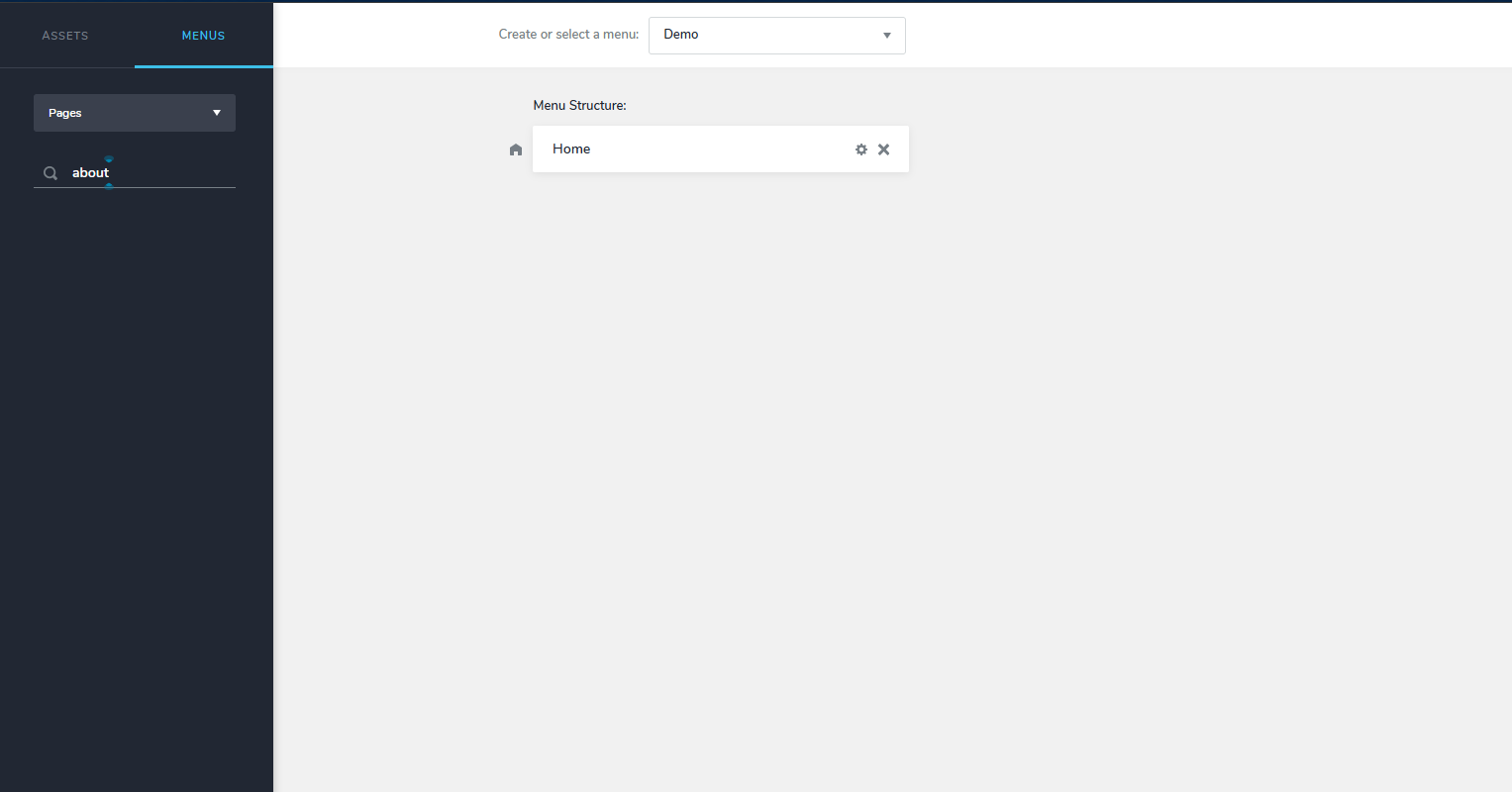
I understand what you are explaining to me, what I don't understand is where the other selections are besides 'Home'. The first screen shot is what I am seeing. The screenshot with all the choices are from your YouTube tutorial.
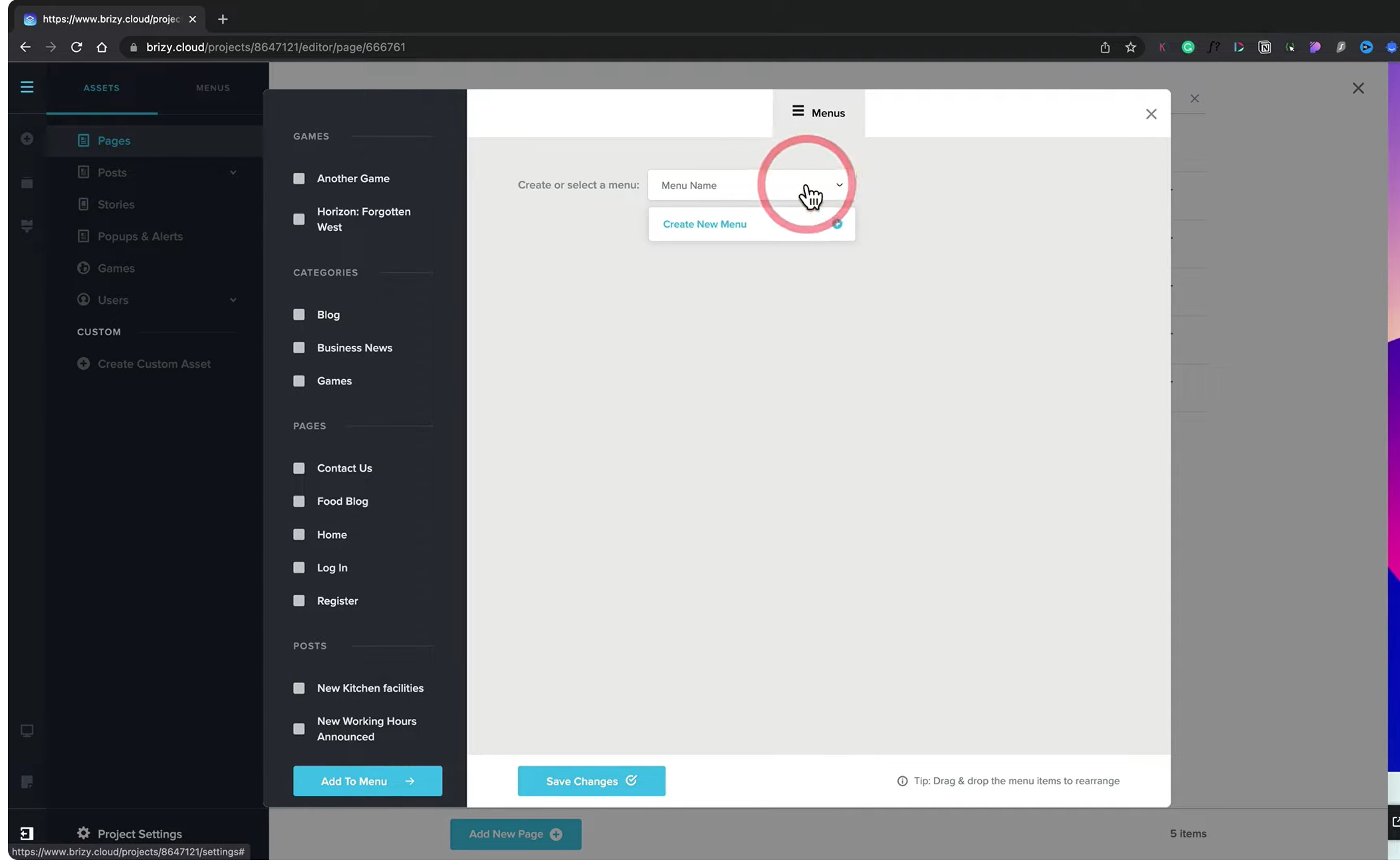 0
0 -

Hi Kale,
Thank you for the update.
The reason you're only seeing "Home" is that the other pages have not yet been created. Pages will only appear as menu options after they have been added to your website.
The next step is to create the pages you would like to include in your navigation menu (for example, About, Services, Contact, etc.). Once those pages exist, you can create a menu and add them to it.
I've created a short screencast that demonstrates the process:
Please have a look, and let me know if you have any questions.
Kind regards,
Ariel H.0
Please sign in to leave a comment.
Comments
3 comments