add a top level LOGO Info and I want to replace it and forgot how

I found a trick on one site that is shutting down, so I moved it over to another domain and I forgot how to add, now CHANGE a logo on top almost full left, and I need to change it.
1. Do I need to REPUBLISH the Site to get full control again?
2. Or, can you help me remember the TOP Logo that now says RRRins, and I have a new logo in the Media Folder in Wordpress, to change, or delete than add the new logo.
Thanks... See the image capture below.
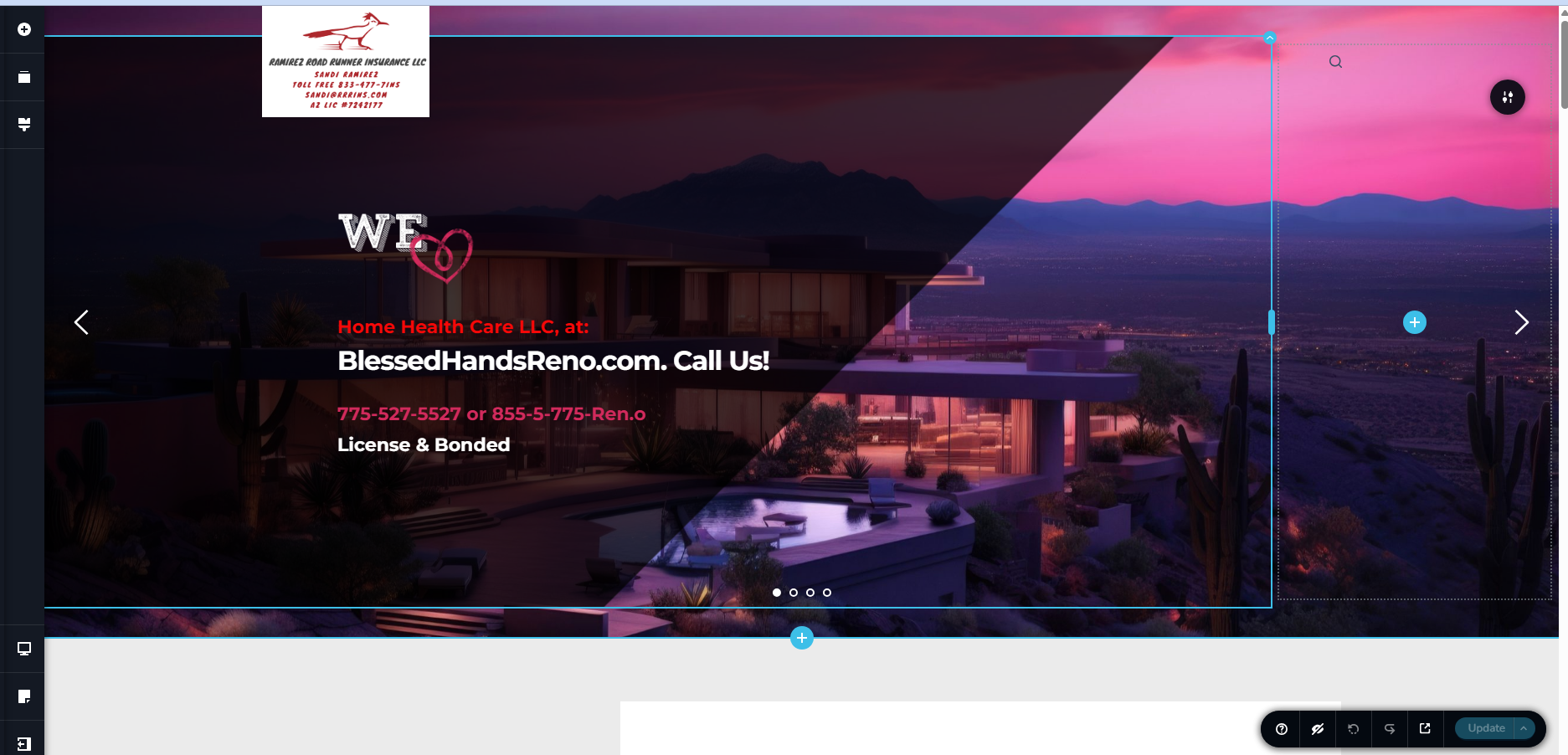
-

Hello Michael,
The logo can be easily replaced in a few steps as demonstrated at https://jmp.sh/share/XO5XWs0pX02O4yl9iu7g
- Click on the logo
- Remove the current image
- Select a new logo from the Media library
- Save your work
Is this not working at your end?
0 -
No, I am not getting the commands under the logo. It may be because I copied from another domain name?
0 -

Hi Michael,
Could you please provide temporary administrator access to your WordPress dashboard so we can take a closer look at the issue?
Kindly send the following details to communitysupport@brizy.io:
- Community post link: https://support.brizy.io/hc/en-us/community/posts/36207329211794
- WordPress Admin URL:
- Username:
- Password:
We’ll be glad to assist as soon as we have access.
Best regards,
Ariel H.0
Please sign in to leave a comment.
Comments
3 comments