Youtube videos in columns have a top margin that can't be fixed!

Hello,
I have created 3 columns and I added a Youtube video in each column. I noticed that once I add the Youtube video URL, the video block gets pushed down and there seems to be a fixed margin on top of it. It happened for all three videos in each column!
I checked the video settings and I see the top margin is Zero (as shown in the screenshot).
Also, checked the column settings, nothing is affecting the top margin! 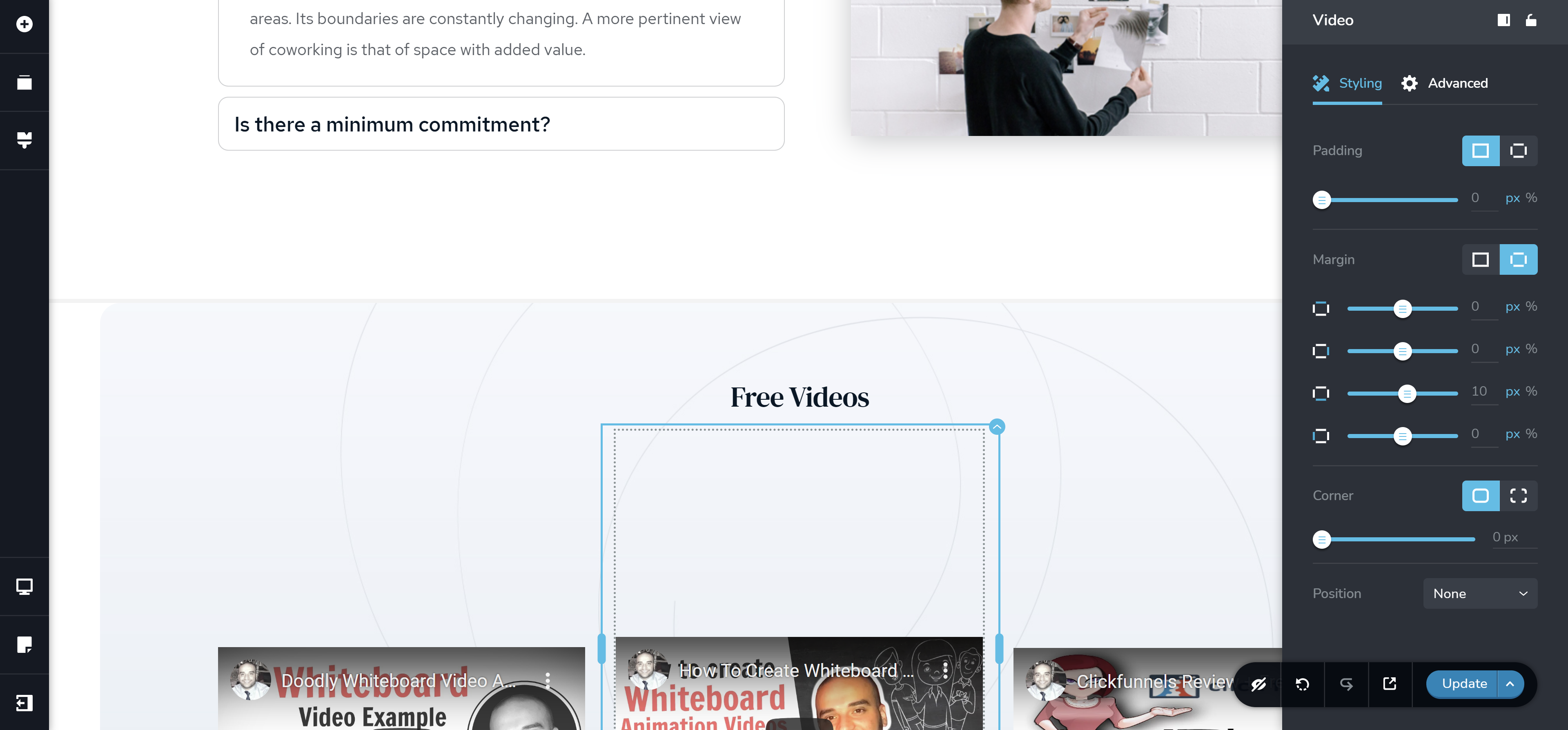
Note: the video looks ok if I dragged it to a single column but if it's in one of the 3 columns, it acts weird!
So why does it show have this top margin? Is this one of the Brizy bugs!
I look forward to hearing from you. Thanks
-

Hi,
Could you please check if you have the latest Brizy Free 2.2.8 and Brizy Pro 2.2.5 version? Also, could you please temporary deactivate all external plugins (except Brizy Free and Brizy Pro) and activate a WordPress default theme? If you still face this problem, could you please send us the URL link of this page? We want to check it.
Thank you!
Best regards,
Sandra0
Please sign in to leave a comment.
Comments
1 comment