Specific posts do not appear in the single template

Hello Brizy team. With a new installation of Brizy Pro 2.2.5 I cannot create a single post template. "All", "From Category", "From any Child of Category", "From Tag", "Specific Author" will appear. But "Specific Posts" does not appear. Only when I click "Edith with Brizy" on a post does it appear. I can then go back to Gutenberg and write the post normally and also create the single post template ...
It works with an older installation with the new update, but not with a fresh one with Brizy Pro 2.2.5.
Many Thanks
-

Hi,
Unfortunately, I couldn't reproduce the problem you reported. See here. Could you please scroll till the end of the list? Also, could you please check if you have the latest version of Brizy Free 2.2.8 too? Could you please temporary deactivate all external plugins (except Brizy Free and Brizy Pro) and activate a WordPress default theme? Do you receive the same problem?
Best regards,
Sandra0 -
Hi,
I just reinstalled Wordpress. Brizy and Brizy Pro installed from scratch. No plugins, the theme Twenty Twenty-One and 2 posts created.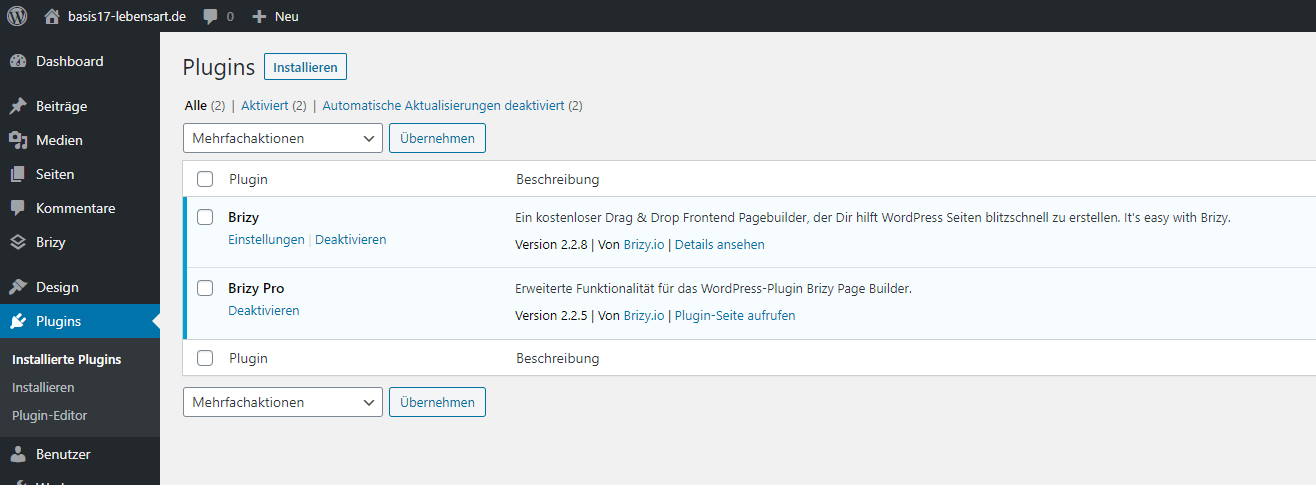
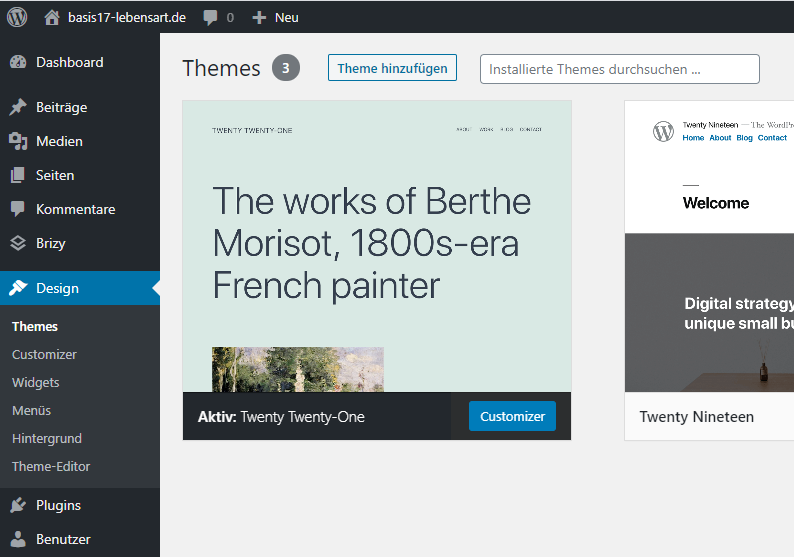
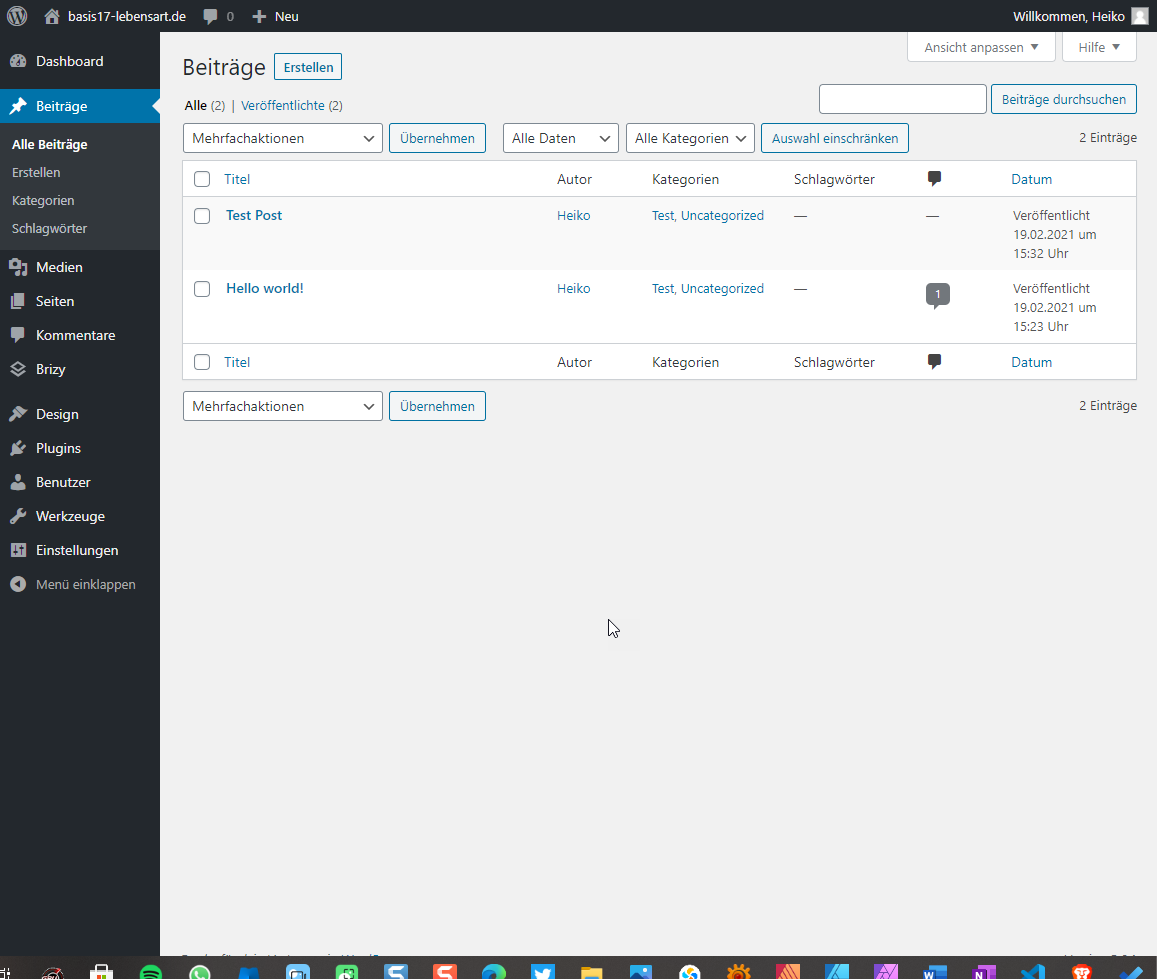
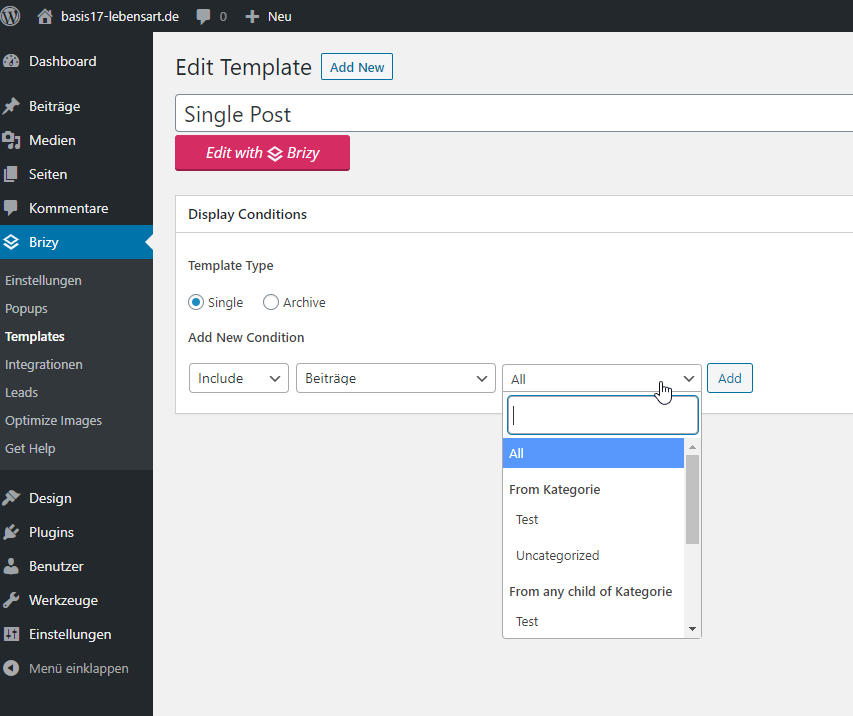
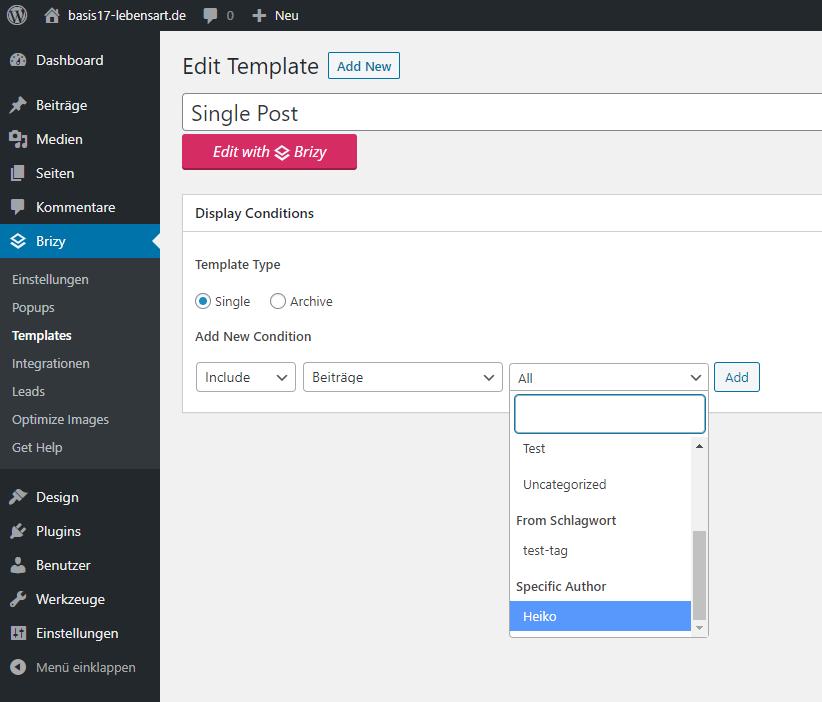
Tried it on two new websites online and also locally with laragon...
On an older site I have Brizy updated to the latest version. It works there.
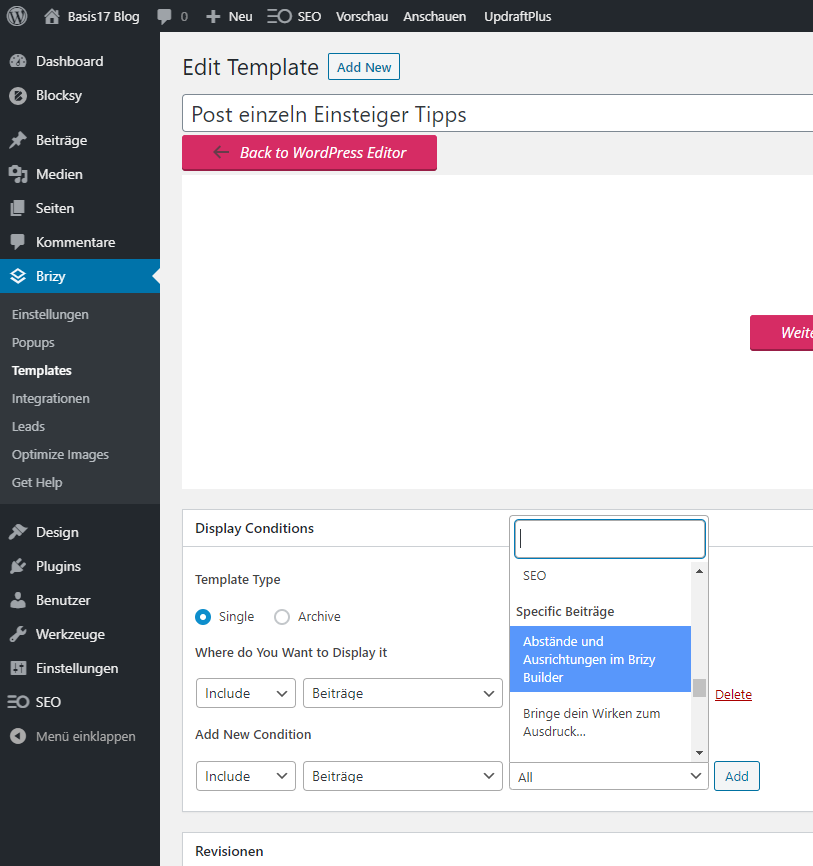
Best regards,
Heiko0 -
Hi,
It is a bit strange. If on another WordPress site with the same versions for Brizy Free and Pro, all is working fine, I may suggest that the problem can be in the WordPress environment and its settings. Could you please investigate this aspect and find some difference between the site where is all working fine and the one is displaying this inconvenience?
Thanks!
Best regards,
Sandra0 -
Yes, it is strange...
The difference is it's a whole new install of WP, Brizy, and Pro.
With an older installation from November with all updates (WP aktuell, Brizy 2.2.8 and Pro 2.2.5) "Specific posts" appears in the single templates.
It just doesn't work with a new install of WP and Brizy.
I've tried several times, with the WP Standard Theme, Blocksy, in hosting, locally on the computer, different computers, without further plugins, different browsers, hoster-one-click installation, installed myself. Always the same.
Tools - Site Health - Info - Server: on the working version installation and on the non-working version are the same data.
I found an old test installation on my local server. It works there too ... Brizy 2.2.3, Pro 2.0.8. If I updated this, it would probably work too.Do you have any other ideas?
Thanks0 -
Hi,
I'm sorry for the question but I want to concretise one small detail for creating a private ticket on this request. On this fresh new install of WordPress, where did you notice the inconvenience with missing "Specific posts", do you have the latest versions of Brizy Free and Pro, exactly Brizy Free 2.2.8 and Brizy Pro 2.2.5. If you don't have them, could you please update them?
Thanks!Best regards,
Sandra0 -
Hi
Yes, Brizy Free 2.2.8 and Pro 2.2.5What else I found out. When I go to a post, click on "Edit with Brizy", then go back and then on "Back to WordPress Editor", the post is displayed in the template buidler under "Specifics Posts". I didn't need this for older Brizy / Pro versions. A post was immediately displayed.
My workaround has always been up until now
Create posts and write in Gutenberg
Create a general post and category template in Brizy
Create an individual post template for certain posts
And everything worked ...
Best regards,
Heiko
New installation WP and Brizy, standard template, no further plugins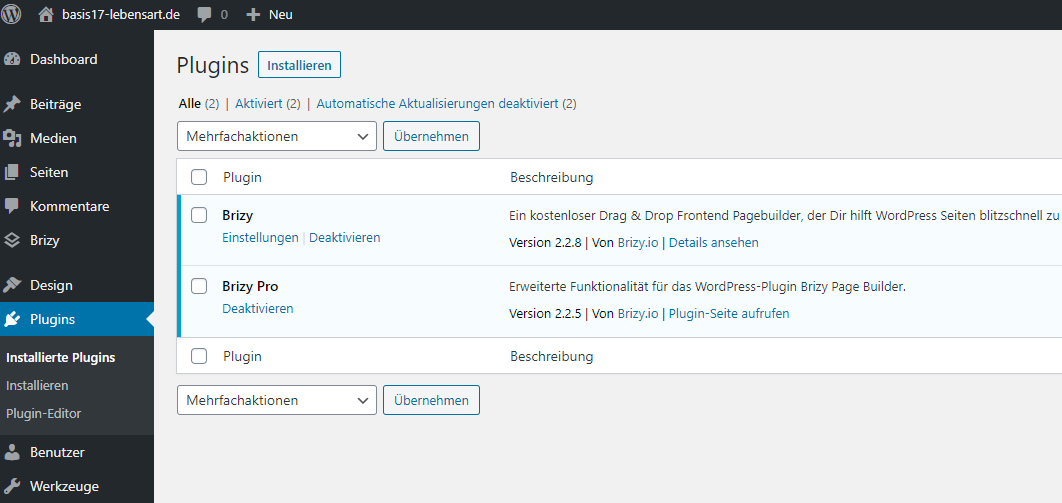 0
0 -
Hi,
Thank you for all these details!
I have created a private ticket for this request. You had to receive a notification regarding this by email. Could you send us in that private message the WP credentials to this site? We want to check this inconvenience.Thanks!
Best regards,
Sandra0
Please sign in to leave a comment.
Comments
7 comments