malformed auth code

brizy pro user, just purchased, trying to add the license key to a WP site and keep getting "malformed auth code" when I put in the license key, so none of the pro features are unlocked.
I've installed the license key on two other WP sites without issues. I've created a new license key and tried the other license keys that worked on the other sites. This site is the only one that is giving me this error.
-

Hi,
Could you please inform us what are the differences between sites where you can install the license key and the site you don't have the license key? Do you have both Brizy plugins and with the latest updates? At the moment we have the 2.2.7 version for Brizy Free and the 2.2.4 version for Brizy Pro. Could you please send us the screenshot with this issue? Also, could you please check if you followed all these steps to activate the license key?
1 - Go to your Brizy account;
2 - Access the WordPress licenses;
3 - From there generate a license key for the site you want to activate it and the Brizy Pro plugin;
4 - Click on the license key to open it;
5 - Copy the entire license https://jmp.sh/TYnBH9R;
6 - Go back to the WordPress dashboard and access the Brizy -> Settings -> License;
7 - Here you have to paste the license https://jmp.sh/APqTpnb;
8 - Activate it.Best regards,
Sandra0 -
As I was working on it, I reviewed some of the differences. At first, I thought it was due to SSL settings. Now, I'm wondering if the issue is because the site I'm working on doesn't have a DNS setting for the domain (yet) - or rather the domain is currently pointing to a different site/server. I'm working on the new site in WP "behind the scenes" with a local hosts file entry to access the site. Could that be the issue? If so, is there a way to activate the license in this case?
0 -
Hi,
You can activate the Brizy license key on the localhost site but this issue can be generated by the method you configure the localhost and how you set-up the site. Could you please check how did you generate the license key? Did you follow all the steps I provided in the previous message? Could you please send us a screenshot of this problem?
Best regards,
Sandra0 -
Yes, I've followed the steps, went through it today again and still no luck. Answering all your questions:
Yes, I have the most current versions of Brizy and Brizy Pro: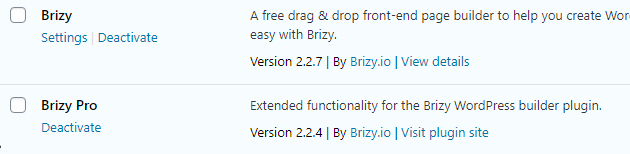
the key was generated like all the others:

I do have the entire key copied:
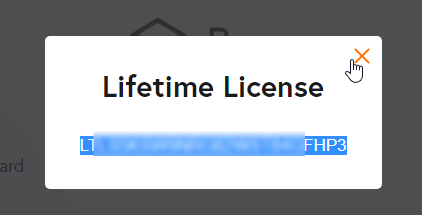
and pasted into Brizy > Settings > License:
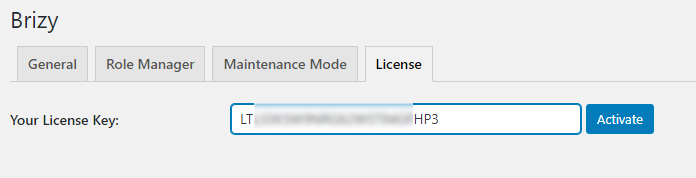
However, I still end up here:
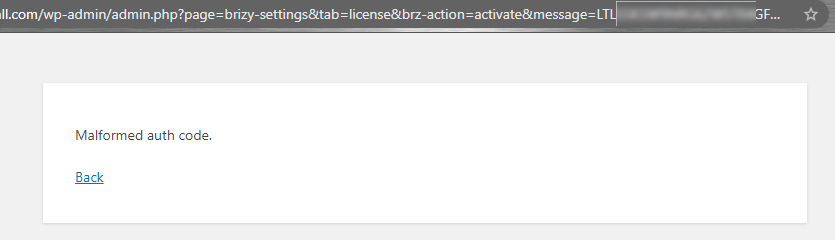
As stated previously, I've done this for two sites already without issues.
The site that is causing the error is hosted at the same hosting company as the other two sites, so it's NOT localhost, but the domain is still pointing to a different site. www.rfcatsfootball.com is the other site. I've got the WP site set/configured for rfcatsfootball.com (no www subdomain), so that I can access the new hosted environment (using a hosts file entry) and the current site during this transition period to set up the site in WP. This is really the only difference in how this site is set up versus how the others are as their domains were pointing to the server via DNS settings.
0 -
ALSO, just updated Brizy to the latest version of 2.2.8 - tried again, same results
0 -
Hi,
Thank you for all these details!
I have created a private ticket for this request. You had to receive a notification regarding this by email. Could you send us in that private message the WP credentials to this site and also the License key you generated for this site? We want to check this problem from your dashboard.Thanks!
Best regards,
Sandra0 -
thank you - I've replied to the support request
0 -
Thank you!
0
Please sign in to leave a comment.
Comments
8 comments