Blog post updates are not appearing, warning message above the header appears

Hi Brizy,
There is an issue with updating blog posts that I have noticed today (after updating Brizy Pro to its latest version).
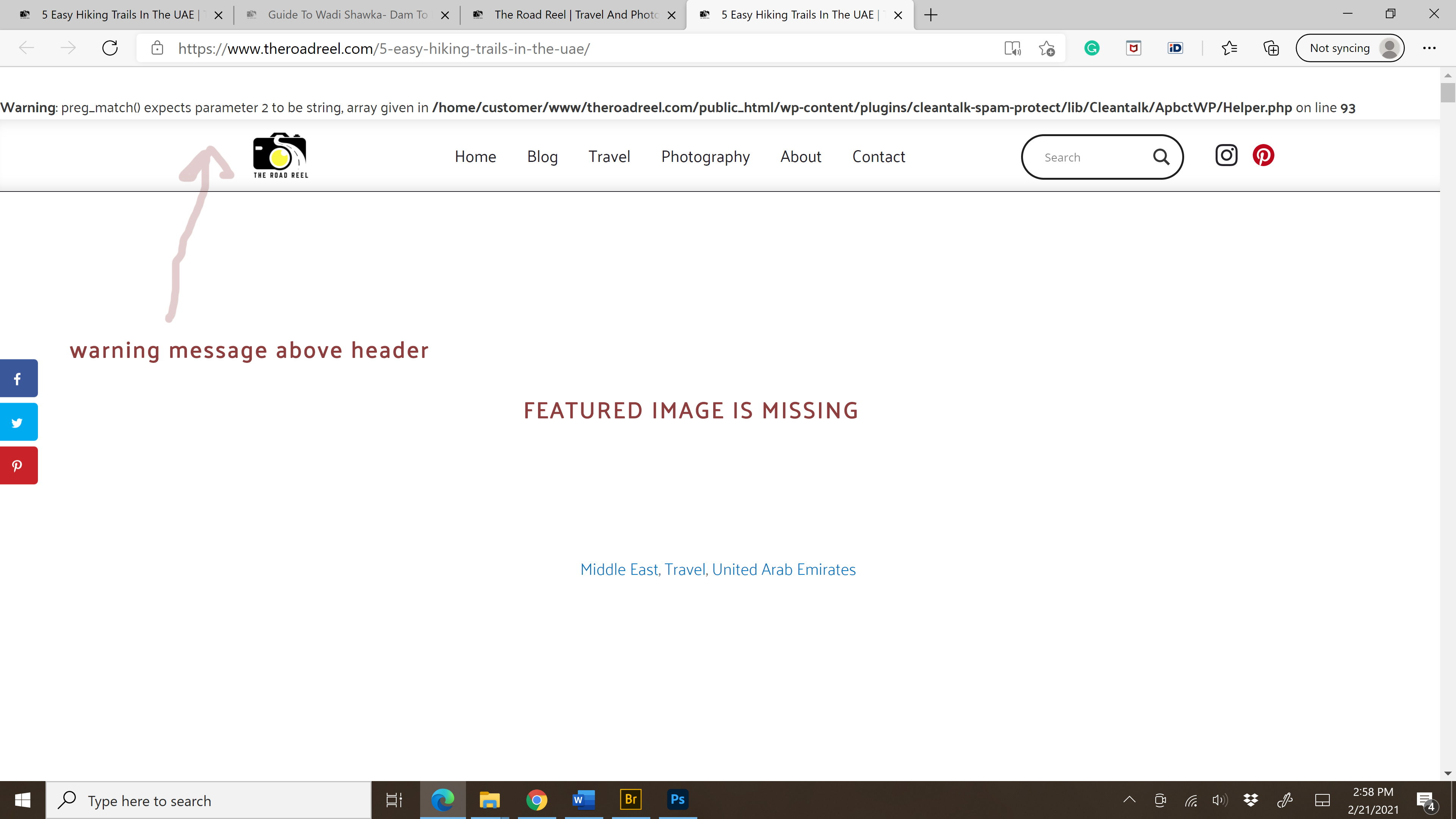
I have updated a blog post, however, none of the updates are showing (after logging out of WP dashboard). Also, on one of the posts, the featured image is not appearing and there is an error message above the heading (attaching the screenshot below).
The error message mentions anti-spam plugin called Clean Talk. I have deactivated it, but nothing changed- error message still showing, and posts aren't updated.
I have tried to update a couple of posts- none of them got updated (I can only see the updated version when I am logged in to my WP dashboard and do a preview).
I am using Brizy template for my blog posts and edit content in the Gutenberg editor which is later dynamically added to Brizy template.
I am looking forward to hearing back from you.
Thank you,
Ausra
-

Hi,
Could you please check if you have the latest for both Brizy Free 2.2.8 and Brizy Pro 2.2.5 version? Also, could you please temporary deactivate all external plugins (except Brizy Free and Brizy Pro) and activate a WordPress default theme? Do you still not see the modification you make in the posts? Could you send us a screenshot of how is structured the post in the default wp editor and the URL link of this post? Did you clean the browser cache or tried to view the post in the incognito browser mode?
Regarding the error message you receive - yes, it isn't related to Brizy and seems that you have activated debugging. Therefore, you have to deactivate this by replacing,
define('WP_DEBUG', true);in the wp-config.php file on development copies of WordPress, with
define( 'WP_DEBUG', false); instead if define('WP_DEBUG', true);and adding:
define( 'WP_DEBUG_LOG', false);
If you can't replace this code, you can ask your developer or check this article.
Best regards,
Sandra0
Please sign in to leave a comment.
Comments
1 comment