How to create menu that links to a block?

I couldn't make my menu link to a block. How to create this?
-

Hi,
If you create a site in the Brizy Cloud, I recommend this article. Here, you will find the full guide about how to create anchor links and add them to the Menu.
If you create a site in WordPress, here is an article about how to create a menu in WordPress, here is an article about the Menu element in the Brizy Free and here is the article about the Menu element in the Brizy Pro. To add the anchor links in the WordPress menu is similar to the same process from Brizy Cloud but I will summarize the steps:
1 - Go to the block(s) and add the Block name https://jmp.sh/rlyRzrv;
2 - Update the page and go to the Appearance - Menus and select the menu you use;
3 - Add Custom links;
4 - In the URL, add the link of the page then "/#" and then add the Block name (e.g. www.site.com/page2/#custom_block). If you design a landing page or all blocks you want to link are placed on the same page where is added the menu, in the "URL", you can add only "#" then the Block name (e.g. #custom_block);
5 - Save the menu.Let us know if we can help you with something else.
Best regards,
Sandra0 -

This doesn't seem to work if the site is published to .brizy.site
Could you advise please?
0 -

Hi Ross,
We currently have a bug with anchor links. We hope to release a fix for this soon
1 -

Do we still have a bug with anchor links? It's not working for me in brizy cloud. Would like to link to an element down a seperate page.
0 -
Hi Jeff,
I checked your page at https://www.badlandstraining.com/classes The three anchor links on this page appear working fine. Kindly see my test at https://jmp.sh/qJBPlcOh
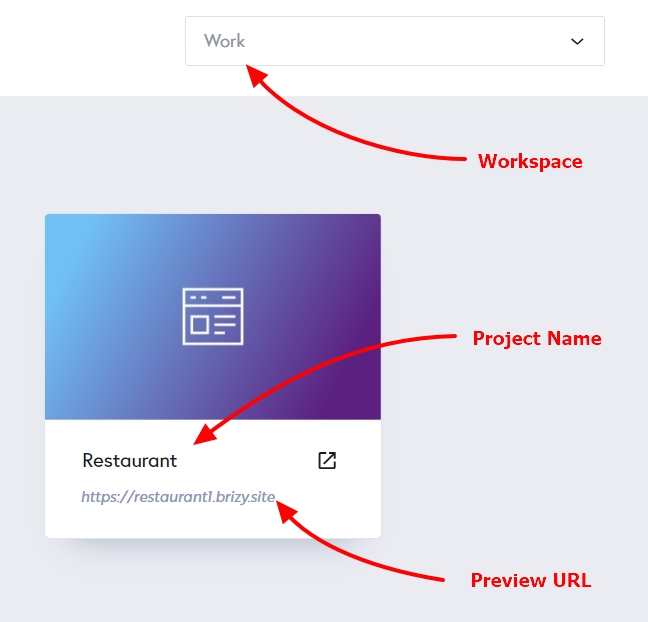
Kindly give us more details of the issue your facing. Please include the 'Workspace' name, Project Name, the URL of the page where you are attempting to add an anchor link. We will take a look at your project and help you implement the anchor links correctly.
Have a look at this tutorial for the procedure to add an anchor link to a block in a different page How to Create Jump Links in WordPress Even though this tutorial is made for WordPress, the same principle will also work with Brizy Cloud.
 0
0 -
Hi KC, I see what you did but that was my workaround using those three buttons at the top of the page. What I really wanted to do was do an anchor links and page url anchor links in the menu. That's where I discovered it wouldn't let you. Like if I want to link to a page in the menu but have it jump to #contactblock on that new page - I don't think that works and it would be amazing to have it work.
0 -
Hi Jeff,
Have a look at a screen recording we had created sometime ago at https://jmp.sh/Q2FVSX4 Please let us know if the procedure in the screen recording works for you.
0
Please sign in to leave a comment.
Comments
7 comments