Moble menu not closing

Hi,
I have some pages AND achor links in my menu.
All links work very well but...
The menu is not closing when I hit an anchorlink.
Please help!
Regards,
Ron
-

Hi,
Yes, we had this inconvenience but we already solved it in a previous update. Did you encounter this problem in the Brizy Cloud or on the WordPress environment with Brizy pages? Could you please send us the URL link of the site?
If you have this problem in the WordPress environment, could you please check if you have the latest Brizy Free 2.2.8 and Brizy Pro 2.2.5 version? Also, could you please inform us how did you create the menu and how did you set-up the links to the menu items?
Best regards,
Sandra0 -
Hi Sandra,
The problem, ONLY in mobile / tablet mode is with Divi WordPress and yes, the plugins are updated to the latest versions.
The link is https://noroads.site/
Link in the WP menu are as https://noroads.site/#stappenplan
Link in the Blockname:
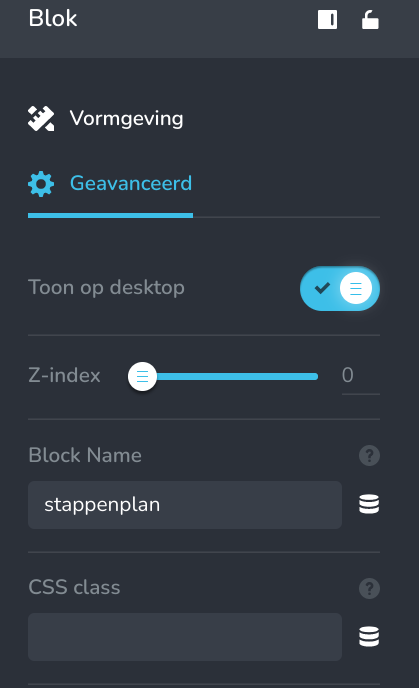
Regards,
Ron
0 -
Hi,
Did you set up the anchor link for the menu item in such a way "https://noroads.site/#stappenplan" or in such a way "#stappenplan"? We recommend using the second form "#stappenplan" because in such a way the anchor link will work as it should. See here.
Best regards,
Sandra0 -
Hi,
I had the / before the # .
Removed it and it works well ONLY on the homepage.
If you go to another page and want to go to an anchor link, that does not work.Regards,
Ron
0 -
Yes, this is the right way of working because the anchor links in menus are usually used for landing pages or inside a single page. In case you add in the menu a link to a certain block from a certain page, then you have to indicate also the name of the page and in case the block is located on the homepage, the entire URL to offer the flexibility to be accessed from every page. Therefore, this smooth effect will be missed and inside that page where is located the block, the menu will not disappear.
Best regards,
Sandra0 -
Meaning that anchor links ONLY work from within one page to let the menu disappear??
But if I go to another page and go to https://noroads.site/#stappenplan (in front I put the whole path) that is working fine.
So I really do not get it.
regards,
Ron
0 -
By the way, it isperfectly working on Noroads web-services , build with Divi.
This problem is a real dealbreaker for me and my clients.
Hopefully you solve the problem and I do not have to ask for a refund of my PRO licence.
Regards,
Ron
0 -
Hi,
Thank you for updating us regarding this inconvenience!
Let us know if we can help you with something else!Best regards,
Sandra0 -
Is this your answer to my question? This is really unbelievable. No solution, no future update to the issue.... You guys have a lot to learn regarding communicating with your paid clients.
0 -
Hi,
I'm sorry, maybe I misunderstood you. Unfortunately, at the moment we don't have any other solution for this behaviour but we have created an internal issue. Our developers know about it and are investigating the possibility of introducing this enhancement.
Best regards,
Sandra0
Please sign in to leave a comment.
Comments
10 comments