bullets Problem after Update

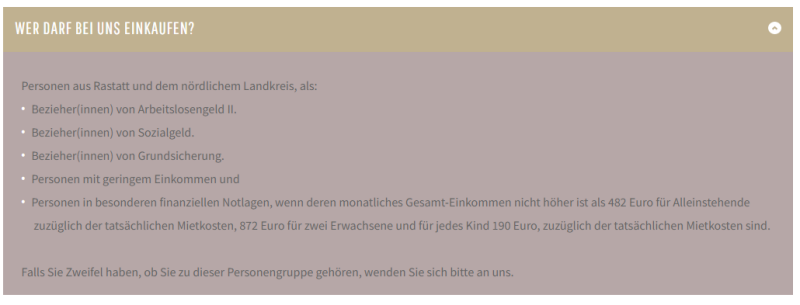
Help - all existing bullets in a text block within Accordeon have "disappeared" after yesterday's updates (Brizy 2.2.8 / Brizy Pro 2.2.5). All of them are formatted white by Brizy. Since I also use a white background here, the display is simply suboptimal ;-))
How can I change this? I haven't found a way yet.
Greetings, Stefan
-
In the meantime I have made the following statement:
- The bullets are suddenly white on all websites and Brizy-Editor.
- I can mark the corresponding lines of text in Brizy, select any color in the color picker and then set it back to the color I have defined.
- All bullets are then visible again in Brizy.
- Then I save the changes in Brizy and leave the page.
- Then I open the page again for editing and all previously visible bullets are white again and thus invisible again (because I use a white background).
But - the bullets are visible again on my website !!! ???
- So the problem must actually be a display problem in the Brzy editor.I hope you can correct that quickly.
Many Thanks. Stefan
0 -

Hi,
Could you please give us more details about how did you add the bullets to the text element inside the Accordion element? Could you send us a screenshot?
Or are you about these icons? If so, unfortunately, I can't reproduce it, as you can see from the screenshot I send you, they are displaying in the editor mode too. Could you please temporary deactivate all external plugins (except Brizy Free and Brizy Pro) and activate a WordPress default theme? Could you please delete the site and browser cache? Do you receive the same problem?Thanks!
Best regards,
Sandra0 -
Hi,
on two websites I have this Problem. On one site I use the Brizy Starter Theme on the other the Kadence free Theme. Display problems identical.
Here the screenshots:
Screeshot Brizy Editor
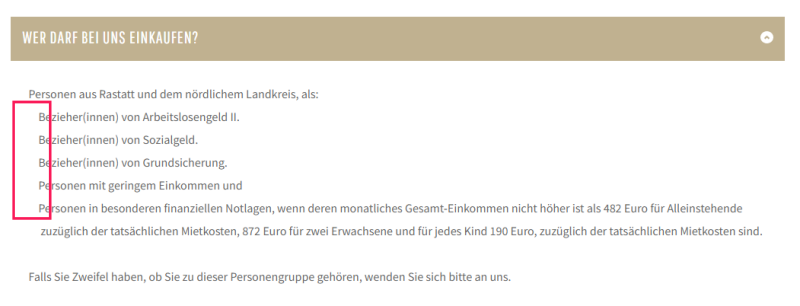
Screenshot Brizy Editor with another color for background.
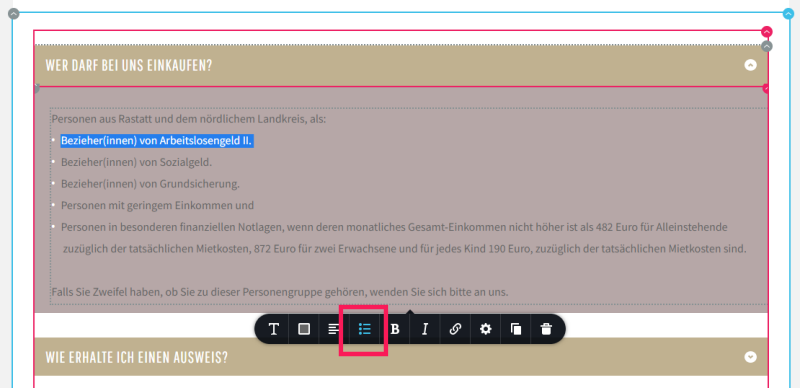
Creenshot how I make the bullets
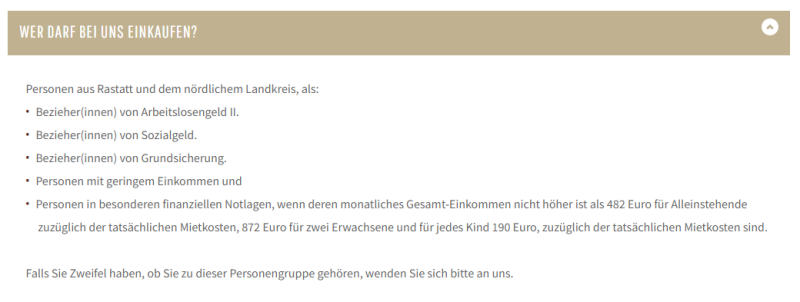
Screenshot from this Website live
I have temporary deactivate all external plugins (except Brizy Free and Brizy Pro) - problem still exists.
I activated a WordPress default theme - problem still exists.
I delete the site and browser cache - problem still exists.-----------------
Since it is displayed correctly on the live website after I changed the colors in the Brizy editor again, it can actually only be due to the editor itself.
Oh, I think I found the source of the problem. If I change the color of the heading, the color of the bullets changes too. And since I'm using a white heading, of course I don't see the bullets on a white background.
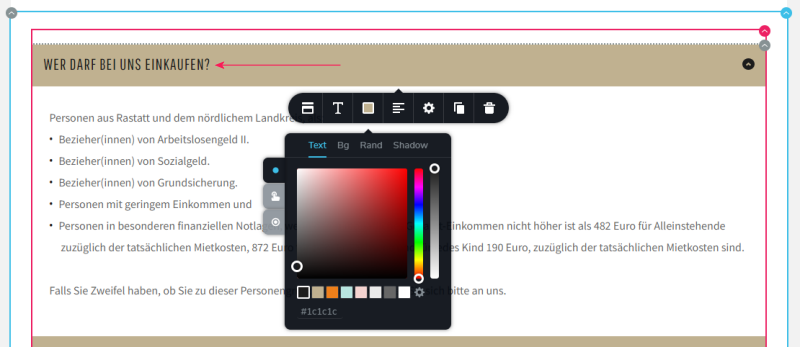
Best regards,
Stefan
0 -
Hi Stefan,
Thank you for all these details and applications. Yes, in some cases, it is possible that the bullet colour to be inherited from the Accordion title, but if you go to the text element and set again the text color, the bullet colour has to be changed too. I tried to reproduce this case on my site and all seems to work fine. See here.
Best regards,
Sandra0 -
Okay Sandra,
fortunately, with your tips I was able to put the affected pages back in order with justifiable effort.
It struck me once again that the bullets can only be changed in color if you choose any color using the color picker. However, if you click on a predefined color, nothing happens.
But I really hope that you will fix this deficiency again. Because it can't stay that way. Your motto is - "... the brizy-way". With your help I was able to solve the problem for the moment, but it is too complicated for "normal users" - so not at all brizzy-like.
All in all, Brizy is a really great program and I love working with it. And I look forward to every new function that you incorporate into the software.
Thanks for the quick feedback.
Stefan0 -
Hi,
Thank you for your message and feedback! We already informed our team regarding this problem and they will investigate this behaviour.
Thank you!Best regards,
Sandra0
Please sign in to leave a comment.
Comments
6 comments