Template: Dynamic content greyed out — and other problems

Hi!
I’m trying to build a blog page with Brizy Pro (Version 2.2.4) like it is shown in this video: https://www.youtube.com/watch?v=cWJEetL4f-s
and make it my homepage like explained in this post: https://support.brizy.io/hc/en-us/community/posts/360073172671/comments/360012769231
But when loading the archive element I’m not able to edit anything because everything is greyed out. Except the place where I’ve put the Post Title element. It shows the name of the page which is my landing page — “home”. In the tutorial I mentioned above Dimi says when clicking in the text frame and pressing “#” a list of possible tags would appear — but it is not working.
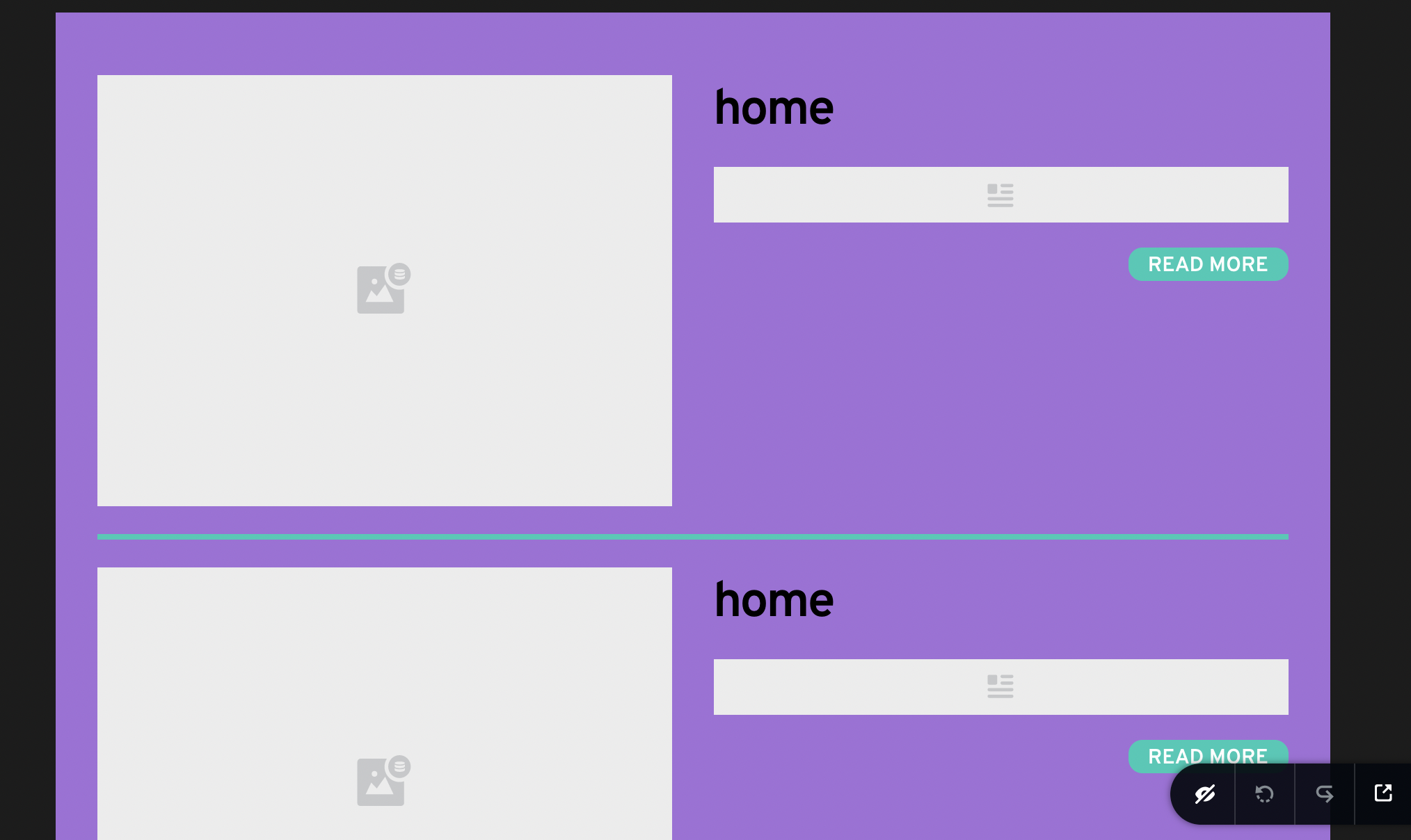
And when I go to the homepage no post can be seen — just an empty rectangle.

Any help would be appreciated!
-

Hi,
I'm sorry but I'm a bit confused :). The YouTube tutorial you make the reference is about creating a Blog page but the Support topic you make the reference is about Homepage. Therefore, could I ask you what page do you want to edit with Brizy in the templates? The Blog page or the HomePage? They both are different because the Blog page is a page where is displayed all the posts you created in the site and the HomePage is the first page is loading when you access the site domain.
If you want to edit the Blog page with the template, then yes, in the template you can't see images or the content or the excerpt because these details will be provided in a dynamic way in the preview mode. In such a way is working the dynamic content in Brizy. Also, the video made by Dimi is a bit old and at that moment we didn't have the dynamic element, only the dynamic tags. Now we have the Post Content element, Post Excerpt element, Post navigation and more dynamic elements that are an improved version of the dynamic tags and therefore we kindly recommend using dynamic elements.
If you want to design the homepage with Brizy, we don't recommend creating a template for this because in most of the cases you can't use the dynamic content and you have to create blocks and manually adding all the needed information. Also, the homepage isn't recommended and possible to use the Archive element. This element is available only for the Archive pages in the Brizy templates.
In that post, I suggested a solution for that certain case. There, the user already created in the template the homepage and I only helped him to display it properly. In your case, if you still don't create the homepage in the templates, I suggest creating the homepage in the Pages in the page you set up on the WordPress as Homepage.Best regards,
Sandra0 -
Hi Sandra,
thank you for the fast reply!
As I need to show an archive of posts on my landing page I made a template with an archive element in it. I wanted to make this template my landing page following your post (https://support.brizy.io/hc/en-us/community/posts/360073172671/comments/360012769231).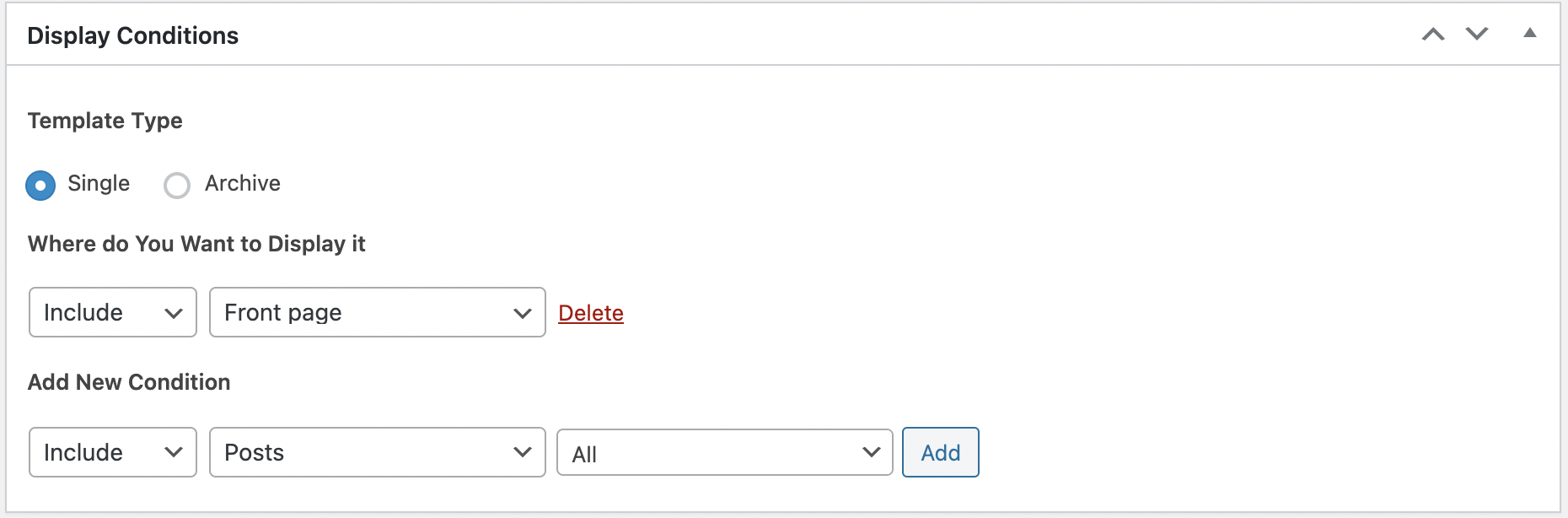
It’s working but the dynamic content is not being displayed.
Any help would be appreciated!0 -
Hi,
Did you edit already the homepage with Brizy in the Pages? If you already edited the page there and you want to display posts on the homepage, you have to go to the homepage from "Pages" and add the Posts element. For posts element, you have to select a category of posts you want to display. If you want to display all posts from all categories, I can suggest adding a new category (e.g. Blog) and add it to all posts. Then go back to the Posts element from Homepage and select this category to display posts. If you do in such a way, in the editor mode, you will not be able to see the excerpt and images in the editor mode, but in the preview mode, all will be displayed as it should. Also, if you after this scenario, you can delete this display condition "Include - FrontPage".
Best regards,
Sandra0 -
Hi Sandra,
this was very helpful — thank you very much!0 -
It's my pleasure to help you! :)
Have a great day!Best regards,
Sandra0
Please sign in to leave a comment.
Comments
5 comments