BRIZY BUILDER NOT WORKING

Hi, I've been building a website using Brizy Pro (WordPress). It has been working well, however, the Brizy builder has suddenly stopped working.
The pages still show up properly on the front end in view mode, but when I try to "Edit with Brizy", the Brizy builder does not show up correctly. Instead, it is just unstyled HTML, and there are no controls for Brizy (e.g. when I hover over the elements, nothing shows up, and I can't add new blocks/elements).
For example, on the About Page, the front end shows up properly (screenshot of frontend), but when I try to open the Brizy builder, it just shows the text without much styling (screenshot of Brizy builder not working).
I have checked the version and am using the latest ones Free 2.2.7. and pro 2.2.4. please help me sort out this issue on my website. I have attached the screenshots for your reference
Kindly do check them out and help me, please!
NORMAL FRONT END VIEW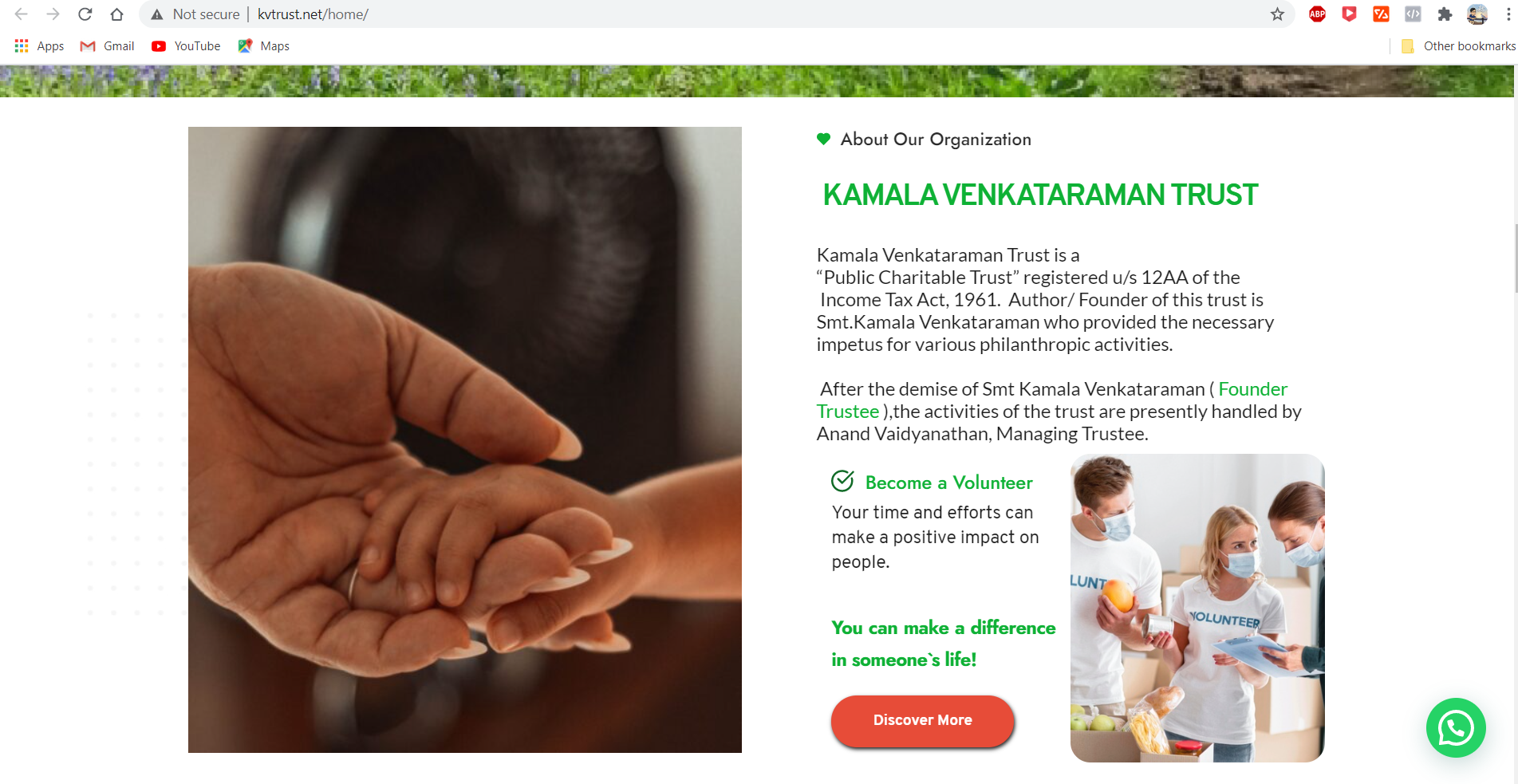
"EDIT WITH BRIZY " VIEW 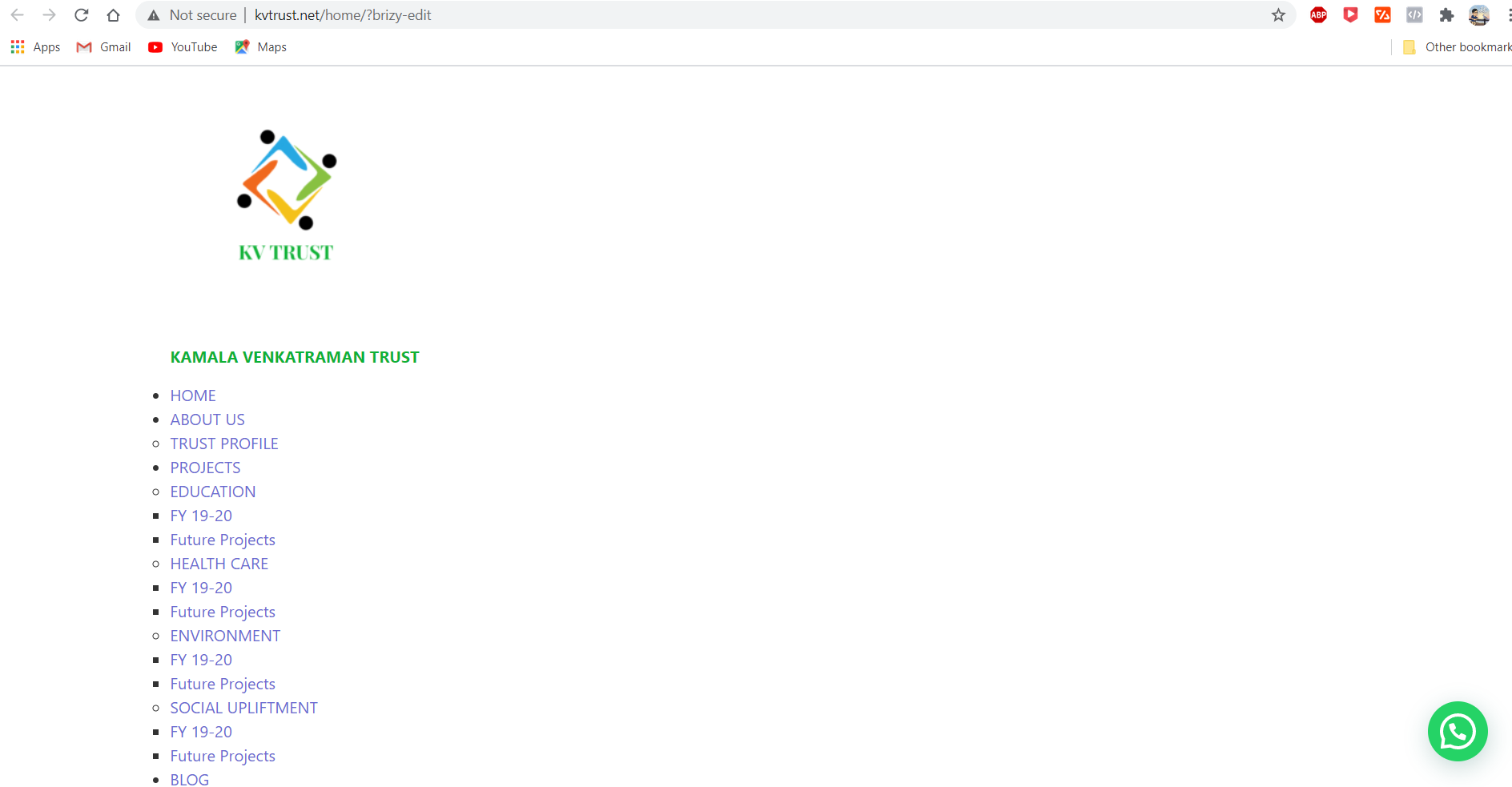
-

Hi,
I see some problems with SSL in your dashboard. Could you please check this? Do you have any errors in the browser console?
0 -

Any update to this? I have a client site that does not have SSL and I'm having the same problem, where brizy was working fine but now when I go to update the site it is showing a page with unstyled html, just like you described. Is SSL a problem if they don't have it? is this causing it?
0 -
Hi Lydia,
Do you have any errors in the browser console? Usually, there are some answers to be found.
0 -
Do I need to be in the "edit with brizy" window and open the browser console to check?
0 -
Because I opened the console while on this page and there were not any errors
0 -
Please confirm you have this issue with the latest Brizy versions - Free 2.2.8. and PRO 2.2.5. Also, do you have the same problem if you disable all your external plugins? Once confirmed I will create a private ticket and we will inspect the problem directly in your dashboard.
0 -
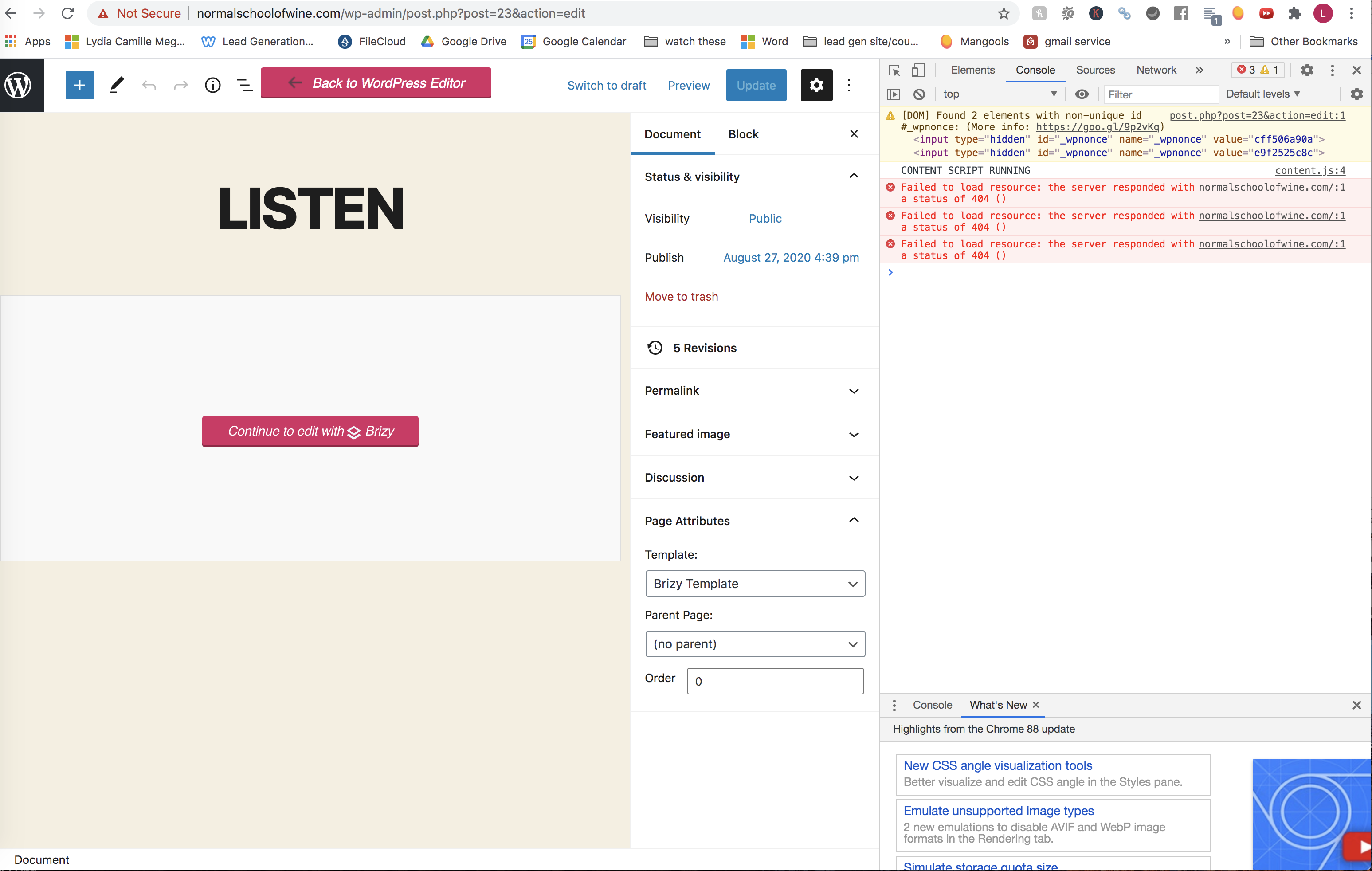
Hey Alex, I just logged into the site and checked again for browser errors and it said this:
 0
0 -
What does this mean?
0 -
Did you make any changes to .htaccess file? Try resetting your permalinks manually from Settings -> Permalinks and check again.
0 -
I'm not sure if I did, I don't know how to do that. I did use a wp-sweep plugin recently to try and speed up the load speed and that messed up my links for a while, but I manually fixed them. What will happen if i reset my permalinks? will it mess up my links?
0 -
Did you add any custom structures? The site should not be affected by a simple permalink reset. Here you can find an article about this: https://www.wpbeginner.com/wp-tutorials/how-to-fix-wordpress-posts-returning-404-error
0
Please sign in to leave a comment.
Comments
11 comments