How remove links on author and date in blog post byline?

Want to remove the hyperlinks from the author and date in the blog bylines, but can't see anywhere to do it?
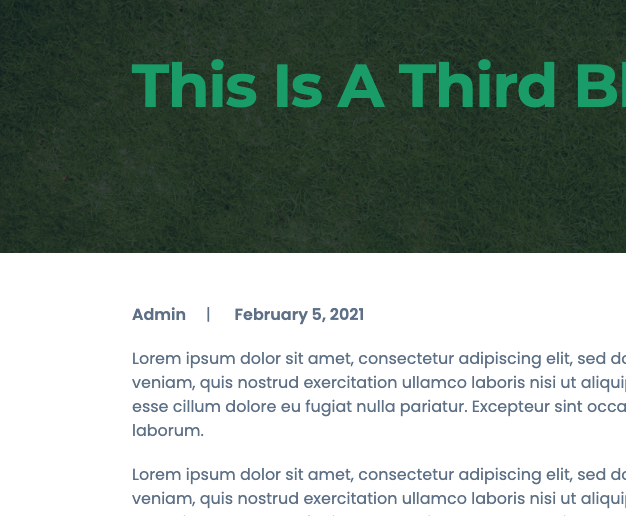
-

Hi,
Could you please check if you have the latest Brizy Free 2.2.7 and Brizy Pro 2.2.4 version? How did you add the Author name and the date of the post? If you used the "Post Info" element isn't placed the link to the Author name and also if you add the Author name by using the #Author name tag. See here. If you added the #Author name tag, could you please check if you didn't add the link to the Author page https://jmp.sh/qMpaP6F?
Thanks!
Best regards,
Sandra0 -
Thanks Sandra, yes, I'm just running Brizy Free Ver. 2.2.7. Author name and date are options in the Theme Customize > Theme Blog Options area I have as "Show", they're pulling from the basic WordPress blog elements.
How do I add the #Author to posts? Is that something I want to do? Just looking to remove the hyperlinks to author and date in bylines. Thanks again for the help!
0 -
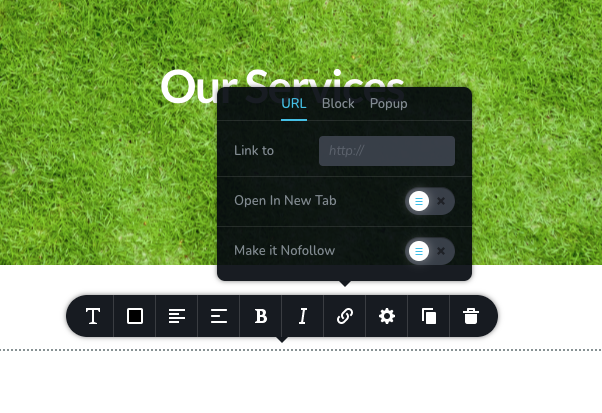
On this area (below), I don't see the tag options at all (and the field is empty) ...
 0
0 -
Hi,
I'm sorry but if you don't have the Brizy Pro plugin, you can't use the #Author tag or use the Post Info element. These are dynamic element and are available only in the Brizy Pro plugin.
Let us know if we can help you with something else.Best regards,
Sandra0 -
Hi! I purchased a Pro plan, ready to learn about these #Author tags! : )
Also having trouble getting Brizy Pro to load at all on a second website I'm working on? The spinner just spins trying to create a new page.
0 -
nm, figured out the #Author tags ... all good!
0 -
Hi,
Thank you for informing us that all is fine now with the #Author tag!
Regarding the second question - could you please give us more details about this site? Where did you encounter the problem? When clicking on "Edit with Brizy"? Or when trying to upload and activate the Brizy Pro? Could you please check if you have the latest Brizy Free 2.2.7 and Brizy Pro 2.2.4 version? Also, could you please temporary deactivate all external plugins (except Brizy Free and Brizy Pro) and activate a WordPress default theme? Do you receive the sam problem? Could you send us a screenshot with this problem?
Best regards,
Sandra0
Please sign in to leave a comment.
Comments
7 comments