Synchronization impossible

Hello,
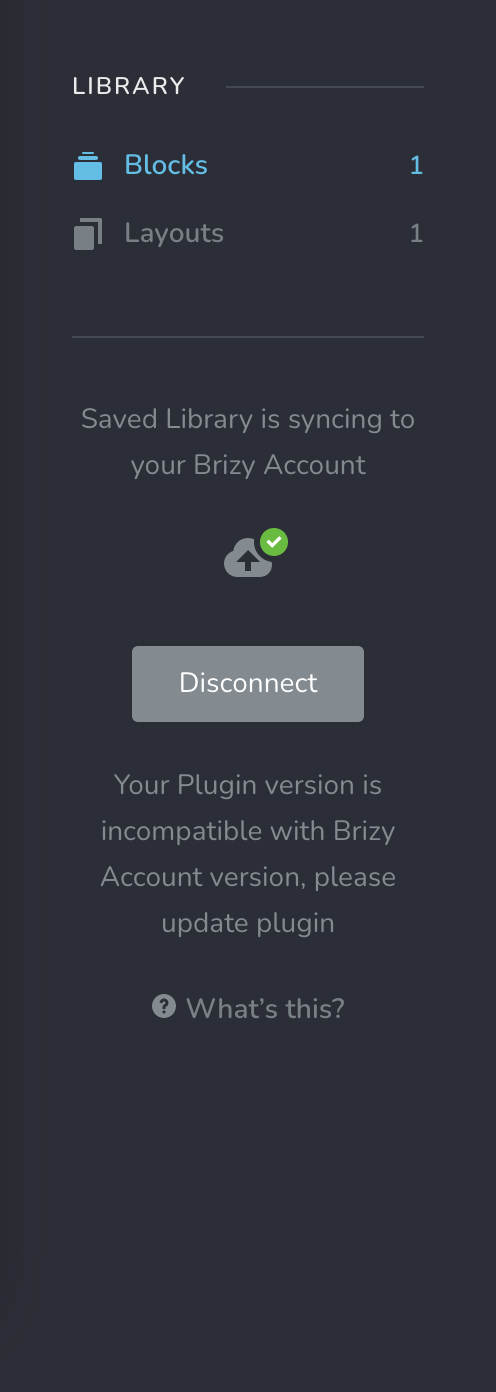
It's impossible to synchronize the library. The plugin indicates me an error each time... Yet the plugins are updated and well installed.
Versions Plugins : Brizy 2.2.7 & Brizy Pro 2.2.4
-

Hi,
I'm sorry for this inconvenience! Actually, this message appears when the version of Brizy from WordPress doesn't coincide with the Brizy Cloud version. This happens because in the first instance we release the update for Brizy WordPress plugin and after 1-2 days we release the update for Brizy Cloud. In this period can appear this message and not allow you to sync blocks and layouts to the Cloud but it will e remediate when will be released the Cloud update. If you have the latest version in WordPress and still have this message, please allow us a bit more time and this problem will be solved. We are working on a Cloud update and it will be released soon.
Thank you for understanding!
Best regards,
Sandra0 -
Hello,
Several days have passed ... It still doesn't work ...
When this problem will be solved please ?
0 -
Hi,
I'm sorry for this inconvenience. We already released the Brizy Cloud update but it was a big and important update and therefore now the version of Brizy Cloud is higher than the version of the Brizy plugin for WordPress and for this reason this issue is still present on the dashboard. I want to say that we are working on the new update for Brizy plugin and at the beginning of next week we plan to release it. Launching this update this problem will be solved and you will be able to sync saved blocks and layouts between Brizy Cloud and Brizy pages from WP.
Thank you in advance for your patience and understanding!Best regards,
Sandra0 -
Hi,
I wanted to inform you that this inconvenience is now fixed and you can use the Sync feature to transfer the saved blocks and layouts between Brizy Cloud and Brizy pages from WordPress. Make sure that you have the latest Brizy Free 2.2.8 and Brizy Pro 2.2.4 versions and try to use the Sync option now!
Thank you for your patience!Best regards,
Sandra0 -
Hello Sandra,
Ok perfect, it works now :) Thank you!
0 -
Hi,
Great! Thank you for confirming this with us!
Best regards,
Sandra0
Please sign in to leave a comment.
Comments
6 comments