PDF Upload

Dear Brizy Team,
I am trying to build a carreer section with the brizy pro wordpress plugin. I would like to include a kind of application form where applicants can upload CVs as PDF to apply for positions. Is there any way to achieve this via Brizy? If not I guess I would need to find the right plugin that lets me do so, maybe something like Ninja forms or so. Can I combine such custom form plugins with a Brizy page built site? How could I do this?
Thank you for your support and have a great day,
best regards,
Max
-

Hi,
In the Form element from Brizy builder, you can add the Upload file field. See here. For this field, you can select the max file upload and also what file format you accept.
Hope this can help you with your purpose!Best regards,
Sandra0 -
Hi Sandra,
wow this is great. Exactly what I was looking for, thank you for showing me.
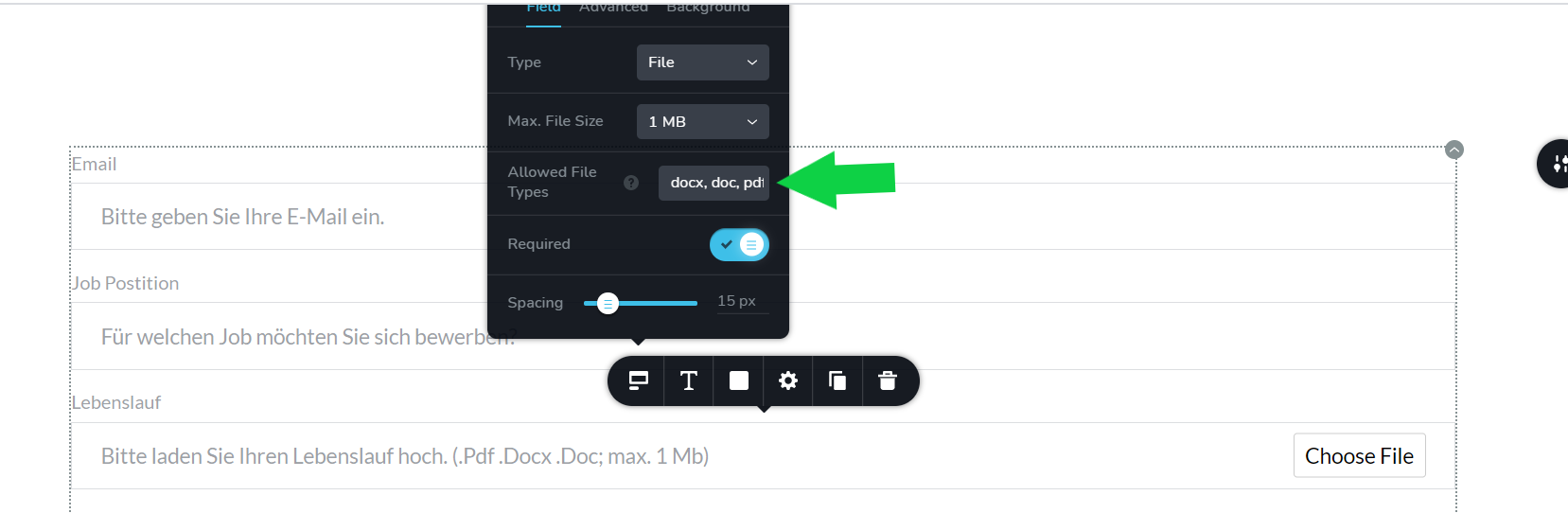
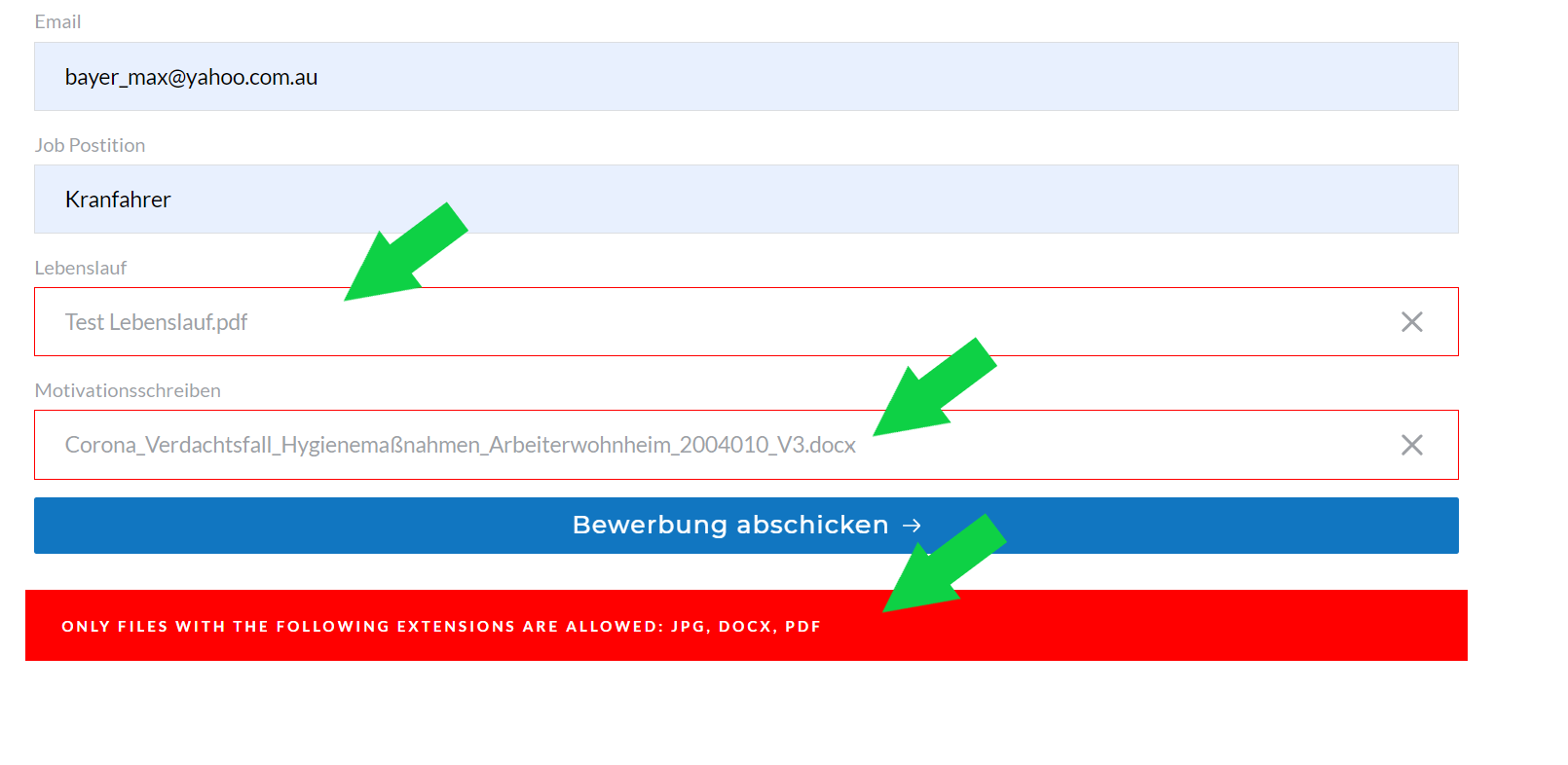
One question though, when defining the file upload formats within the form it says I just have to list the allowed filetypes separated by a ",". I did set it up like that as you can see in the screeshot. But then in the published form it does not let me attach those fileypes. In my example i used ".doc"; ".docx" and ".pdf" files.
Do you know what is causing that error message?
Best regards,
Max
 0
0 -
Hi,
Great! Thank you for updating us regarding this.
Related to the inconvenience you found - I notice that you didn't add the dot symbol before the file type extension. See here. You have to indicate .docx, .doc, .pdf and so on.
Best regards,
Sandra0 -
Hi Sandra,
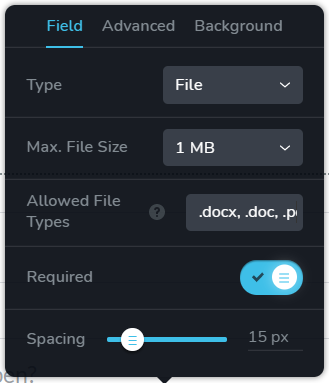
thank you for your response. I did check again and now did put the "." before the filetypes as you can see. Unfortunately this still does not solve the problem. Still the same error message ocurs.
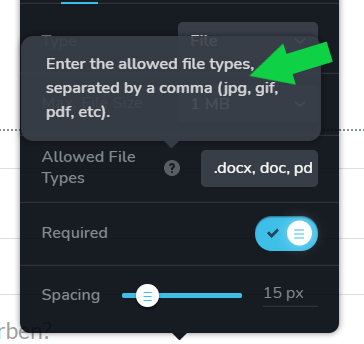
Also I wanted to mention as a tip, that in your tooltips you do not indicate the "." infront of the filetypes neither. That could be a bit misleading, just wanted to let you know.
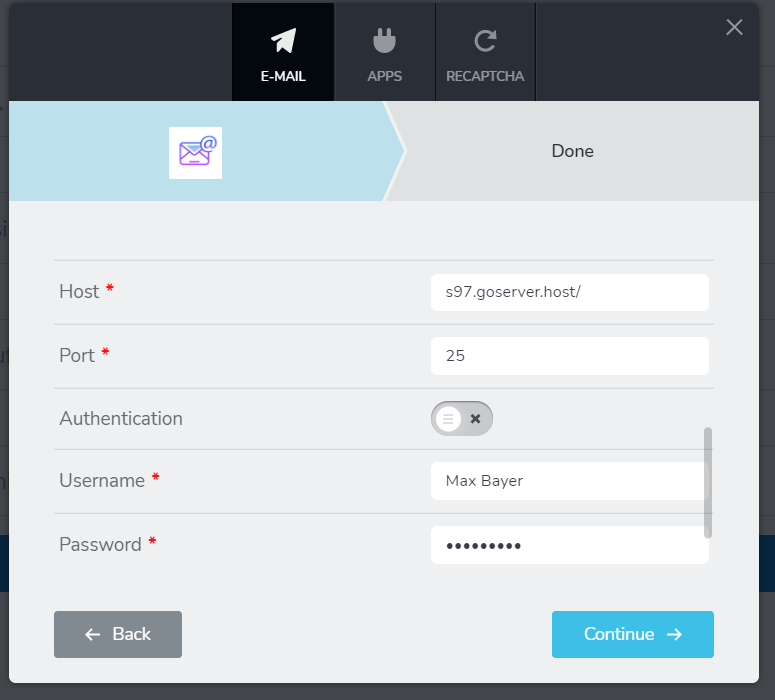
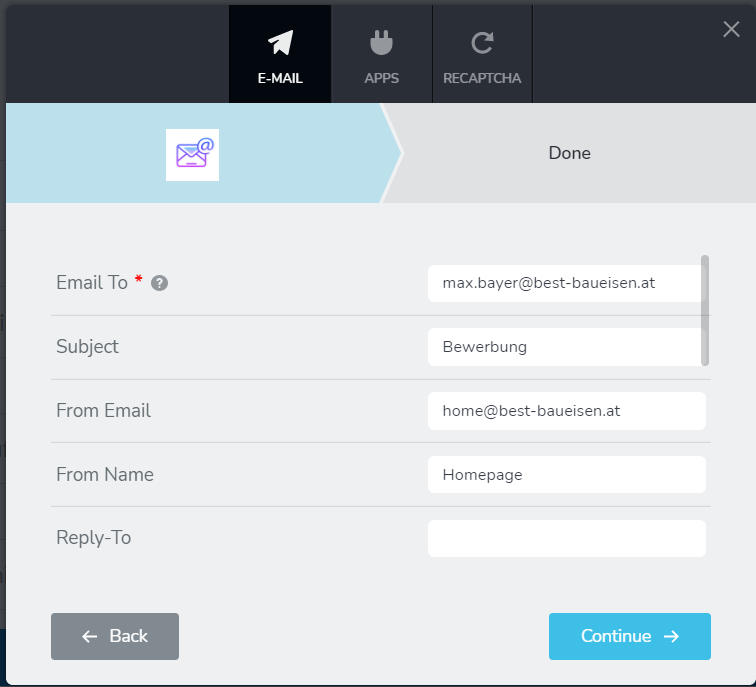
Also I tried to setup the forms setting correctly for it to send the mail to my inbox. What would be the correct settings in the menu shown below? I did check that my website installation is capable of sending emails, using a testplugin, so my sites mailsettings seem to be functional.
 0
0 -
thank you for your support,
best regards,
Max
0 -
Hi,
Thank you for your reply!
1 - File type issue - could you please send us the URL link of the page where is located the form? We want to check it? Also, I notice that you set-up a maximum file size of 1MB. Could you please check if the files you try to add doesn't exceed this value?
2 - Connection with SMTP - could you please check this article about how to receive email notifications via SMTP?
Thanks!
Best regards,
Sandra0 -
Hi Sandra,
thank you for your response. This is the url for the page hosting the form.
https://www.best-baueisen.com/karriere/?preview_id=482&preview_nonce=9c67bd99d1&preview=true
I do have a "work in progress" plugin active showing the page only tor specific users. If you let me know which I.P is checking the page i can whitelabel it. Or I can setup an admin account for brizy, in this case please tell me which email address I should use.
Yes good, call on checking the max filesize upload, but I did make sure the used files are rather small (300mbs)
Thanks for the SMTP article, I will check it and get back to you in case of doubt.
Best regards,
Max
0 -
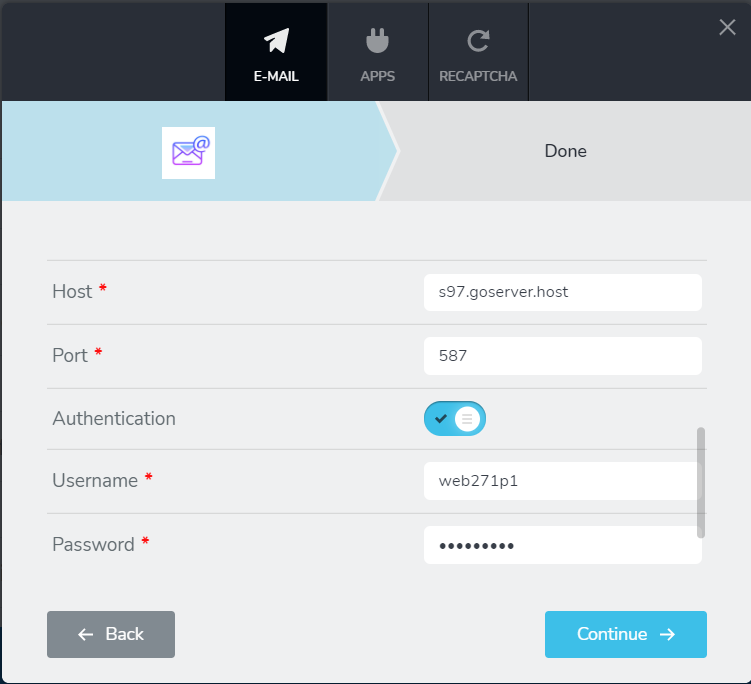
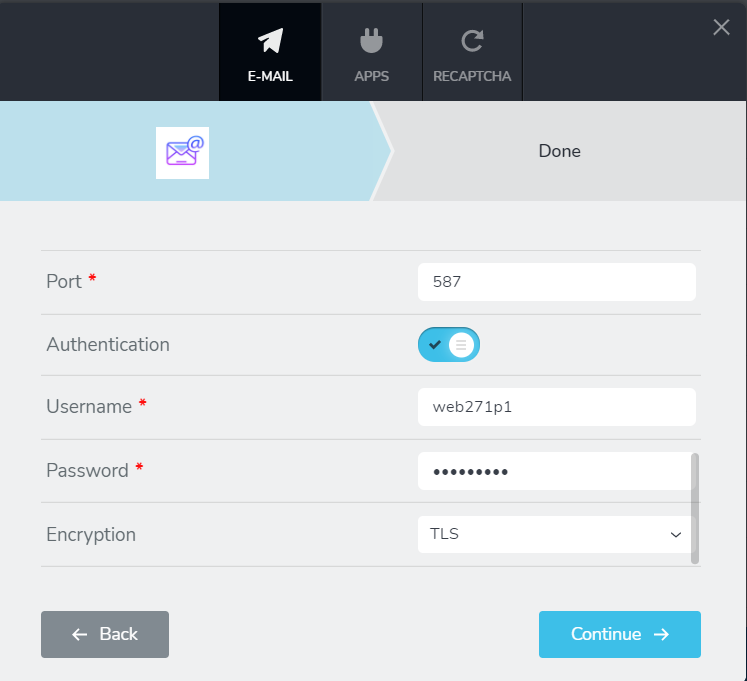
Ok I did setup the SMTP Connection as suggested in your tutorial. Unfortunately I could not setup the form functionally as seen below. (I did temporary deactivate the mandatory file upload, to check the SMTP functionality first)
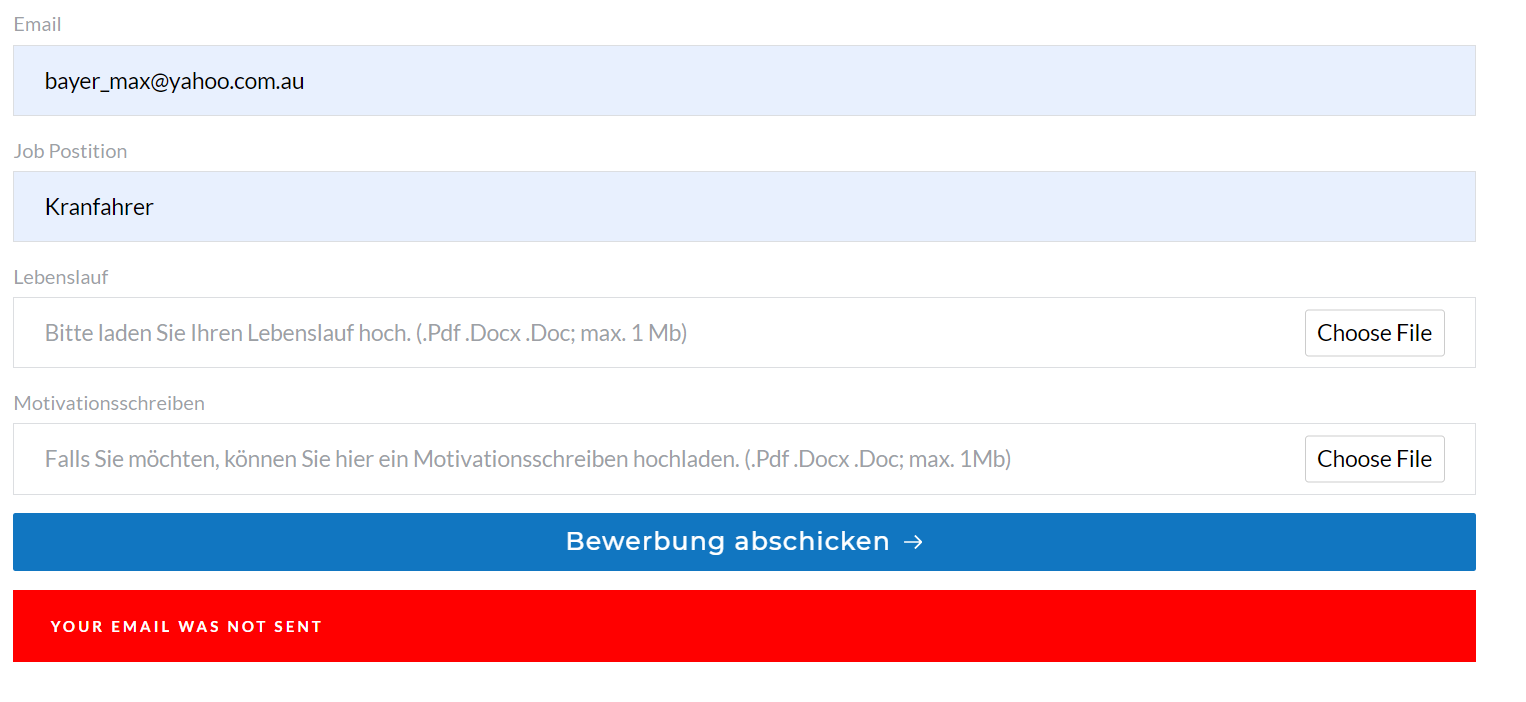
as far as I know my settings are correct.
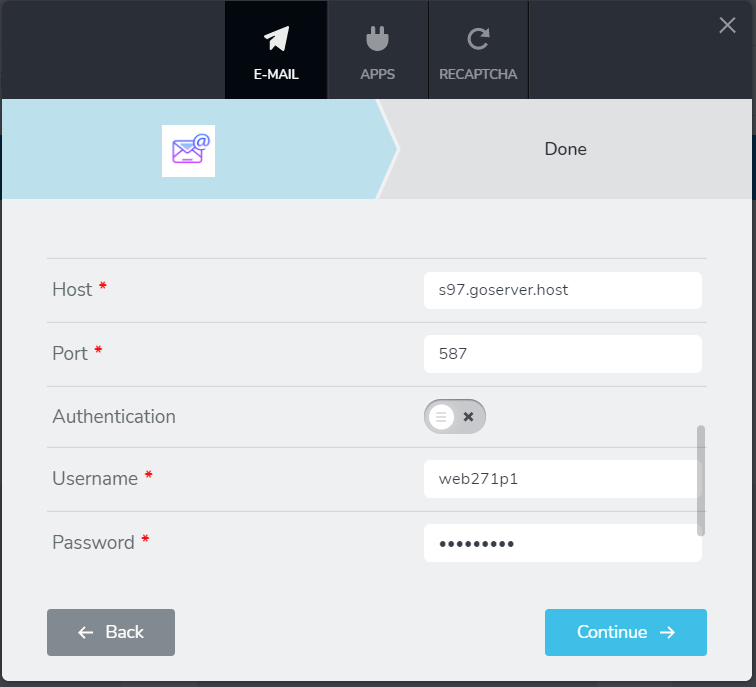
I know this is somehow difficult to debug from your position but is there any way I could test the setup? Like can I check somehow the issue comes from my settings or from the form?
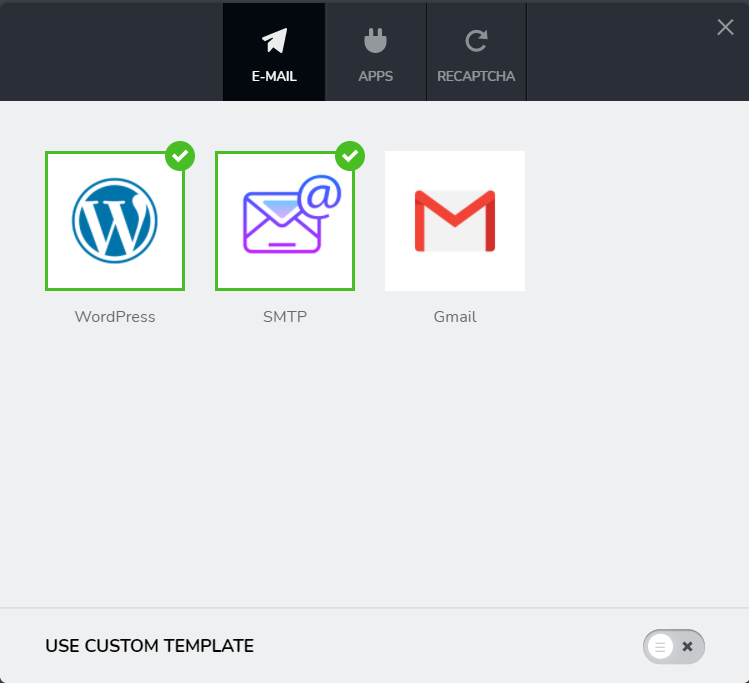
Also it seems both options "wordpress" and "SMTP" are selected in the form email settings. Is this a problem and should I only leave SMTP in this case?
it seems I cannot untick the first option "wordpress" now once that i activated it. Both options stay activated.
Thank you for your patience and support, its highly appreciated.
best regards,
Max
0 -
Hi,
I suppose that you are using the webgo as the web host. I find an article and it shows these details for configuring the SMTP. Could you please try following these suggestions and check if all is working fine now?
It isn't a problem that you have connected the WordPress email notification and the SMTP. But if you want to keep only the SMTP option and delete the WordPress one, you will need to duplicate the form and start again the connection with SMTP for the duplicated form. The primary form you have to delete.
Let us know please about your progress with configuration SMTP.
Thanks!
Best regards,
Sandra0 -
Hi Sandra,
I did triple check now with the technical support of my provider to make sure I got the right settings for SMTP Mailserver, User, Password, Email, Port a.s.o.
Never the less I still get the message "Email not sent". Please let me know how we could fix this issue.
Also we had no luck making the file upload work according to the correct settings.
As mentioned before.
This is the url for the page hosting the form.
https://www.best-baueisen.com/karriere/?preview_id=482&preview_nonce=9c67bd99d1&preview=true
I do have a "work in progress" plugin active showing the page only tor specific users. If you let me know which I.P is checking the page i can whitelabel it. Or I can setup an admin account for brizy, in this case please tell me which email address I should use.
Yes good, call on checking the max filesize upload, but I did make sure the used files are rather small (300mbs)
Please let me know,
Best regards,
Max
0 -
Hi,
Thank you for all these details! We would like to check this inconvenience from your dashboard. Could you please send us the WP credentials to this site?
I have created a private ticket for this request. You had to receive a notification regarding this by email. Could you send us in that private message the WP credentials to this site?
Thanks!
Best regards,
Sandra0 -
Hi Sandra,
I did send you the credentials in a private message via email last Wednesday. Did you receive them?
Best regards,
Max
0 -
Hi Max,
I'm sorry but appeared a little inconvenience and your message was moved into spam and for this reason, we couldn't see it. We will investigate this case.
Right now, we could recover your message and will continue to investigate this inconvenience you reported.
I'm sorry for this problem and thank you in advance for your patience!
Best regards,
Sandra0 -
Hi Sandra,
by now you got what you need to have a look correct?
Best regards,
Max
0 -
Hi,
I contacted Natalia and she said that she already send you a reply related to this problem. Could you please check her email from the private ticket?
Thanks!
Best regards,
Sandra0 -

Hi there, I discovered an anomaly in Brizy for file uploads:
if included in the acceptable file types is .pdf, but the document is labelled .Pdf, or .PDF (notice the capital letters), it will not accept it. Unfortunately it is (probably accidentally) case-sensitive.
Could this be addressed sometime in the next update roll-ups?
I discovered this in Brizy Cloud; I'm guessing it may be the same for Brizy in Wordpress.
0 -
I'm wondering if this will help you Max, in case this didn't get solved yet.
0 -
For example, to upload jpg files, I have mine set to .jpg, .jpeg, .JPG, .JPEG and it works. But if someone has another permutation like .Jpg or .jPg for some odd reason it won't be accepted. I'm ok living with that but I thought i'd bring it up in case this saves someone from pulling their hair out
0 -

Hi
In Brizy form, you have the option to specify the file types you permit your users to upload. In the list of file types if you specify .PDF and .Pdf, your form can accept those file type variations. Please see this video. https://jmp.sh/2yq1FJU
0
Please sign in to leave a comment.
Comments
19 comments