Show sub-menu items

Hello,
I'm using Brizy Pro for Wordpress. On the mobile menu I have "Company" and "Resources" with no links and I want the entire row (highlighted in red below) clickable to expand and show the sub-menu items. Currently expanding is only possible by clicking on the little arrow. Please advice.
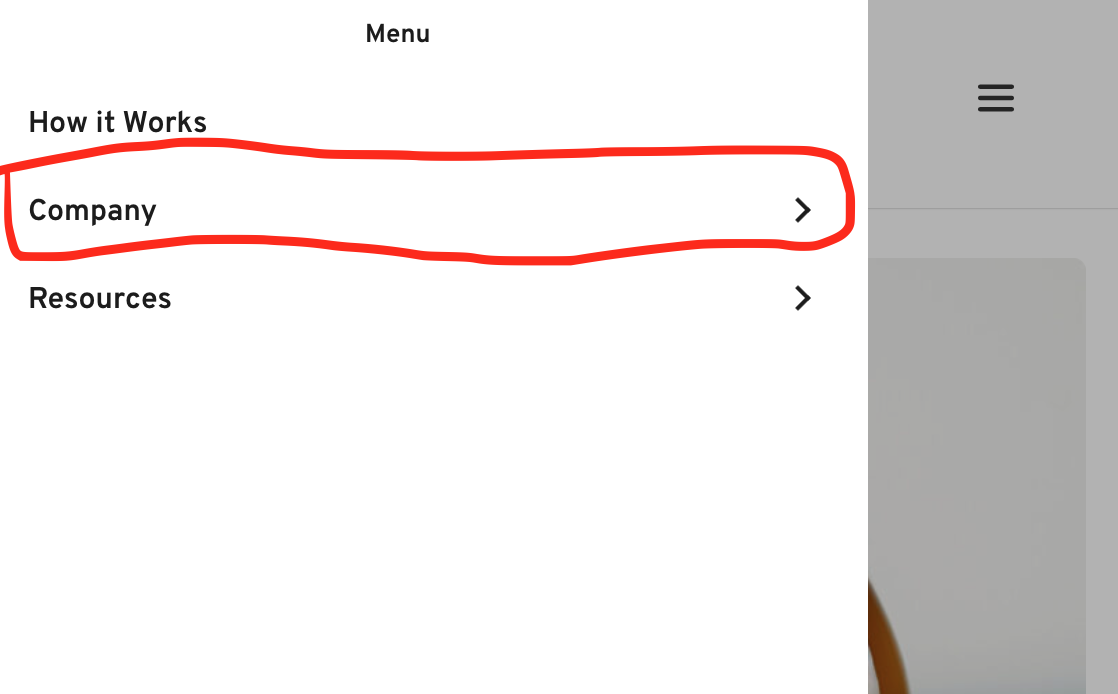
Thanks
-

Hi,
Unfortunately, at the moment isn't possible to make the entire row to be clickable. I'm sorry if this created you some inconveniences.
Best regards,
Sandra0 -
Hi Sandra,
Can this be added as a feature request? This is very common on mobile websites.
Cheers,
Matt0 -
Hi,
Yes, we have added your suggestion in the Feature Request list and our team know about it. Unfortunately, for this feature request, we don't have a timeline.
Let us know if we can help you with something else.
Best regards,
Sandra0 -
Hi Sandra,
Is your team able to suggest any workarounds? Javascript code?
Cheers,
Matt0 -
Hi,
Unfortunately, at the moment, we can't provide an workaround for this inconvenience. We found a solution for this and we are still working on it because the "Company" (using the example provided by you) is the same as a menu item and many users add a link to that item too. Therefore, we need a bit more time for this.
Thank you!
Best regards,
Sandra0 -
Hi Sandra,
Thanks for the quick reply.
FYI typically folks will use "#" as the link URL on a menu item that they don't want to link to another page.
Cheers,
Matt0 -
Hi,
Yes, we know about this aspect but even this, in such a way is working the menu. If you will create a non-Brizy page, in WordPress, you will found that when you click on the primary menu item, it doesn't open the submenu. To access the submenu, you have to click on the arrow.
Best regards,
Sandra0 -

Is this developed? Is a needed thing. It cannot be such difficult to do.
0
Please sign in to leave a comment.
Comments
8 comments