Errores en la plantilla de producto

Hola! Tengo dos errores en mi plantilla de producto:
1 Al introducir un atributo en un producto la plantilla cambia de color el botón de Comprar y reduce la fotografia. Ver captura 1 (producto sin atributos, todo ok) y 2 (producto con atributo, con foto pequeña y cambios en el botón).
Captura 1

Captura 2: 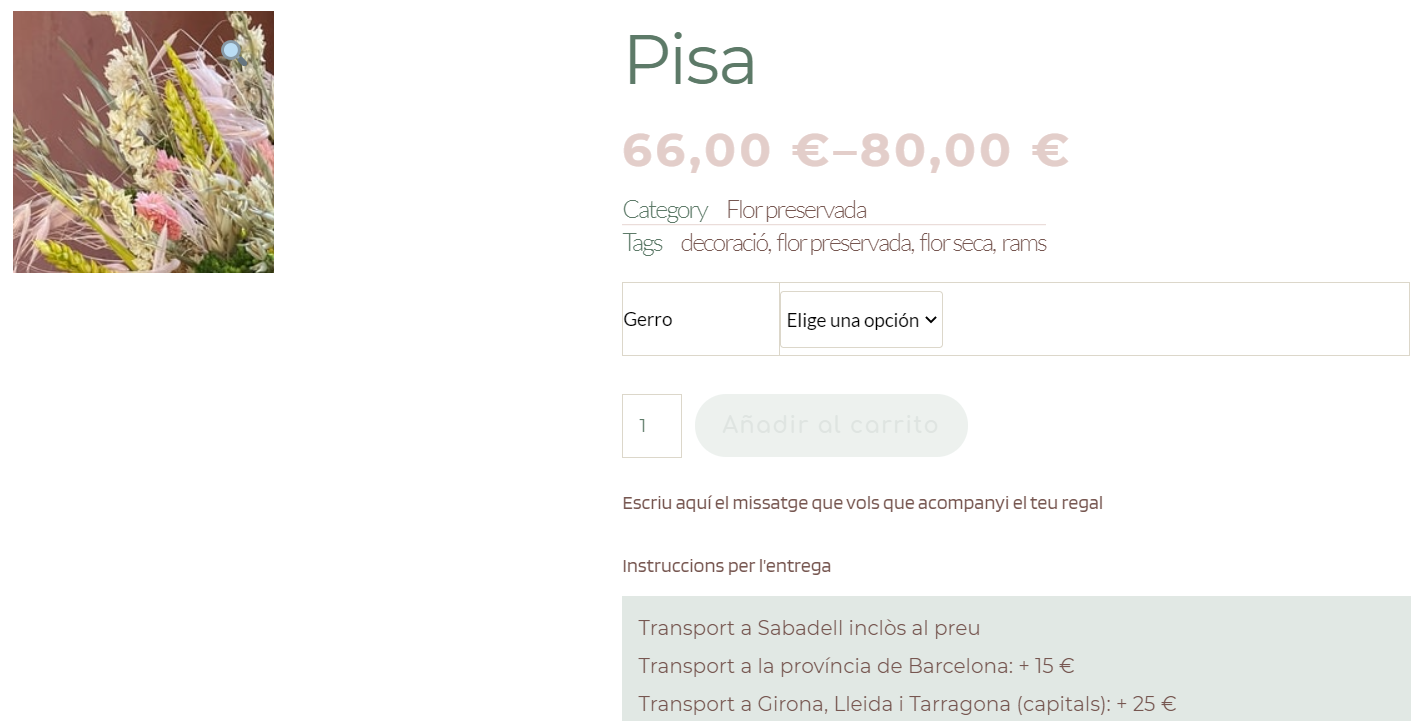
Tampoco he conseguido editar el desplegable donde se escoge el atributo, este sale automático y no puedo quitarlo para substituirlo por el elemento Atributtes. Además el elemento Atributtes sólo enumera las opciones del Attibute pero no deja seleccionar uno.
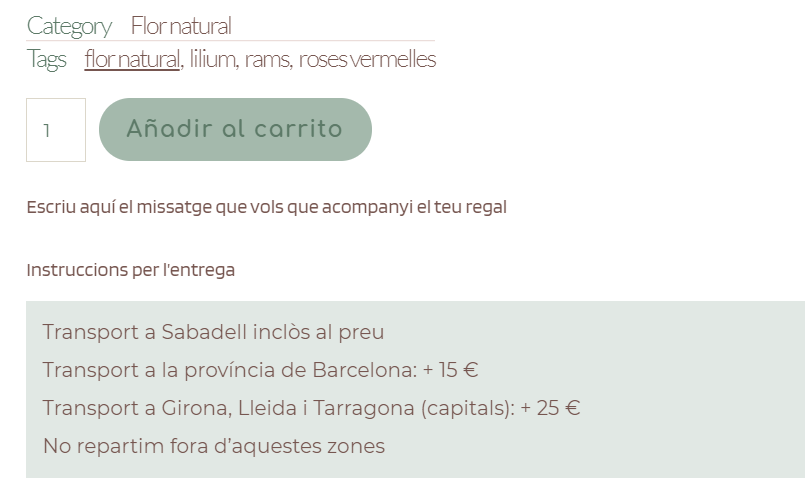
2 He incorporado a la plantilla de producto dos campos de texto, creados con el plugin ACF En estos campos el cliente escribe el texto que quiere que acompañe su regalo y instrucciones para la entrega. He seguido las instrucciones con el elemento texto y con # pero los campos de texto no aparecen en los productos (ver capturas 3 y 4), sólo sale la frase con las instrucciones, sin dejar escribir.
Captura 3 (plantilla de producto con los dos campos correctamente ubicados)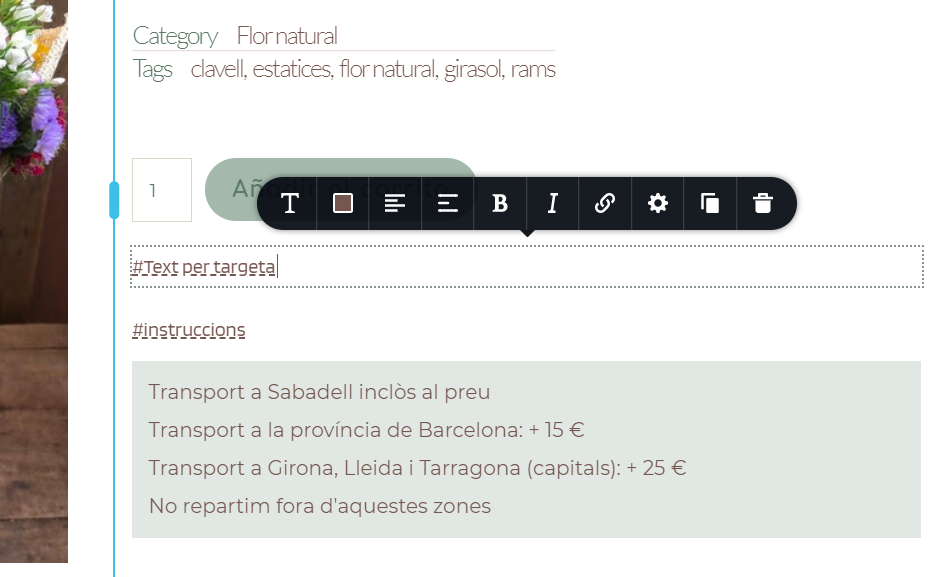 Captura 4 Sólo aparece la frase pero no el ÁREA DE TEXTO para rellenar por el cliente.
-

Hi,
We encounter some inconveniences with the Variable products related to the dropdown menu of the variations and with the price styles. Our developers are already investigating and find ways to solve these inconveniences.
Regarding the product image and other inconveniences, you reported - could you please check if you have the latest Brizy Free 2.2.6 and Brizy Pro 2.2.2 version? Also, could you please temporary deactivate all external plugins (except Brizy Free, Brizy Pro and WooCommerce) and activate a WordPress default theme?
Best regards,
Sandra0 -
I follow your instructions, all update, all plugins off and same result. Any solution?
And about question 2 (text fields)?0 -
Hi,
Thank you for these details!
1 - Product image - what theme do you have activated on the dashboard? Do you have the Astra theme? We could reproduce this inconvenience on the Astra theme and our developers already solved it. We plan to release the fix in one of the future updates. Unfortunately, I can't say exactly when we will launch it but we are doing all the best to release it as soon as possible.
2 - Text fields - To offer the ability to input a word, you have to set-up an input field. In Brizy we don't have such an element, therefore isn't possible to use and display the input field to input the name and delivery instructions. You see only the text because you added this ACF field in a text element and this element can return only the text and not also the input field. Also, this is simple curiosity, could you please say us how did you configure the input field in the ACF? Do you have the ACF Pro?
Thanks!
Best regards,
Sandra0 -
Hi,
1.- I have this problem with Twenty Seventeen (wordpress default theme). I activated Astra theme and wait your update...
2.- Finally I solved it with PPOM plugin.
0 -
Hi,
Thank you for your reply and update!
Best regards,
Sandra0
Please sign in to leave a comment.
Comments
5 comments