Embed code in popup issue

Hi, I am having an issue where I have tried embedding in a popup, script from my ESP (Automizy) in to a popup, which works fine when it is the only button on the page linking to that popup.
However if I have two buttons on the page linking to the popup the first button shows two instances of the form, and the second button doesn't show the form (just the surrounding elements)?
I have tried building separate popups, both with the code and it happens, tried setting one as global, then choosing it for each of the buttons, still happens, tried copy/pasting one button to the other position, still happens.
Not quite sure what is going on.
Not sure if I am doing something wrong, or if it is a glitch?
I am using the cloud builder, synced via server sync to 3rd party host.
-

Hi,
Could you please try to delete the embed code? Do pop-ups work in the same way? If the problem still persists, could you please send us the UTL link of the page? We want to check it.
If the problem doesn't appear when you deleted the code, then the problem can be in the code.Best regards,
Sandra0 -
Hi Sandra,
Thank you for the reply. I have set up a test page which is a copy of the one that had the issue:
https://coursecreationclarity.com/testpage
In constructing the page I removed the embed code from both button popups. They displayed as they should.
Then put the embed code in one button popup, this displayed the form properly, the other displayed as it should.
Then put the embed code in second button popup as well, this resulted in the problem showing up.
If you look at the page you will see the top button when clicked shows the form twice, with the surrounding elements once. The second button shows the surrounding elements but not the form.
Popup from top button:

Popup from lower button:
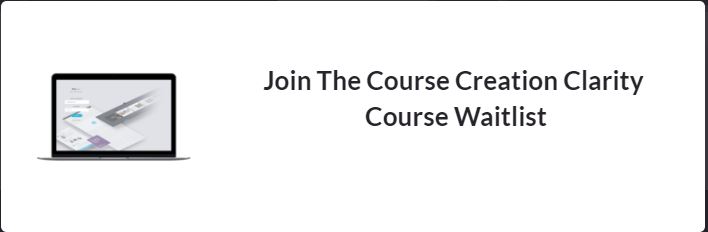
As you can see the surrounding elements created in Brizy are displaying once in both popups, just the embedded form showing twice in the one popup and not showing in the other.
Warm regards,
Adrian
0 -
Hi Adrian,
If this problem is caused by an embed code generated by an external pop-up then, unfortunately, it isn't related to Brizy. This seems to be a limitation or inconvenience from the plugin/service that generate that embed code. Could you please check it?
Best regards,
Sandra0 -
The popup is created within Brizy, but with the sign up form code embedded into the brizy created popup.
As mentioned before, all works fine when it is just one button click popup on the page, but when you add a second button click popup the problem occurs
0 -
Hi,
We would like to help you with this problem but it isn't related to Brizy. In case you have 2 Brizy pop-ups without this code, all is working fine and the pop-ups are showing fine. It is related with the embed code was added in the Brizy pop-up. Seems that this code overwrites some Brizy code and generate these inconveniences.
Let us know if we can help you with something else.
Best regards,
Sandra0 -
For those that may be suffering a similar problem, I seem to have found a fix.
Rather than using the 'script' version of the code I have used the 'HTML' version, this does display properly in the two popups. Downside is having to update the code on the page if I make changes to the form, but at least it is working and not causing issues with Brizy.
0 -
Hi,
Thank you for sharing with us the solution you found! Great to know that all is working fine now!
Best regards,
Sandra0 -

I still have the same issue with an embed code in a popup.
Now, I have used the HTML version as mentioned above, the issue here is that a button in the popup is not reacting at all.
I have tested it on other platforms as well as with an embed code tester online and it works everywhere except in the brizy cloud pop up. There, after I click the button, no redirect, nothing happens.Here is the page with the issue described above.
https://www.zweifachdigital.de/warteliste
Click on the green button, the pop up will open, display as expected (again, only with the HTML version) and then, when I want to click the button in the embedded element, nothing happens...
What is going wrong here or do I miss something?0 -

Hi Robin,
There could be some incompatibility between the Active Campaign embed code and the Brizy Cloud. If you give us the original embed code, we could try embedding the code at our end.
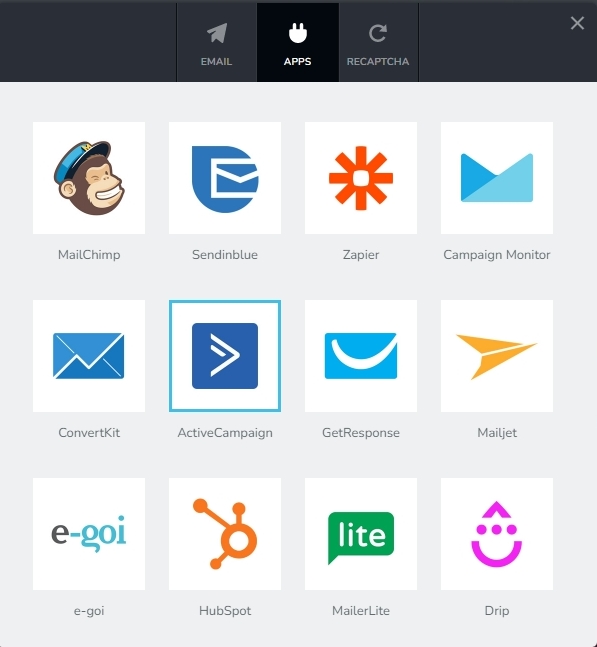
Brizy has an API integration with Active Campaign as well. Have you thought about the option to use the Brizy form in place of the embed form? You could follow this procedure to setup the integration. https://support.brizy.io/hc/en-us/articles/360043478352-Active-Campaign
 0
0 -
Thanks for your quick response!
I already did the integration with the API. But my clients really want the embeddable version to work...
Here is the embed code. Maybe you can try to fix it and tell me why it is not working.
Thanks.
0 -
Hi Robin,
Can you please try the 'Simple Embed' option instead of the 'Full Embed'? Copy the Simple embed code and paste into the Embed element within your popup and then check if you are able to submit the form in the frontend.
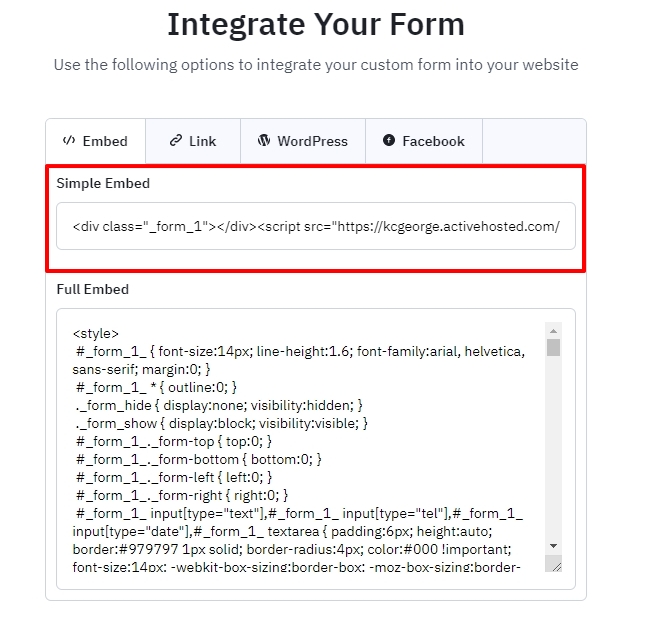
I have tested this and my popup form is working fine. Please see my test page here https://digital-works.brizy.site/form My embed code looks like this
<div class="_form_1"></div><script src="https://kcgeorge.activehosted.com/f/embed.php?id=1" type="text/javascript" charset="utf-8"></script>
0 -
Could you already find a solution or the reason why it is not working?
0 -
Hi Robin,
The ActiveCampaign embed code does work with Brizy Cloud if you select the appropriate Embed option. I'm sorry; I could not understand what you mean by "Could you already find a solution or the reason why it is not working?"
0 -
Thanks. Now it is working, before it was not. That is why I only used the whole code in the first place.
Thanks for your help! :)0
Please sign in to leave a comment.
Comments
14 comments