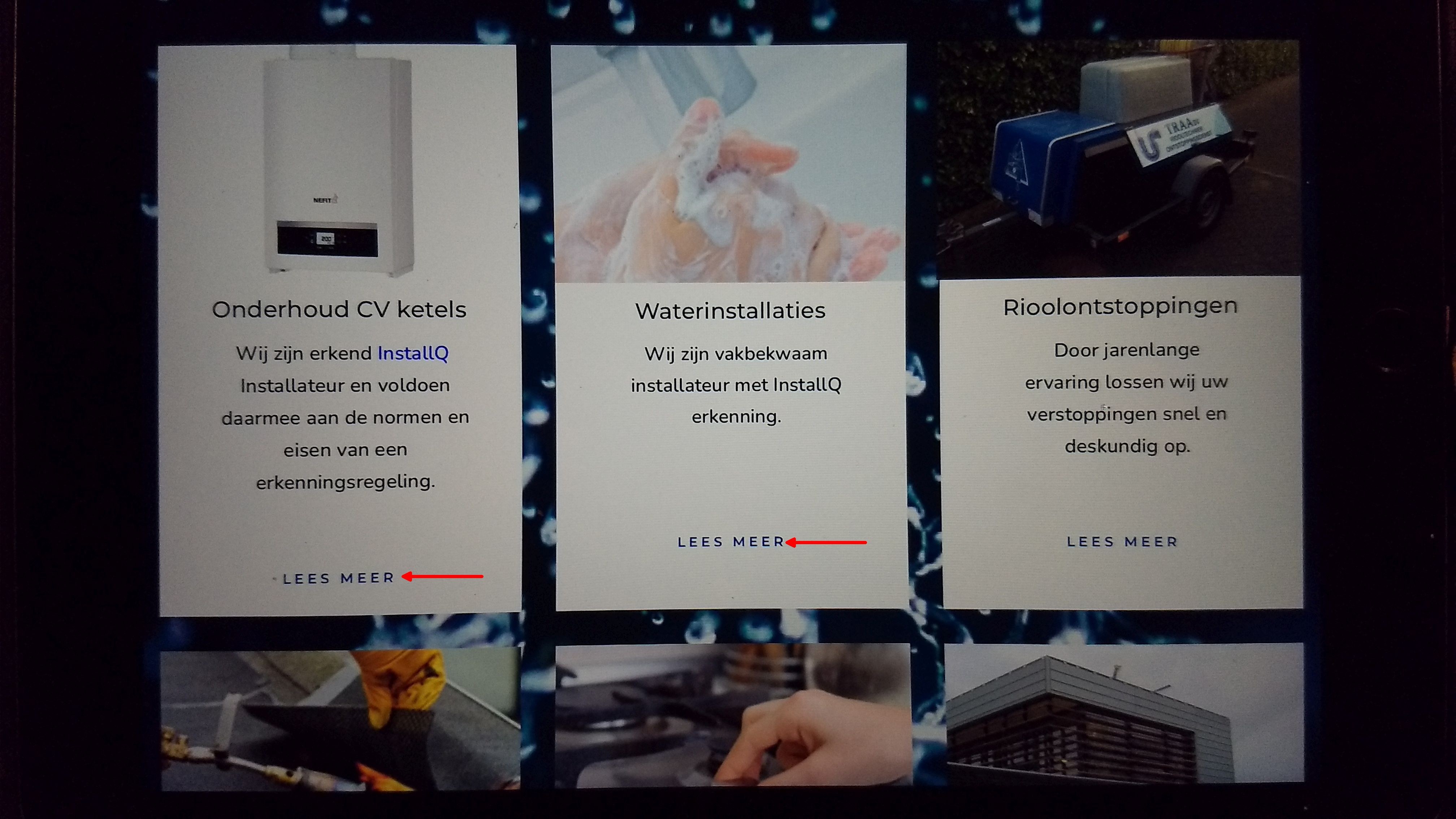
The read more buttons are not correctly aligned downward

The read more buttons are not correctly aligned downwards. In different views on an iPad. Vertically it does not look good. Horizontally it does.
Is there a way to align it at a fixed distance from the bottom of the frame?
Thank you in advance,
Jos
see the homepage https://traabv.brizy.site/
-

Hi,
You see the "Read more" button un-aligned because the paragraph length is different from one column to another, therefore isn't possible to make them be aligned. I can suggest making the first paragraph a bit shorted or the next 2 a bit longer.
Also, I noticed that between paragraph and button is placed 1 or 2 empty paragraphs with blank spaces. Will be a solution if you will use the "Spacer" element. It will help you to customize the space between these elements in all devices. For example, for desktop, you can set 20px and for mobile mode 35px. And so for all columns. Here you can find this element.Best regards,
Sandra0 -
Hi Sandra,
I'm disappointed by that. With Elementor, I can just align buttons to the bottom of a box.
See https://element.how/elementor-align-buttons-to-bottom/
Isn't something like this possible with Brizy?
Possibly with some CSS. Brizy is also editable with CSS, right?
I would like more information on this.Greets,
Jos
0 -
Hi Jos,
In Brizy is possible to align all the content to the bottom from the column, see here, but anyway in your case, you will see the difference of space, now, at the top. Unfortunately, exactly for the button element, we don't have the option to align it at the bottom or top of the column.
Yes, of course, you can use the Custom CSS inside the page or globally but unfortunately, we can't provide with the code. We will like to help you with this but on Support, we can't offer complex Custom CSS code, it is additional work and we have many users that wait for the Brizy Support. Hope you can understand us!
Best regards,
Sandra0
Please sign in to leave a comment.
Comments
3 comments