Create a Portfolio that filters

Dear Brizy Team,
I would like to create a portfolio element that can be filtered using categories and or more importantly tags.
Something similar to the portfolio element shown on this page http://theme.pixflow.net/massive-dynamic/general/portfolio-with-sidebar-2/
So I would like to be able to post images or textelements that are associated to categories and tag attributes and then have a function to filter and show only elements of the same categories or elements that share the same tag.
What would be the best way to achieve this in Brizy?
Best regards, thank you for your support,
Max
-

Hi Max,
This will be possible in the future but at the moment you could use WordPress posts for this purpose. Please check out this video where my colleague Dimi did something similar for posts: https://youtu.be/cWJEetL4f-s?t=729
0 -
Before purchasing Brizy Pro I was asking support when filterable portfolio would be available. Below is the response I got in Mai 2020
Support 23. Mai 2020:filtrable portfolio will be available in the next updateMe:ok but the question was if they will be using "Tags"Support 23. Mai 2020:the update will inlcude Categoriesand Tagsyou will have to choose between these 2Me:Ok wow, so this means i have to pick one of the two and cannot have both. But if i choose tags i will be able to assign tags to pictures and blog posts and filter for them accordingly?Support 23. Mai 2020:you can add one Posts element for Categories and one for tagsMe:other than that, how would a filtering work?Support 23. Mai 2020:you can assign both tags and categories to a Portfolio custom post, but the filtering inside the Posts element that is used to display the portfoliofiltering can do Categories or tags?it depends on what you want to use as the filter on topthe 'wow' part I didn't get, I'm sorryMe:No wow was just like "ok cool thats what i need"I want zo work with brizy but this part is crucial to the project that i am planning so i have to ask in depth. Thank you for your patienceWhat i want to do is assign differrent tags to posts/pictutes and then be able to filter for those tags. So for example lets say I publish a post/picture and assign different tags to that post/picture like "summer", "male", "leather", "brown". Later when I filter for all "brown" posts/pictures this published post/picture has to show up. I will be able to make this work after the nextcupdate?Support 23. Mai 2020:yes, it willMe:Amazing! Im sold0 -
in Mai 2020 this was supposed to be released in two weeks. now nearly a year later it is still not availble?
0 -
Hi,
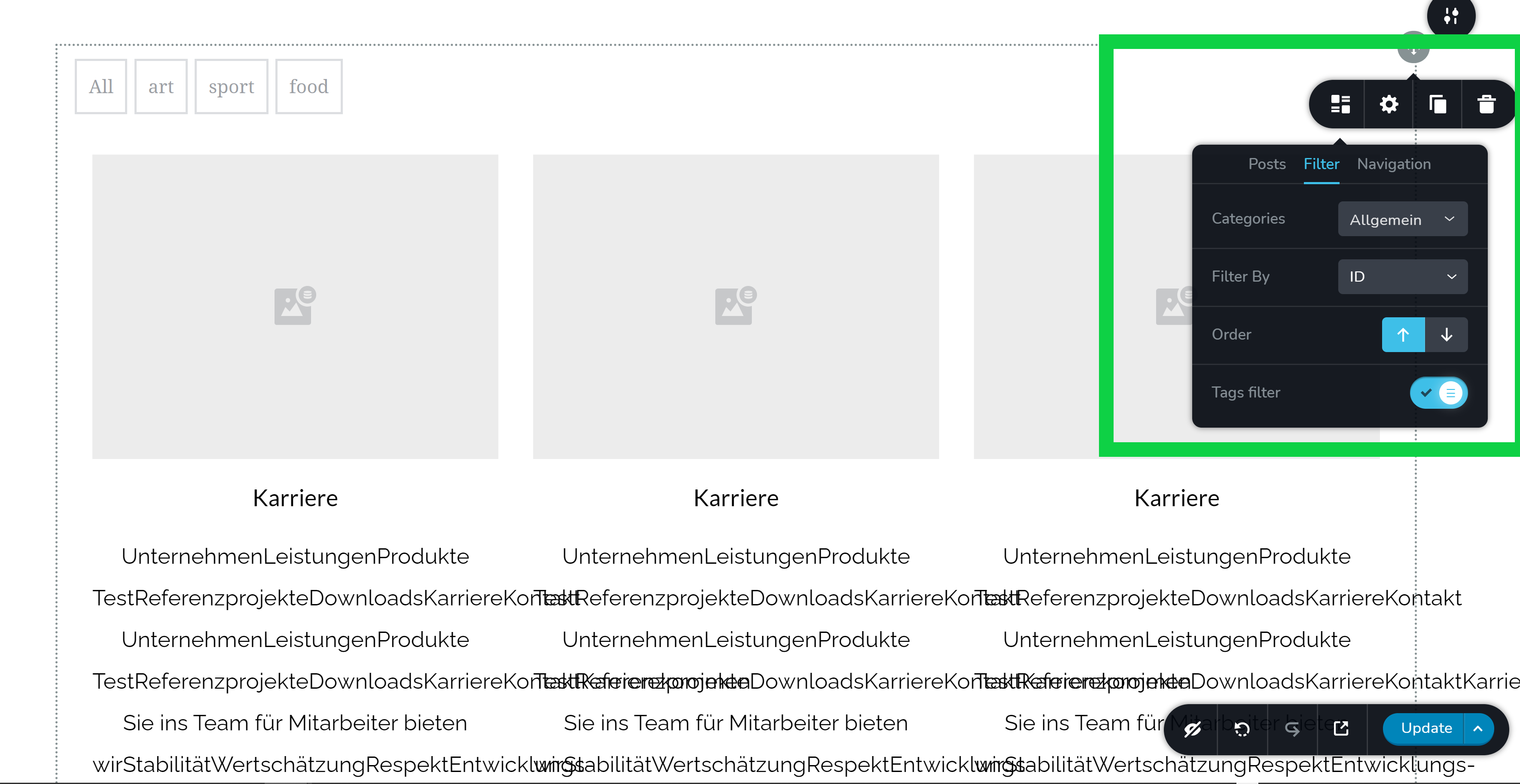
Sorry, I missed this moment. I was thinking about Portfolio (an element we don't have) and forgot about this option in the Posts element. The tag filter mentioned in the discussion above is here:https://jmp.sh/xUij7On so you can use it to create a filterable grid. It will automatically extract all your post tags.
0 -
Hi Alex,
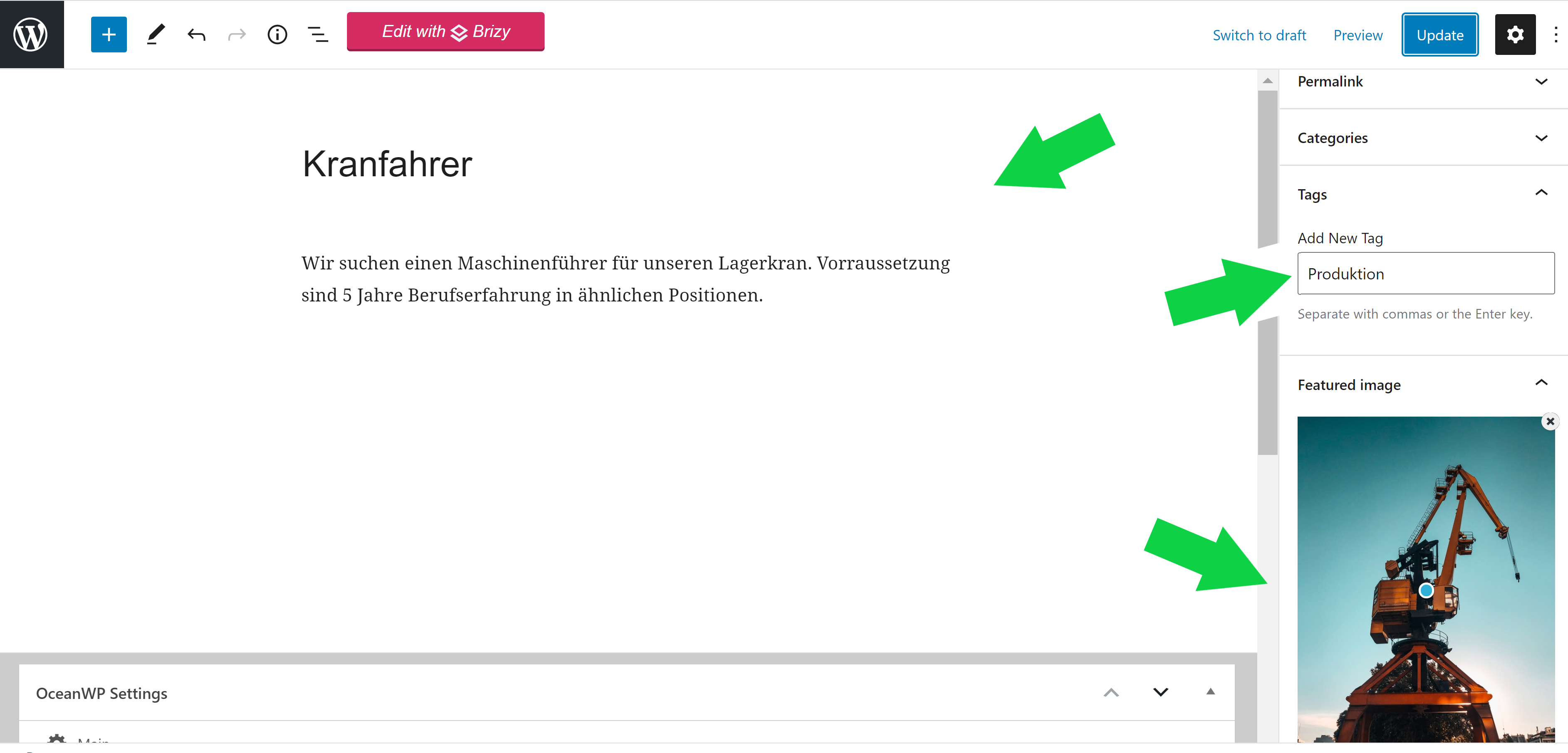
cool, I finally got round trying this out and so far so good. I managed to post a couple of postings using regular Gutenberg, attaching an image to each posting and assigning a tag.
Then I set up the postings element, the same way you did, I think.
After publishing the posts element does seem to display correctly but it seems the tags filters do not so far. I can only see one "filter" saying "All" but none of the tags I entered when creating the posts did get displayed there.
Also would there an easy way to change the wording of the "All" filter to something else, for example "Alles"?
Thank you for your support and have a great day.
 0
0 -
 0
0 -
Ok I made a mistake entering the tags, I had to hit enter before saving to propperly set them. Now it works how it should be.
Perfect, still would there be a way to translate the generic filter "All" to German like "Alle" ?
Would there also be a way to make the postings display in different sizes like a modern portfolio that is filterable?
Something down the line of the picture you can see in the screenshot below?
 0
0 -
Hi,
unfortunately, there is no option to change or translate this. We have this on our to-do list and we will create an option to do so. It's a must.
Regarding the display in different sizes: this is called masonry grid and unfortunately, we have no such an option for the Posts element. At least for now.
btw: you can create something like that with the gallery element: https://youtu.be/_seBgmvsxvk
0
Please sign in to leave a comment.
Comments
8 comments