Problem with a diaporama/caroussel

Hi!
I'm experiencing a problem with a diaporama/caroussel item on my website. I stylized this block and put my own pictures on the desktop Brizy editor but when I switch to the mobile phone Brizy Editor, the style and the pictures are the default ones! On the tablet version, it's ok. The problem is in the editor and obviously on the website.
Could you help me solve this problem, please?
Best regards,
JP.
ok on desktop:
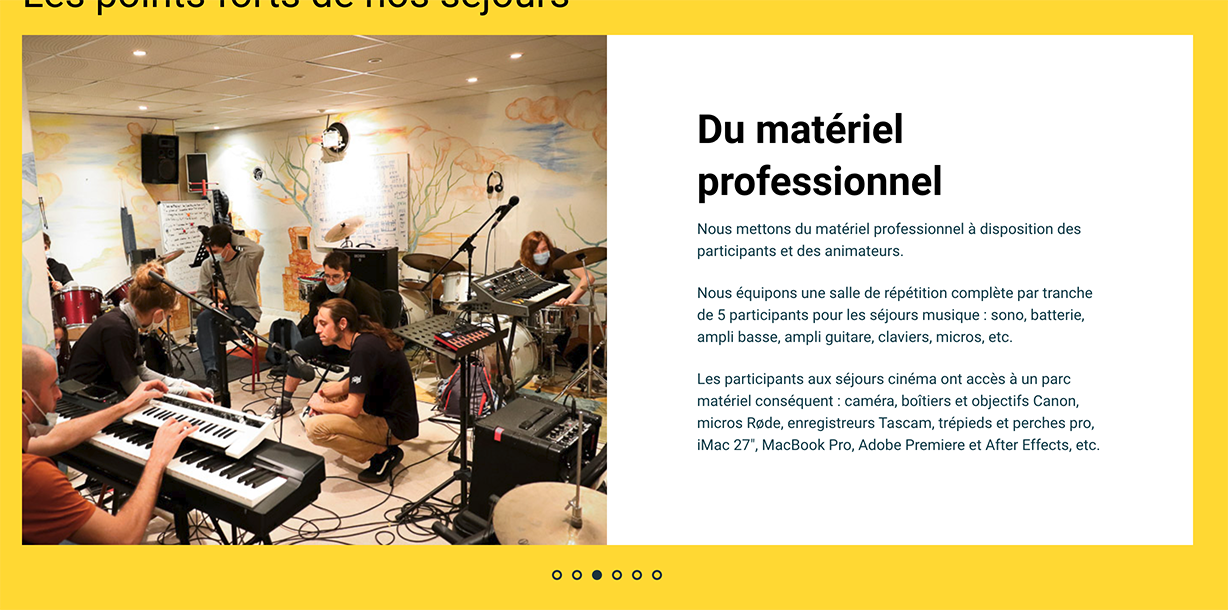
not ok on mobile!
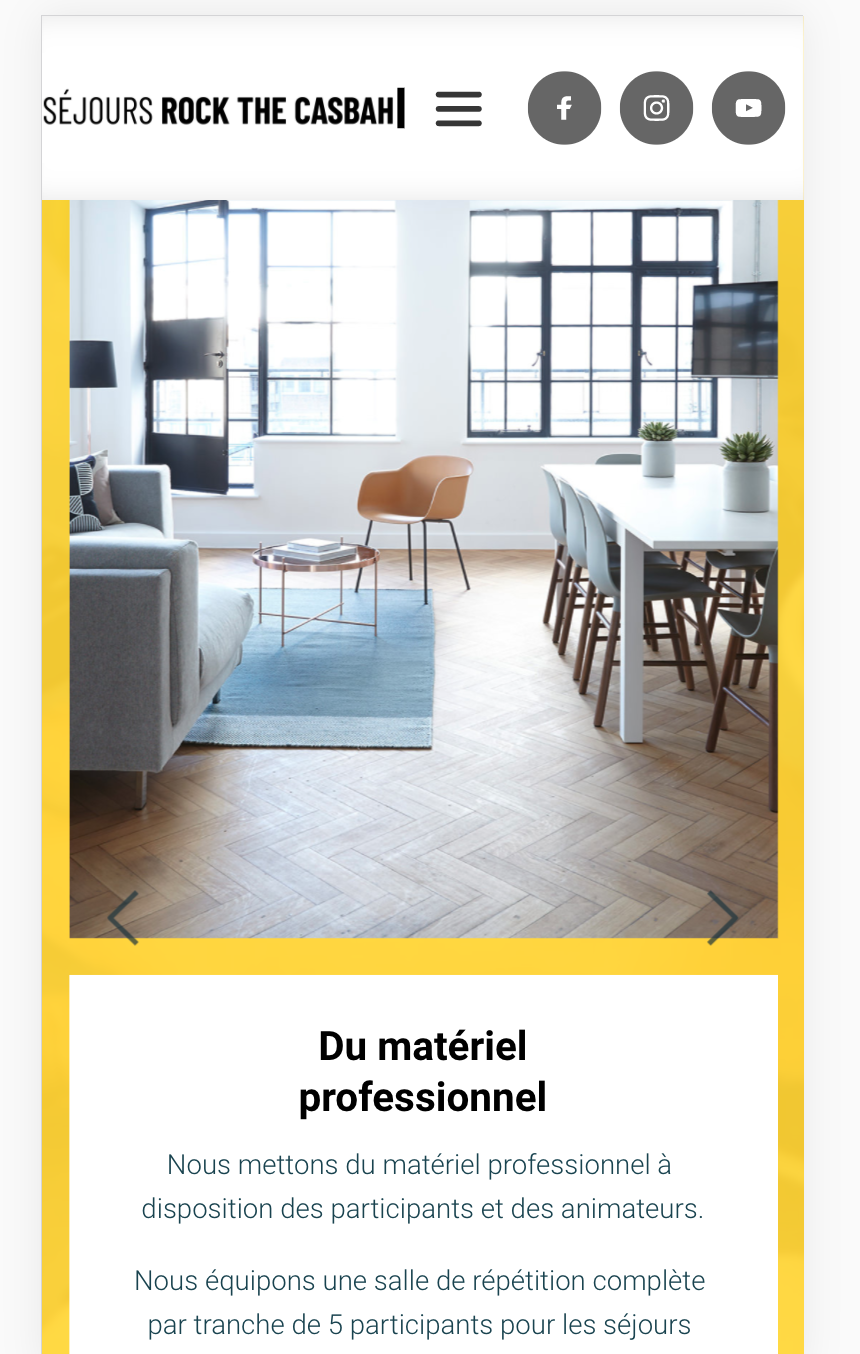
-

Hi,
I suppose you are using one of the premade blocks from our Kit 1. There, in Kit 1, for some blocks exist this issue and we know about it. Therefore, the solution can be to go the mobile mode of the editor and change manually the images https://jmp.sh/XpdfC0a. Another solution can be to use a block from Kit 2 or to create from scratch this block.
Let us know if we can help you with something else.Best regards,
Sandra0 -
Hi,
Thank you for your answer! I managed to change the image for the mobile version of the website.
I'm experiencing another image problem with the tablet version though :(. Here is the problem, the desktop version is this:
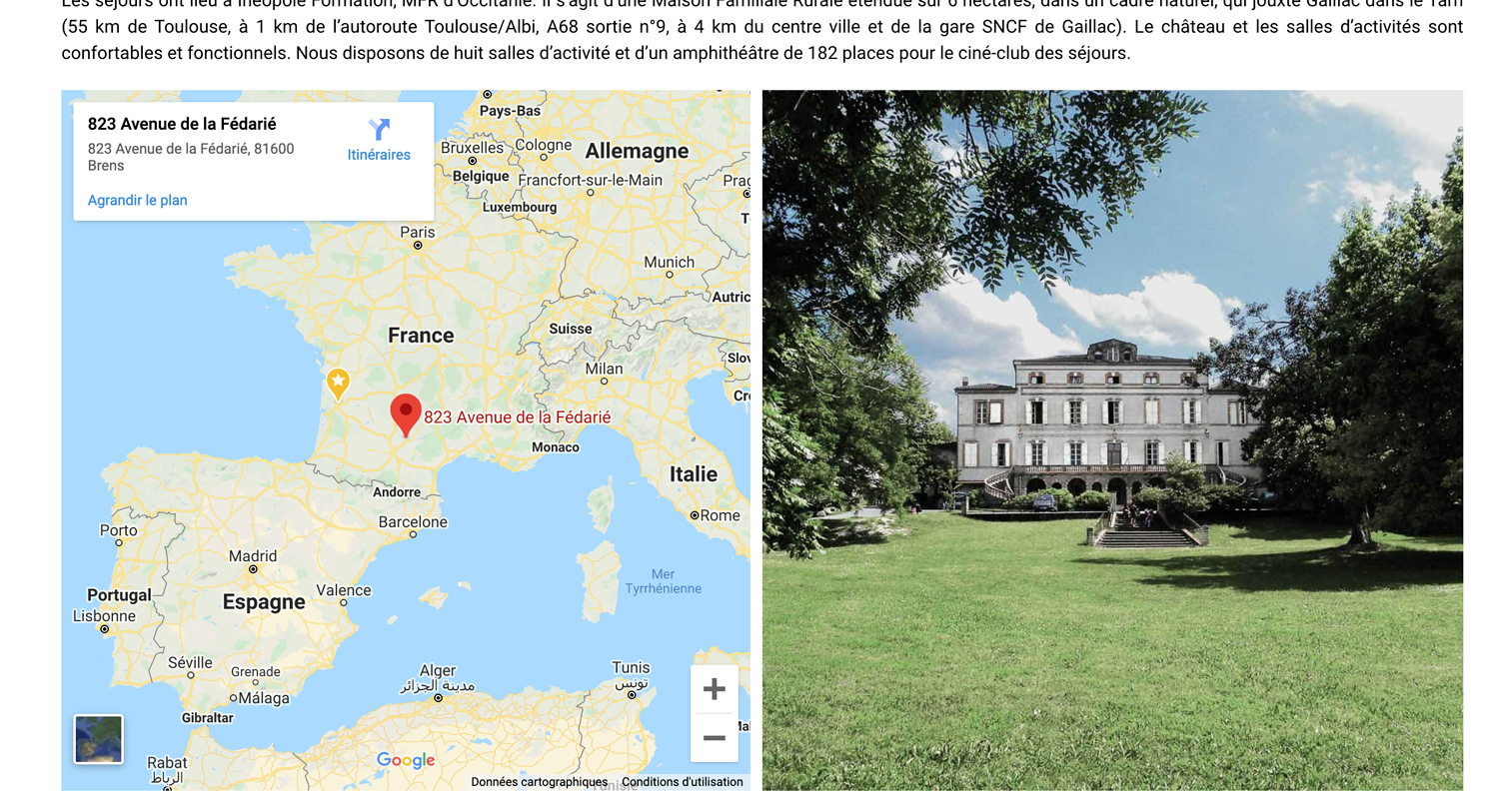
or this:

which are one image displayed at a time in a carousel space.
But, in tablet display, the same spaces display 2 images side by side:
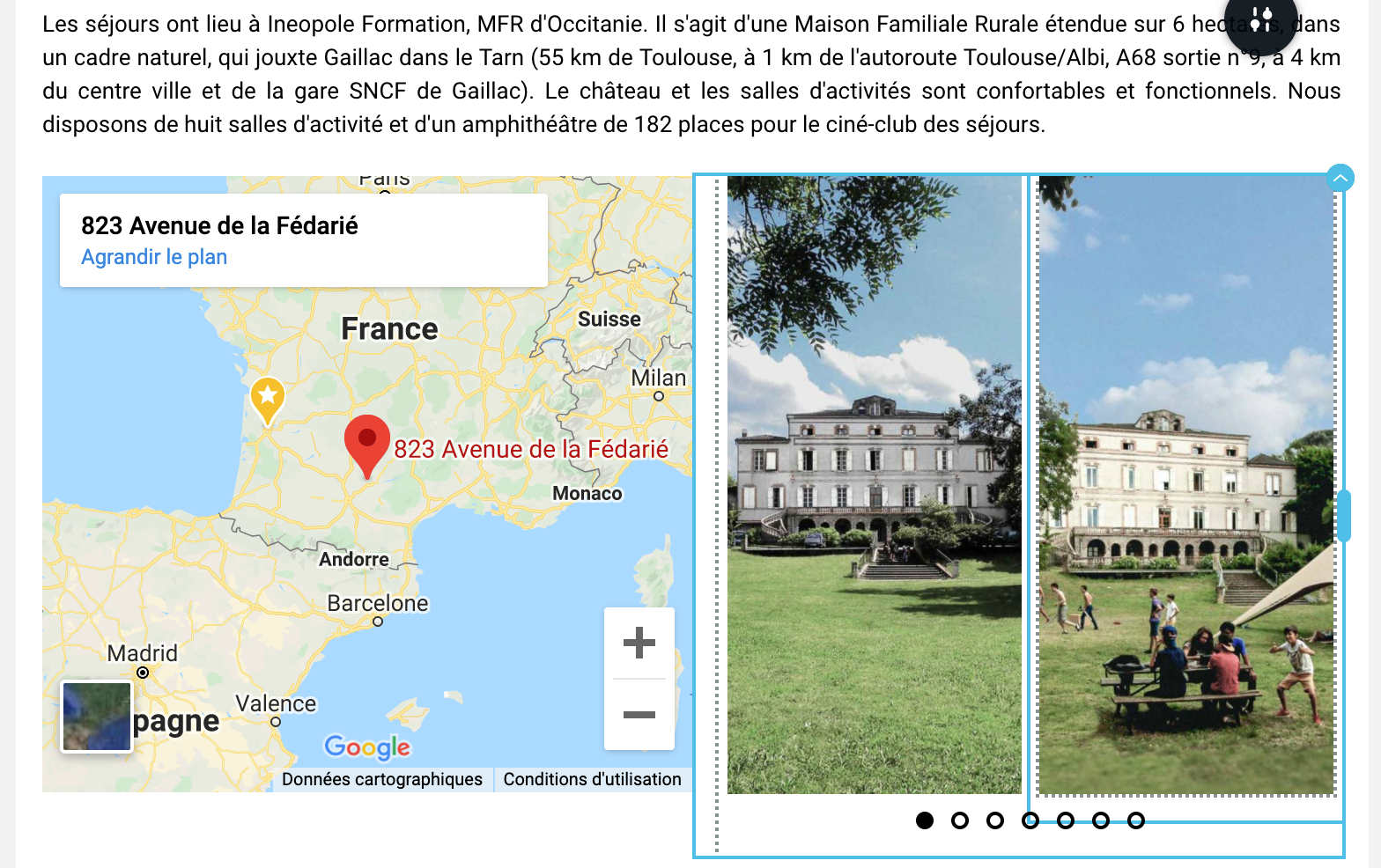
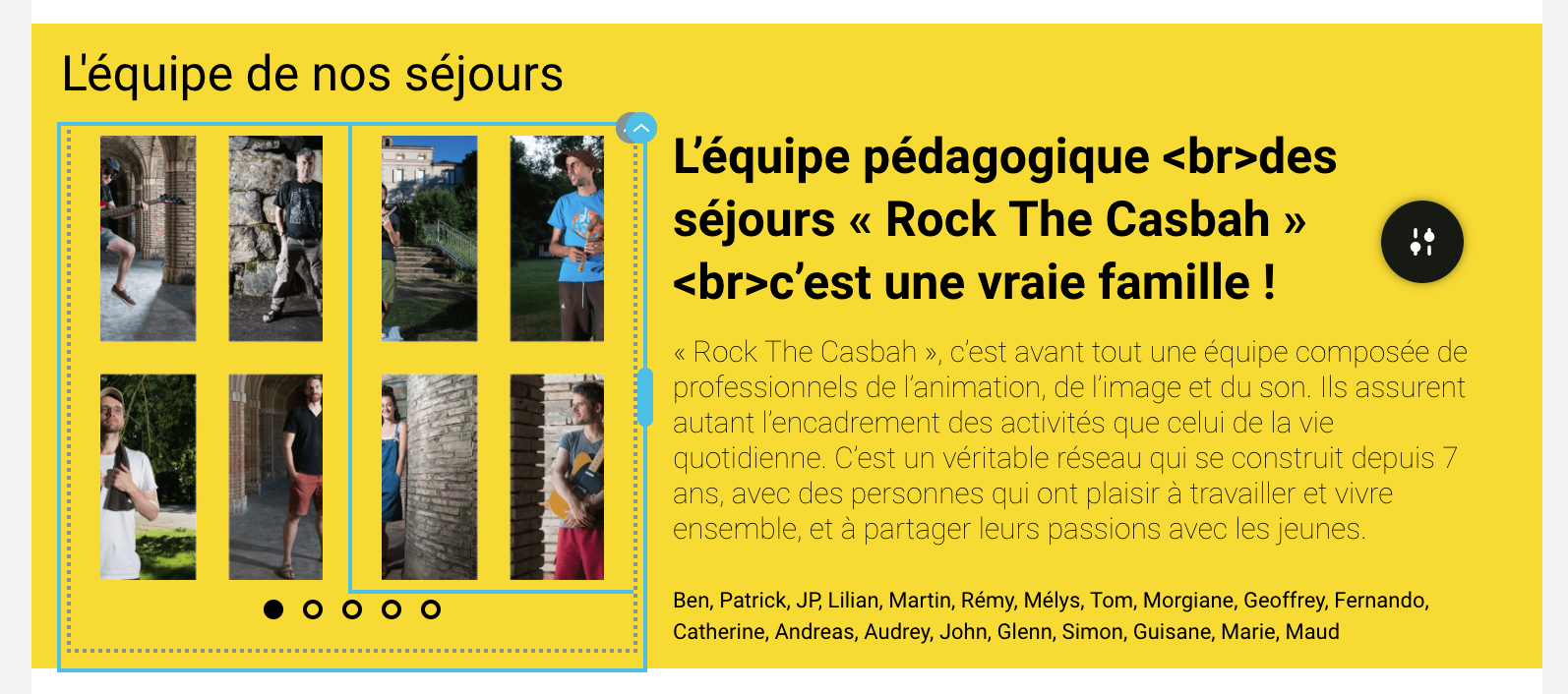
I have no clue why it acts like this and I don't know how to correct this.
If you have any idea, I'm very interested! :)
Best regards,
JP.
0 -
Hi,
Do you want to display only one image per slide in the carousel element on the tablet mode? For this, please go to the tablet mode and go to Carousel settings and set to display only one column. See here.
Hope this tip will help you, if nor, could you please send us the URL link of this page? If you don't want to make it public, let us know and we will delete it before approving your reply.Thanks!
Best regards,
Sandra0 -
Hi,
Thank you for your answer! I can't find the place to click to have the carousel parameter :(. I took a screenshot:
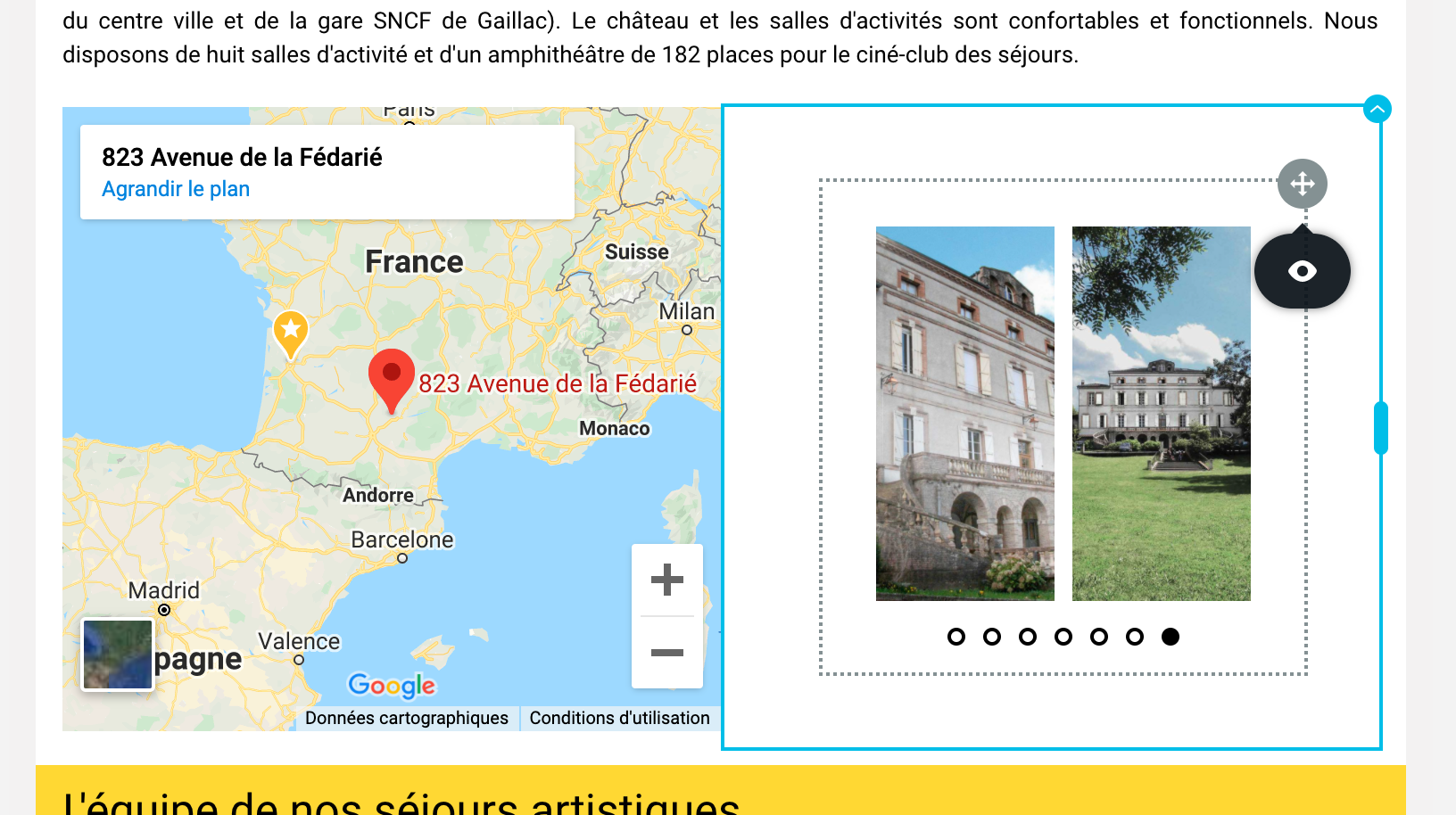
As you can see, in tablet mode, I can only choose to show or hide this carousel :(.
Do you have any idea about what I'm doing wrong?
Best regards,
JP.
0 -
Hi,
Could you please check if you have the latest versions for Brizy Free 2.2.6 and Brizy Pro 2.2.2? Could you please send us the URL link of the page where you encounter this problem? If you don't want to make it public, let us know and we will delete it before approving your message.
Thanks!
Best regards,
Sandra0 -
Hi!
I'm on Brizy Free 2.2.6 and Brizy Pro 2.2.2. Here is the URL:
https://sejoursrockthecasbah.com/
Best regards,
JP.
0 -
Hi,
I opened the URL you send us but I find that the carousel is missing, seems that you removed it from the page. See here. Could you please create a test page where you can add a carousel element to check it?
Thanks!
Best regards,
Sandra0 -
Hi!
The carousel is there, it must be a caching problem. Try to reload the page one to three times and you'll see the bullet points at the bottom of the image!
Let me know if it works!
Regards,
JP.
0 -
Hi,
Unfortunately, I couldn't find the carousels on the page. See here. Yesterday, we release new updates for Brizy Free 2.2.7 and Pro 2.2.3. Could you please update them? Also, could you please temporary deactivate all external plugins (except Brizy Free and Brizy Pro) and activate a WordPress default theme? Maybe you have some Custom CSS or external code on the page that blocks the carousel and all its options? Could you please check this too?
Best regards,
Sandra0 -
Hi, I updated both Brizy free and pro! I deactivated a minify plugin and the carousels are back! You can check them at the same address as before. The problem for the tablet mode is there, with the carousel displaying two images in the same space, each image being cut in half! Thanks for your help!
Best regards,
JP.
0 -
Hi,
Could you please check if you deactivate the Minify plugin could you select a different number of column to be displayed on the tablet and mobile mode?
Thanks!Best regards,
Sandra0 -
Hi!
Unfortunately, I'm still only having the "eye" option in tablet mode:
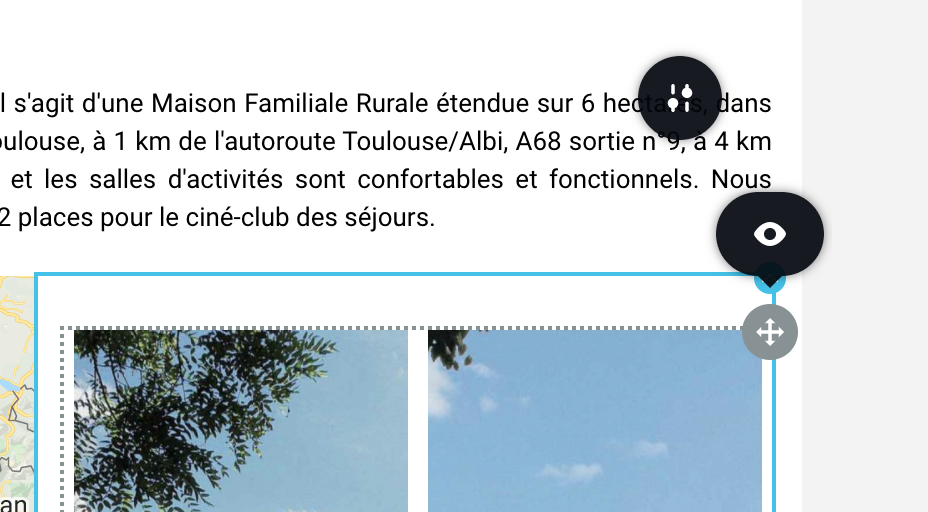
It's the same in the mobile mode, only the eye, but it's not a problem because the carousel displays only one image at a time in the same space, which is the way we wany it to work!
Best regards,
JP.
0 -
Hi,
Thank you for informing us regarding this! We could reproduce this problem and found that it is related to the Arrows. On your carousel elements, the arrows aren't set-up and this generated this inconvenience. If you will add the Arrows, all will start to work fine. Therefore you have to set-up the Arrows in the desktop mode, go to the tablet mode, set-up the Carousel with 1 column and then go to the desktop mode to disable the arrows. Could you please check if all is working fine now?
I already informed our team regarding this inconvenience and they will investigate this issue.
I'm sorry for this problem and thank you for your patience and collaboration.Best regards,
Sandra0 -
Yes! That works! I reactivated the arrows in the desktop mode, I recovered the carousel icon in the tablet mode, I changed and tweaked the carousel in tablet mode, I got back in desktop mode and deactivated the arrows and everything is fine!
Thanks a lot for all your help! I hope you'll be able to add a fix for that but everything is fine by me right now.
Have a nice day!
JP.
0 -
Hi,
Thank you for confirming that all is fine now and you could use this workaround. We will strive to solve this inconvenience as soon as possible!
Thank you for your patience and understanding!Best regards,
Sandra0 -
Hi,
My pleasure! Thanks again for all your support!
Best regards,
JP.
0
Please sign in to leave a comment.
Comments
16 comments